1
and BTA will automatically connect to last-connected device.
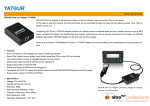
3. When BTA and mobile phone are connected via Bluetooth, Double clicking
Remote Control unit Answer/Hang up button will achieve redialing last called phone
number. When two mobile phones are connected to BTA via Bluetooth at same time,
only the mobile phone as main device is able to response to the command of
redialing last called number.
4. When BTA and mobile phone are connected via Bluetooth, in non-conversation
status, hold Remote Control button Answer/Hang up for 2 seconds and release, you
can hear two beeps tone for voice dialing, that means it already enters voice dialing
status, at this time mobile phone also reminds entering voice dialing status. Only
the mobile phone as main device is able to response to command of voice dialing.
Notice: Voice dialing command can be responded only after Answer/Hang up button
is released. Do not hold for over 5 seconds, or it will lead to command of disconnect
current connected device.
5. No matter current Bluetooth device is connected successfully or not, hold
Remote Control button Answer/Hang up for 5 seconds, BTA will enter pairing status,
at this time BTA is discoverable for other Bluetooth devices. If Bluetooth connection
is already successful, the former operation will disconnect current connection and
BTA enters pairing status.
6. During conversation, if there is an incoming call from same mobile phone, the
call tone will come out from car speakers (If the mobile phone and operator
supports), user can press Next Track button to hang up current call and answer the
coming call. If press Previous Track button, the first call can be reserved and the
coming call will be answered. If you want to switch back to the first call and reserve
the second call, you can press again Previous Track button on remote control unit; If
you want to switch back to the first call and do not reserve the second call, you can
press Next track button.
7. If there are two mobile phones both connected with BTA at same time, when
the mobile A is under conversation and a call coming from mobile B, user can press
remote button Next Track to hang up current call and answer the coming call.
8. Hold Answer/Hang up button on remote control unit for 2 seconds during
conversation, the call transfers from Bluetooth hands free to mobile phone private
status. Hold Answer/Hang up button on remote control unit for 2 seconds again, the
call turns back to Bluetooth hands free again.
A2DP Music Playback
When mobile phone is under status of A2DP music playback, users can also
operate mobile phone music via remote control unit, to achieve Pause/Play,
Prev/Next Track, Fast forward/backward functions. The detail functions are same
as on original car stereo
1. Under A2DP music playback status, Press Answer/Hang up button on remote
control unit achieves Pause/Play function.
2. Press Previous track button【 |<<】 or Next track button【 >>|】 achieves
Previous Track or Next Track functions on mobile phone.
—[ 10 ]—