1
Bellman Visit Baby Cry Transmitter, BE1490
Bellman Visit Baby Cry Transmitter, BE1490 (GB)
Thank you for choosing products from Bellman & Symfon.
The Bellman Visit 868 System consists of a number of radio transmitters and receivers. The transmitters
detect different events in the surrounding area and transmit a radio signal to the receivers. The receivers
pick up this signal and provide indications using light, sound and/or vibration.
The transmitter determines what type of light, sound or vibration should be displayed so that the reason for
the indication is evident.
Read through the entire user manual first and then start to install the system.
Refer to the illustration of the Bellman Visit 868 System on the inside of the cover.
Getting started
Unpacking, installing and testing the unit
1. Open the battery cover (6). Fit one 9V battery, either a 6LR61 alkaline or 6F22 lithium type battery, and close the battery
cover.
2. Press the Test Button (3). The Bellman Visit 868 Baby Cry Transmitter lights up the LED (1) to indicate that the unit is
transmitting a radio signal. The Bellman Visit 868 receivers will indicate the Baby Cry Transmitter.
3. The Bellman Visit 868 Baby Cry Transmitter can either be placed on a level surface using the base supplied or suspended
on the wall mount bracket (5) on the screw supplied. A suitable distance from the child is 0.5-2 m. It should not be placed
close enough for the child to reach it.
Function
General
The BE1490 Bellman Visit 868 Baby Cry Transmitter is a radio transmitter within the Bellman Visit 868 System for indoor
use, which recognises the sound from a crying baby. The Baby Cry Transmitter is activated by the built-in microphone and
can transmit different signal patterns to the receivers in the Bellman Visit 868 System. The sensitivity can be controlled via
the sound sensitivity switch (4) and the delay time before the Baby Cry Transmitter transmits radio signals can be controlled
via the delay switches (7).
3 = On, high sensitivity
2 = On, normal sensitivity
1 = On, low sensitivity
0 = Off
Radio key
On delivery all Bellman Visit 868 units are tuned to the same Radio Key. If you have a neighbour with a similar system, you
can change to different Radio Keys so that you do not affect each other’s systems. If you use the Radio Key Switch (8) to
change the radio key on this transmitter, you must also change all other units in your Bellman Visit 868 System to the same
radio key. Refer to the user manual for the relevant unit.
Indicators and Signals
System indicators
When the LED (1) lights up, the Baby Cry Transmitter transmits radio signals.
Power supply
When the Baby Cry Transmitter is activated, the LED (1) lights up green. This means that the battery is in good condition.
If the LED (1) lights up yellow, this means that the battery is flat and must be changed. Only use an alkaline 6LR61 or a
lithium 6F22 type battery.
Troubleshooting in brief
Problem
Solution
Nothing happens when the
transmitter is activated.
• Check that the Baby Cry Transmitter is switched on.
• Change the battery. Only use an alkaline 6LR61 or a lithium 6F22
type battery.
The LED (1) lights up yellow • Change the battery. Only use an alkaline 6LR61 or a lithium 6F22
when the Baby Cry
type battery.
Transmitter is activated.
The LED (1) lights up green
when the Baby Cry
Transmitter is activated, but
the receivers are not
signalling.
• Check the battery in the receiver.
• Check that the receivers are not placed too far away by moving them
closer to the transmitter.
• Check that the Baby Cry Transmitter is set to the correct radio key.
For further information see Function/Radio key.
The Baby Cry Transmitter
does not signal even though
the child is crying.
• Increase the sensitivity using the sound sensitivity switch (4) or place
the Baby Cry Transmitter closer to the child, but not close enough for
the child to reach it. For further information see Function/General.
The Baby Cry Transmitter
transmits a signal even
though the baby is not
making much noise.
• Reduce the sensitivity using the sound sensitivity switch (4) or move
the Baby Cry Transmitter further away from the child. For further
information see Function/General.
The child cries for a long
• Reduce the delay time using the Delay Switch (7). For further
time before the Baby Cry
information see Function/General.
Transmitter transmits a signal
to the receiver.
The Baby Cry Transmitter
transmits a signal even
though the baby only cries
for a short time.
• Increase the delay time using the Delay Switch (7). For further
information see Function/General.
The receiver signals when no • Change the Radio Key on all units in the system. For further
For further information about the product in English, refer to the Appendix.
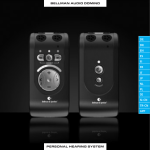
1. LED. Combined transmission and battery indicator. For further information see Indicators and Signals
2. Microphone
3. Test button
4. Sound sensitivity switch
5. Wall mount bracket
6. Battery cover
7. Delay and signal switches
8. Radio key switch