1
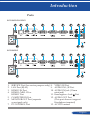
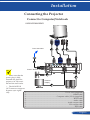
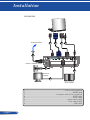
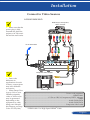
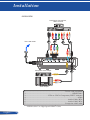
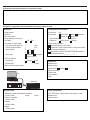
Installation Connecting the Projector Connect to Computer/Notebook 6433/6433W6430HD To the wall outlet 2 3 4 5 1 E62405SP R Router / Network Switch Make sure that the power plug is fully inserted into both the projector AC IN terminal and the wall outlet. 8 6 External Display 7 The MONITOR OUT connector supports Audio Output Separate sync signal only. 1.............................................................................................Power cord (supplied) 2...............................................................................................................HDMI cable 3........................................................................ Computer cable (VGA) (supplied) 4................................................................................................................RS232 cable 5............................................................................................................... Audio cable 6.................................................................................................. Audio output cable 7.................................................................................................... VGA output cable 8.................................................................................................................. RJ45 cable 25 ... English