1
11
AFTER EFFECTS 5: User Manual
3.
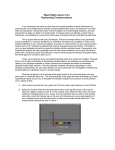
Double click on Output Module to bring up
the Output Module Settings window. Set
Format to QuickTime Movie.
4.
Make sure the Video Output box is
checked.
5.
Under Video Output, click Format Options.
The Compressor Settings window will appear.
6.
For Compressor, select None and Millions
of Colors+. Set the Quality slider to Best.
7.
Click OK.
8.
If your composition does not have audio,
make sure the Audio Output box is not
checked. If your composition does have
audio, place a check in the Audio Output
box.
9.
Click on Format Options. The Sound Settings window will appear. Select the following
values:
♦
♦
♦
♦
Compressor: None
Rate: 44.100
Size: 16 bit
Use: Mono or Stereo (*depends on your specific audio source)
Click OK
10.
Click OK to close the Output Module Settings window.
11.
Click on Not Yet Specified to the right of
Output To: to set your file’s saving destination and name. The Output Movie To:
window will appear.
12.
Name the movie file and select an output
destination on the hard drive.
13.
Click Save.
14.
Click Render to begin rendering your composition into a movie file. When finished, the
movie will appear as a file in the location you saved it to.
File name: AfterEffect5_User.pmd
Last modified: 05/24/02
Copyright Arizona Board of Regents, 2002
University of Arizona