1
WebCenter
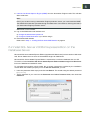
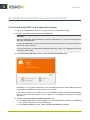
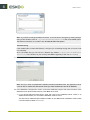
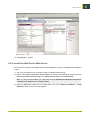
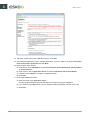
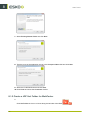
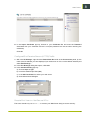
5. In the Import Certificate pop-up, browse to your Certificate file, and enter the Password
associated with your certificate if there is one (this password can be set when receiving the
certificate).
Click OK.
Configure IIS to Receive Secure (HTTPS) Traffic
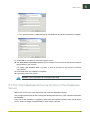
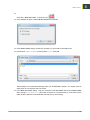
1. Still in the IIS Manager, right-click the Default Web Site node in the Connections panel, (or the
node of the IIS website you have deployed your web server on if it's not the default website) and
select Edit Bindings...
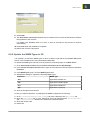
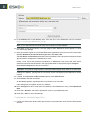
2. In the Site Bindings dialog that opens, click Add.
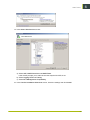
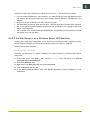
3. In the Add Site Binding pop-up:
a)
b)
c)
d)
Choose https as Type.
Leave the default https Port (443).
In the SSL Certificate list, select your web server.
Click OK and then OK again.
Require End Users to Use Secure URLs
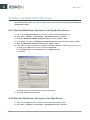
End users should only use HTTPS:// to access your WebCenter site(s) to ensure security.
51
8