1
// Aquaris X5
Complete User Manual - English
Appendices
Appendices
Appendix A: OTA Updates.
OTA stands for “Over the Air”, which refers to the way that firmware updates are sent to your
device; i.e. via your data connection, with minimal intervention required on the part of the
user and without the need for complex update procedures.
Your device will periodically check for new updates to the operating system, which generally
include performance improvements or additional features for your smartphone. When the
system detects that an update is available, a pop-up window will notify you of this and will
request confirmation to install it. We recommend using a Wi-Fi connection to download the
update package.
The system will guide you through the installation process, to ensure that it is completed
as quickly and conveniently as possible.
You can also check for updates manually by going to Settings > About phone > System
updates > Update. A message will appear to tell you that the system is searching for available
updates. If an update is found, the installation process is the same as described above.
Appendix B: Technical Specifications.
You can find all the technical information for your device by visiting this link and selecting
the corresponding model: http://www.bq.com/gb/smartphones
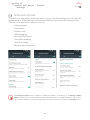
If you click on Specifications you will find information such as:
· Dimensions and weight.
· Screen.
· Internal memory.
· Processor.
· Battery.
· Operating system.
· Connectivity.
· System functions.
69