1
Factory Default settings:
TURNING ON FOR THE FIRST TIME [Factory Reset]
>Press ‘MENU’ button
>Press the ‘Arrow’ button until you see ‘Engineer Settings‘ > Press OK
>Press the ‘Arrow’ button until you see ‘Factory Reset‘ > Press OK
>Press the ‘Arrow’ button until you see ‘RESET‘ > Press OK
The thermostat will turn off and on.
Set language>OK
Set time>OK
Set date>OK
The thermostat is now set to ‘factory default’ settings and is fully operational in auto
mode. Default settings can be changed as detailed below.
PROGRAMMING
>Press ‘MENU’ button
>Press the ‘Arrow’ button until you see ‘User Settings‘ > Press OK
>Press the ‘Arrow’ button until you see ‘4-Event Schedule‘ > Press OK
>Select from either 5:2 6:1 or 7:0 > Press OK > Press Exit
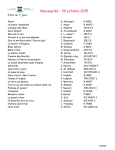
weekdays (day 1-5):
on at 6am - 25°C
off (set back) at 8am - 20°C
on at 4pm - 25°C
off (set back) at 10.30pm - 20°C
week - ends (day 6-7):
on at 8am - 25°C
off (set back) at 11pm - 20°C
note: thermostat does not “tun off” but
changes to a “set back” temperature.
This set back temperature can be changed.
>Press ‘MENU’ button
>Press the ‘Arrow’ button until you see ‘4-Event Schedule‘ > Press OK
>Set day(s) of the week> Press OK
>Set Morning > Press OK
>Press the ‘Arrow’ button to set Morning ‘ON’ time > Press OK
>Press the ‘Arrow’ button to set Morning ‘ON’ temperature > Press OK
>Set Daytime > Press OK
>Press the ‘Arrow’ button to set Daytime ‘OFF’ time > Press OK
>Press the ‘Arrow’ button to set Daytime ‘OFF’ temperature > Press OK (normal setting is 20°C - do not set to 0°C)
>Set evening > Press OK
>Press the ‘Arrow’ button to set Evening ‘ON’ time > Press OK
>Press the ‘Arrow’ button to set Evening ‘ON’ temperature > Press OK
>Set Night > Press OK
>Press the ‘Arrow’ button to set Night ‘OFF’ time > Press OK
>Press the ‘Arrow’ button to set Night ‘OFF’ temperature > Press OK (normal setting is 20°C - do not set to 0°C)
Repeat the process depending on your weekly configeration
MANUAL MODE SETUP
Override of the auto on /off programmed setting.
>Press ‘MANUAL’ button
>Set temperature> Press OK - Hand will appear with set temperature
To change the thermostat back to automatic mode - press the ‘AUTO’ button
COMFORT MODE
Comfort mode will temporary override auto seettings for a single length of time.
Once the time expires the thermostat will revert to the auto programmed setting.
>Press ‘COMFORT’ button
>Set temperature > Press OK
>Set lengh of time > Press OK
Understanding Adaptive Function? ** IMPORTANT FOR IN SLAB INSTALLATIONS **
Adaptive function allows the thermostats to predict when the floor heating should be turned on. A thermostat set to
28°C at 6am will begin to turn on hours before (based on the last few days temperature) in an attempt to be at 28°C
at 6am
Time of use meter
The Smart Power Meter varies the power tariff rate at different times of the day. Overnight the rate is at ‘Off Peak’
rates and during the afternoon and evenings there is the ‘Peak’ rate. At the times between these there are ‘Shoulder’
rates. The exact times of these rates should be confirmed from your power provider.
As the cost of electricity during ‘Peak’ times is more expensive than during the ‘Off Peak’ or ‘Shoulder’ times the
adaptive function on the MCD4 thermostat should be programmed to ‘OFF’.
Benefits of Adaptive Function (non inslab installations)
As the weather becomes cooler, your thermostat will predict what time to turn on your system so your floors will always
be warm and at your set temperature, as programmed.
Set the Adaptive Function to ‘Off’ (default setting for MCD4 is ‘ON’)
>Press MENU button
>Press the ‘Arrow’ button until you see ‘Engineer Settings‘ > Press OK
>Press the ‘Arrow’ button until you see ‘Adaptive Function‘ > Press OK
>Press the ‘Arrow’ button until you see ‘OFF‘ > Press OK