1
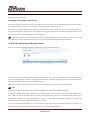
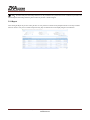
3. Database Management To prevent damage and loss of data in the database server caused by objective factors, it is recommended that the user use the backup and restore functions in the system to manage the data in the system. The simple operations for backup and restoration of database is as follows: 3.1 Setting of Database Backup Path During the software installation process or when the user needs to use [Service Controller] - [Set Database Backup Path] to configure the database backup path on the server. 3.2 Backup Database 1. Select [Immediate Backup] and the system will start backing up the database. When the value in the column of “Whether backup successful” is changed from “Processing” to “Yes”, backup of database was successful. If it is changed to “No”, the backup failed. Notes: It is recommended that the user backup the data after setting up personnel information, device information and setting access permissions. Currently, the system does not support the backup of Oracle databases. 2. After the system starts normal operations, the user can select [Scheduled Backup] for regular backup to prevent data loss. 3.3 Restore Database When the user needs to restore the database files that have been backed up, they need to find the backup files to be restored under the backup directory previously set in [Service Controller] - [Restore Database] on the server and click the [Restore] button. Notes: 1. Do not close any command window opening up during the restoration process of the database. Backup of the database can be operated at any client (browser) by the user with permission to back up the database. The setting of database backup path and restoration of databases shall be operated at [Service Controller] on the server. 2. After the database backup path is set on the server, it is recommended that the user do not set up several planned backups at the same server, which will increase load of the server. 3. In case of failure of backup and restoration please refer to directions in [Service Controller] and [System setting] in the User Manual and relevant parts in FAQ. 201 Circle Drive N, Suite 116 Piscataway, NJ 08854 Tel: 732-412-6007 Fax: 732-412-6008 www.zkaccess.com