1
our easy-to-use program. It is important that you thoroughly read this manual, and refer back to it as
needed, to successfully navigate through and complete your transcription assignments.
MTClient Setup:
MTClient will need to be downloaded to the computer or computers you wish to use when transcribing
your assignments. Visit the MTClient website provided to you by your school and follow the
installation directions located on the MTClient Setup page.
Log-in Procedure
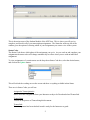
Once MTClient is loaded on your computer the next step is to log-in. Double click on the MTClient
shortcut on your desktop and a Login window will appear.
You will get your Group, UserID and Password from your instructor. Your Password is case sensitive,
so make sure you enter it in correctly based on what your instructor tells you.
*** If you forget your password contact your instructor to have it reset***
Your USB foot pedal MUST be plugged in before you log in for it to be recognized by MTClient. If
you have not plugged it in before you logged in or if Windows does not recognize your foot pedal you
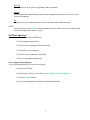
will see this message:
Click OK and log out of MTClient. Make sure your foot pedal is plugged in before continuing. If this
message comes up again contact your instructor for help.
***If you do not wish to use a foot pedal, see page 7 for further instructions. ***
The rest of this Manual will take you step by step through all of the processes you need to be able to do
to complete your assignments.
Student Module:
1