1
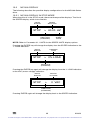
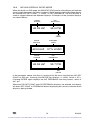
PASSWORD
61
(PASSWORD NUMBER)
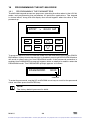
This feature limits access to the programmable parameters for added security. The
correct password must be entered in order to change the parameters.
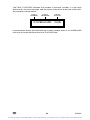
Pressing the PROG/RUN button on the keypad will activate the PASSWORD
prompt. If the correct password is entered, the PROGRAM MODE is entered and
parameters can be changed.
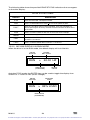
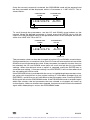
If the wrong password is entered, the drive will flash ERROR: INCORRECT and
then return to the PASSWORD prompt to allow another attempt at entering the
correct password.
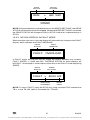
If the ENTER key is pressed while PASSWORD reads 0000, the MONITOR MODE
will be entered (if Parameter 64 - MONITOR, is set to ON), which will allow the
parameters to be viewed (except for PASSWORD), but not changed.
NOTE 1: The factory default value is 0019.
NOTE 2: If PASSWORD is set to 0000, the function is disabled. Pressing the
PROG/RUN key will result in direct entry into the PROGRAM mode without having
to enter a password.
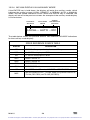
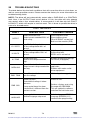
SOFTWARE
63
(SOFTWARE VERSION)
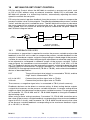
This parameter displays the software code and revision number of the control board
software. This information is useful when contacting the factory for programming
or troubleshooting assistance. This is a “view-only” parameter, and cannot be
changed.
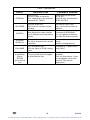
MONITOR
64
(MONITOR MODE)
This parameter is used to enable (ON) or disable (OFF) the MONITOR MODE
function. The functionality is explained below:
ON
Pressing the PROG/RUN key will call up the PASSWORD
prompt. If the ENTER key is pressed while the password value
reads 0000, the MONITOR MODE is entered and parameters
can be viewed (except for PASSWORD), but not changed.
OFF
Pressing the PROG/RUN key will call up the PASSWORD
prompt. If the ENTER key is pressed while the password value
reads 0000 (or any other incorrect value), it will be treated
as in incorrect password and the display will flash ERROR:
INCORRECT, and then return to the PASSWORD prompt to
allow another attempt at entering the correct password.
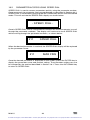
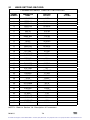
PROGRAM
65
(PROGRAM FACTORY DEFAULTS)
WARNING!
STOP (TB-1) and EXTERNAL FAULT (TB-13D) circuitry may be
disabled if parameters are reset to factory defaults! The drive must
be reprogrammed after a RESET in order to insure proper operation.
FAILURE TO DO SO MAY RESULT IN DAMAGE TO EQUIPMENT
AND/OR INJURY TO PERSONNEL!
65
M101U
For Sales and Support, Contact Walker EMD • Toll-free: (800) 876-4444 • Tel: (203) 426-7700 • Fax: (203) 426-7800 • www.walkeremd.com