1
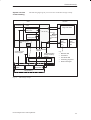
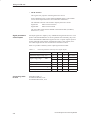
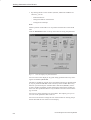
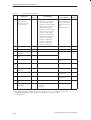
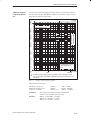
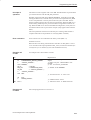
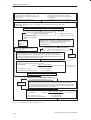
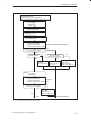
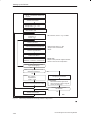
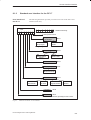
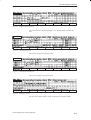
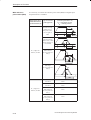
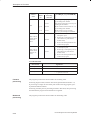
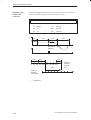
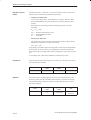
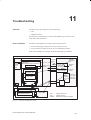
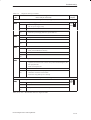
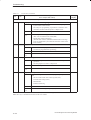
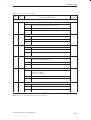
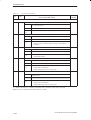
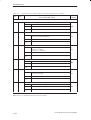
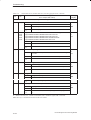
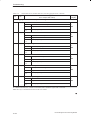
Starting up the FM 353
Parameterize
Load MD-DB to FM 353
(K data according to axis configuration)
(enter E data according to Table 7-2 or Section 7.3.2)
Select
BA = jogging
Speed level 1
OVER = 100%
Set
Activate machine data
Set
Speed level 1 = vss
Speed level 2 = vmax
Set
Servo enable = ON
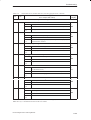
Start axis
Plus or minus direction
(execute several times)
(make sure travel area is clear!)
Travel test using Start/Stop frequency
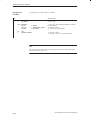
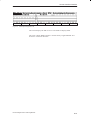
No
Axis movement completed?
Yes
No
Step drive active?
(Motor torque present?)
Direction correct?
Yes
Yes
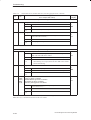
Check MD:
MD37.9 (inverted)
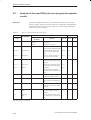
Select
Check MD:
MD 39, MD 37.17,
MD 37.19
Check drive
Check MD:
MD 37.0 (RFG)
MD 37.16 to MD 37.19
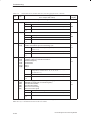
BA = jogging
Speed level 1
Start axis
Plus or minus direction
(execute several times)
(make sure travel area is clear!)
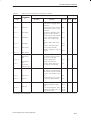
Axis movement completed?
(including correct braking?)
Travel at
fmax
No
Check MD:
MD 42 to MD 45
MD 37.16 to MD 37.19
Yes
END
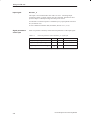
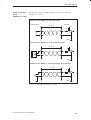
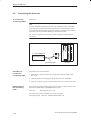
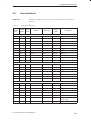
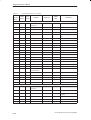
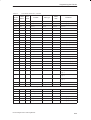
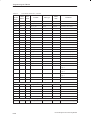
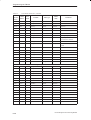
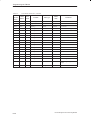
Fig. 7-7
No
Restart test sequence
Basic startup of stepper motor control
FM 353 Stepper Drive Positioning Module
7-17