1
Troubleshooting
The most important principle in troubleshooting is to isolate
the components of the system and check each in turn. The
components of the system include the meter, RDO sensor,
sample and technique.
Meter
The meter is the easiest component to eliminate as a possible
cause of error. Thermo Scientific Orion meters include an
instrument checkout procedure in the meter user guide.
Consult the meter user guide for complete instructions and
verify that the meter operates correctly and is stable in all steps.
RDO Sensor
1.
Rinse the RDO sensor thoroughly with distilled water, blot
it dry with a lint-free tissue and inspect the RDO cap for
scratches or discoloration.
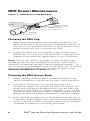
2. Remove the RDO cap from the RDO sensor and make sure
that there is no water inside the cap, the optical window
is clean and clear, the O-rings are intact and have a thin
coating of silicone grease and the spring contacts are clean
and undamaged.
3. If readings continue to be erratic and unstable, the RDO
cap may need to be replaced. Refer to the RDO Sensor
Maintenance section.
Sample
If the RDO sensor works properly in standards but not in the
sample, look for possible interferences or substances in the
sample that could alter the sensor response or physically
damage the sensor. If possible, determine the composition of
the sample and check for issues.
Technique
Check if the method of analysis is compatible with your sample.
10
RDO® Optical Dissolved Oxygen Sensor User Guide