1
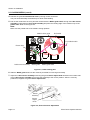
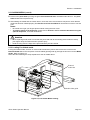
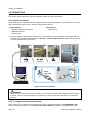
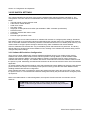
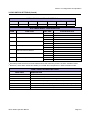
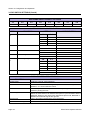
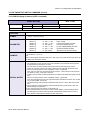
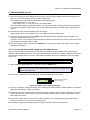
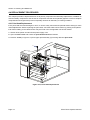
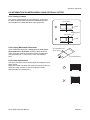
Section 4: Cleaning and Maintence 4.1 CLEANING THE PRINT HEAD, PLATEN AND ROLLERS The print head not only generates printouts of barcodes, but also graphics and text. To produce optimal printing, it must be kept clean in spite of the dirt and adhesive that constantly accumulates on its print surface. Furthermore, dirt can accumulate along the label path, affecting parts like sensors and guides, and reducing their performance. Therefore, it is important to clean these important components periodically. The printer cleaning kit and cleaning sheets can be purchased from your authorized SATO representative. When to clean with a cleaning kit For the printer head, platen roller, paper sensor, and media guide: clean after using up every other roll of media. For other parts: clean after finishing every six rolls of media. When to clean with the cleaning sheet For print head: clean after using every six rolls of media, or when you find any burned glaze on the surface of the print head. 4.2 HOW TO CLEAN THE PRINTER (CLEANING KIT) If you are using a carbon ribbon, be sure to remove it before cleaning. Follow the instructions supplied with the cleaning kit. Use the items to clean the following parts. 1. Before starting, get ready an approved cleaning kit from your SATO representative. Make sure the printer is powered off, and remove the power cable. 2. Lift up the main cover. 3. Release the green print head lock lever by turning counter-clockwise. The print head is now accessible. Ribbon roller Platen roller 4. Wipe off the dirt on the print head, platen roller and ribbon roller using a cleaning pen or a cotton swab dabbed with the cleaning liquid. (See figure on the right) Print head Page 4-2 GZ4e Series Operator Manual