1
Flash
This section explains the various shooting functions with the flash.
Selecting the flash mode
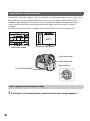
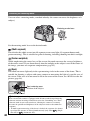
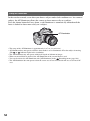
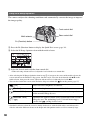
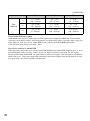
If the built-in flash is pulled up, the flash fires automatically when the surroundings are dark in
auto adjustment or Scene Selection mode. You can intentionally change the flash mode.
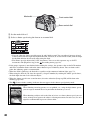
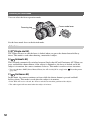
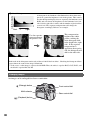
Rear control dial
Multi-selector
Fn (Function) button
Using the shooting functions
Front control dial
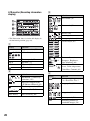
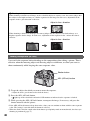
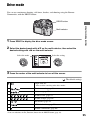
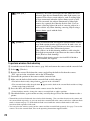
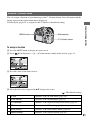
1 Press the Fn (Function) button to display the Quick Navi screen (page 30).
• When the enlarged display screen is used (page 23), you cannot display the Quick Navi screen. In this
case, set up from the menu.
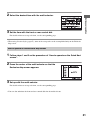
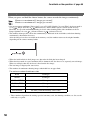
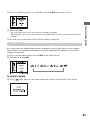
2 Select a Flash item with the multi-selector.
3 Select the desired mode with the front or rear control dial.
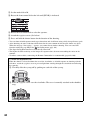
• The flash indicator is displayed only when the flash is pulled up.
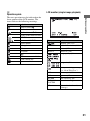
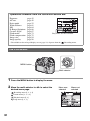
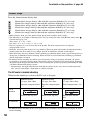
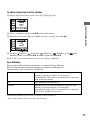
• After selecting the flash item in step 2, if you press the center of the multi-selector, the screen switches
to the Exclusive disp screen. On this screen, select the desired mode with v/V on the multi-selector, then
press the center.
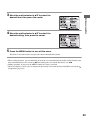
• You can also select the flash mode from the
Recording menu (page 99).
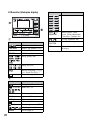
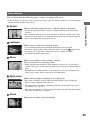
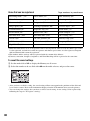
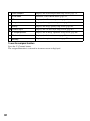
(
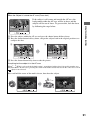
(Autoflash)
: The default setting)
Fires if it is dark or against light.
• This is not selectable when the mode dial is set to P, A, S, or M.
(Fill-flash)
Fires whenever the built-in flash is pulled up.
73