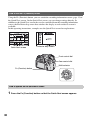
1
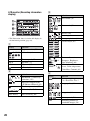
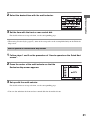
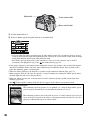
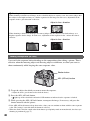
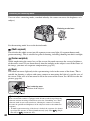
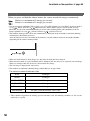
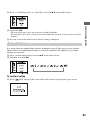
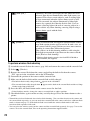
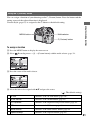
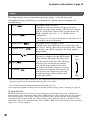
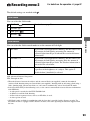
2 Select the desired mode with v/V on the multi-selector, then make fine adjustments with b/B, if
necessary.
• Adjusting toward + increases the color temperature and the image turns reddish. Adjusting toward decreases the color temperature and the image turns paler.
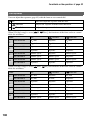
Select the desired mode
Adjust the color temperature
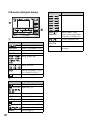
(
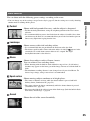
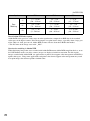
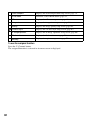
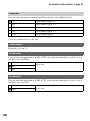
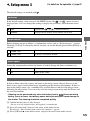
AWB (Auto WB)
: The default setting)
Adjusts the white balance automatically.
(Daylight)
Adjusts for outdoors, sunlit subjects (+3 to –3).
(Shade)
Adjusts for shady conditions on a clear day (+3 to –3).
(Cloudy)
Adjusts for a cloudy sky (+3 to –3).
(Tungsten)
Adjusts for incandescent lighting or video light such as at
photography studios (+3 to –3).
(Fluorescent)
Adjusts for fluorescent lighting (+4 to –2).
(Flash)
Adjusts for flash condition (+3 to –3).
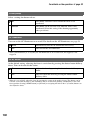
ColorTemperature/Color
filter
See the following page.
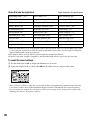
(Custom 1 – 3/Custom
setup)
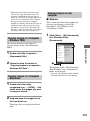
Uses the custom white balance. See page 63.
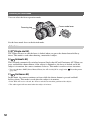
• You can substitute the Fn (Function) button for the WB (White Balance) button (page 30).
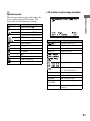
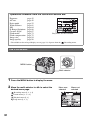
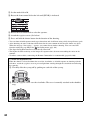
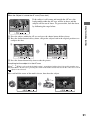
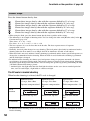
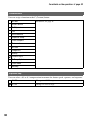
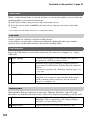
ColorTemperature/Color filter
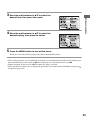
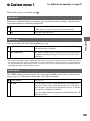
You can set the white balance using a color temperature.
Based on using the set color temperature as the standard, the color can be compensated from G
(Green) to M (Magenta) just like using a CC (Color Compensation) filter for photography.
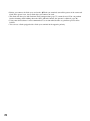
• When setting the color temperature measured by the color meter, test shooting is recommended before the
actual photo is taken.
62