1
4
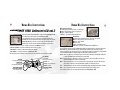
Controls
Controls
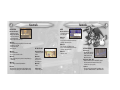
IN THE FIELD
MENU
Directional buttons
(Left Analog control):
• Walk (position Musashi
next to an obstacle and
press the Directional
button to push it out of the way)
Directional buttons
(Left Analog control):
• Move the cursor
≈ button:
• Execute
• Proceed to the next dialogue box/message
(in shops, Sub-Menu Screen)
√ button:
• Attack with Fusion (press rapidly for 4-hit combo attack)
• Assimilate (see page 18)
• Open Treasure Chests
• Read sign posts
ç button:
ç button:
IN THE VILLAGE
• Attack with Lumina
• Use the power of the Five Scrolls
Directional buttons
(Left Analog control):
• Walk
≈ button:
√ button:
• Jump (double jumps can be performed after picking up a
certain item)
• Talk to people
• Knock on doors
• Read sign posts
Ω button:
• Use techniques obtained by Assimilation
R1 button:
• Defend (effective only when held down while in action)
• Fill up the charge gauge (press and hold while in action)
≈ button
• Jump
L2/R2 buttons
• Change viewpoint
• Cancel (in shops, Sub-Menu Screen)
• Proceed to the next dialogue box/message
(in shops, Sub-Menu Screen)
Ω button
• Skip voice-overs
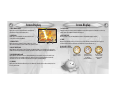
OTHER CONTROLS
Walk Slowly
• Musashi walks cautiously
when you hold down the
L1 button and use the
Directional buttons
Dual Shock™ Mode - OFF
• The Dual Shock Mode can be turned OFF by going to
the Config menu in the Command section of the
Sub-Menu Screen (see page 15)
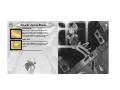
Soft Reset
• The game can be reset at any time by simultaneously
pressing the START, SELECT, L1, L2, R1, and R2 buttons
5