1
RG-MTP58B User Manual
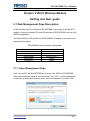
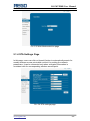
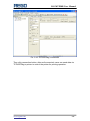
Pic. 5-1 Open management page
Then pop-up RG-MTP58B management web interface. This management
web interface can support Chinese and English optional. Menu includes 9
pages, like SYSTEM INFORMATION, MODE SELECTION, STA SETTINGS,
AP SETTINGS, OTHER SETTINGS, ACCOUNT MANAGEMENT,
SOFTWARE UPGRADE, MODULE RESET, and RESTORE FACTORY
DEFAULT SETTINGS.
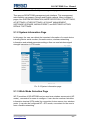
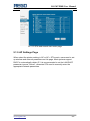
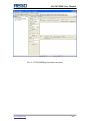
5.1.2 System Information Page
In this page, the user can obtain the important information of current device
including device serial number, firmware version, wireless networking
information and related parameter settings. Also can read wireless signal
strength instruction in STA mode.
Pic. 5-2 System information page
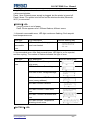
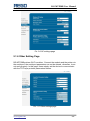
5.1.3 Work Mode Selection Page
WF-FI modules of RG-MTP58B can be used as a wireless access point (AP
mode) , convenient for users to configure. It can also be used as a wireless
information terminal (STA mode) by connection fortune server via a wireless
router. It can also be configured AP + STA mode, convenient for the user to
form a flexible networking.
www.regotek.com
- 21 -