1
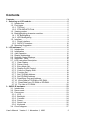
Contents
Contents........................................................................................................ 3
1. Selecting an LCD module ....................................................................... 5
1.1. Introduction .................................................................................... 5
1.2. Fluid types...................................................................................... 5
1.2.1. TN Fluid .................................................................................... 6
1.2.2. STN AND NTN Fluid................................................................. 6
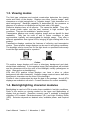
1.3. Viewing modes............................................................................... 7
1.4. Backlightighting character modules................................................ 7
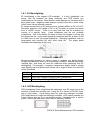
1.4.1. EL Backlighting......................................................................... 8
1.4.2. LED Backlighting ...................................................................... 8
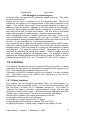
1.5. Interface ......................................................................................... 9
1.5.1. Direct Interface ......................................................................... 9
1.5.2. SAPIC-E Interface .................................................................. 10
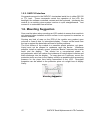
1.6. Mounting Suggestion ................................................................... 10
2. LCD software ......................................................................................... 11
2.1. Introduction .................................................................................. 11
2.2. Initialization .................................................................................. 11
2.3. 4-bit Operation ............................................................................. 12
2.4. Display Addressing....................................................................... 12
2.5. Specially Coded Displays............................................................. 13
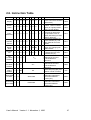
2.6. Instruction Table........................................................................... 15
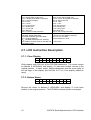
2.7. LCD Instruction Description.......................................................... 16
2.7.1. Clear Display .......................................................................... 16
2.7.2. Return Home .......................................................................... 16
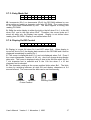
2.7.3. Entry Mode Set....................................................................... 17
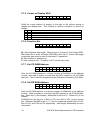
2.7.4. Display On/Off Control............................................................ 17
2.7.5. Cursor or Display Shift............................................................ 18
2.7.6. Function Set ........................................................................... 18
2.7.7. Set CG RAM Address............................................................. 18
2.7.8. Set DD RAM Address............................................................. 18
2.7.9. Read Busy Flag and Address................................................. 19
2.7.10. Write Data to CG RAM or DD RAM...................................... 19
2.7.11. Read Data from CG RAM or DD RAM.................................. 19
2.7.12. The Use of CG RAM............................................................. 20
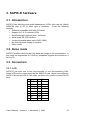
3. SAPIC-E hardware................................................................................. 23
3.1. Introduction .................................................................................. 23
3.2. Demo mode.................................................................................. 23
3.3. Connectors................................................................................... 23
3.3.1. LCD ........................................................................................ 23
3.3.2. Backlight ................................................................................. 24
3.3.3. Contrast .................................................................................. 24
3.3.4. Power ..................................................................................... 24
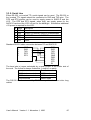
3.3.5. Serial Line .............................................................................. 25
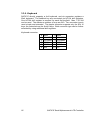
3.3.6. Keyboard ................................................................................ 26
3.4. Circuit diagram ............................................................................. 27
User's Manual Version 1.1 November 1, 1999
3