1
2
Assembling the Computer
Connecting the Printer
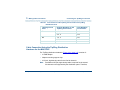
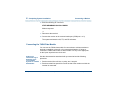
4 Set the options as described in your printer guide.
Note:
The CONVERSANT system works with the default settings for the
320 printer.
5 Connect the AC power cable to your printer.
6 If your printer has a self-test feature, plug the AC power cable into a
grounded wall outlet and initiate the self test by following the instructions
in the printer guide. When the self-test is completed, turn the printer off
and disconnect the power cable from the wall outlet.
If your printer does not have a self-test feature, skip this step. Continue
with Step 7.
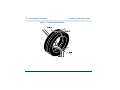
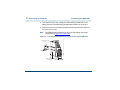
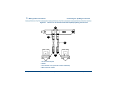
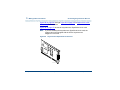
7 Insert the male end of your cable into the 25-pin female parallel port
connector.
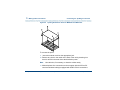
8 Fasten the screws.
9 Insert the other end of your cable to the parallel port on your printer.
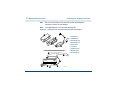
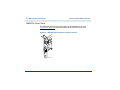
10 Depending on your type of printer connection, either tighten the thumb-
screws or press the two wire-retaining clips together until you hear them
click into the lock slots on either side of the plug.
11 Plug the AC power cable into a grounded wall outlet.
Intuity™ CONVERSANT® System Version 7.0 New System Installation 585-313-106
Issue 3 January 2000 129