1
CONTENTS
1. INTRODUCTION .............................................................................................................5
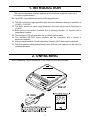
2. UNPACKING ...................................................................................................................5
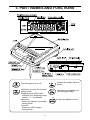
3. PART NAMES AND FUNCTIONS ...................................................................................6
4. SETTING UP ...................................................................................................................7
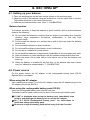
4-1. Setting up your balance .................................................................................................................7
4-2. Power source.................................................................................................................................7
5. OPERATION....................................................................................................................8
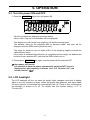
5-1. Turn the power ON and OFF .........................................................................................................8
5-2. LCD backlight ................................................................................................................................8
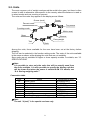
5-3. Units ..............................................................................................................................................9
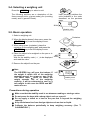
5-4. Selecting a weighing unit .............................................................................................................10
5-5. Basic operation ............................................................................................................................10
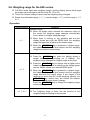
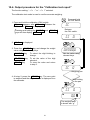
5-6. Weighing range for the EW-i series .............................................................................................11
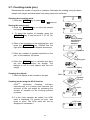
5-7. Counting mode (pcs) ...................................................................................................................12
5-8. Percent mode (%)........................................................................................................................13
6. COMPARATOR .............................................................................................................14
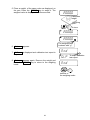
6-1. Setting example ...........................................................................................................................14
7. CALIBRATION ..............................................................................................................16
7-1. Calibration using a weight............................................................................................................16
7-2. Gravity acceleration correction ....................................................................................................18
8. FUNCTIONS..................................................................................................................19
8-1. Key operation ..............................................................................................................................19
8-2. Entering the function setting mode ..............................................................................................19
8-3. Setting example ...........................................................................................................................20
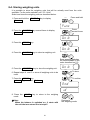
8-4. Storing weighing units..................................................................................................................21
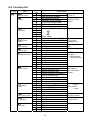
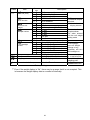
8-5. Function list .................................................................................................................................22
9. RS-232C SERIAL INTERFACE.....................................................................................24
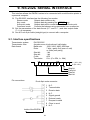
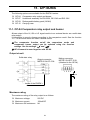
9-1. Interface specifications ................................................................................................................24
9-2. Data format ..................................................................................................................................25
9-3. Data output mode ........................................................................................................................25
9-4. Command mode ..........................................................................................................................26
10. ID NUMBER AND GLP................................................................................................27
10-1. Setting the ID number................................................................................................................27
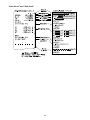
10-2. Output example .........................................................................................................................28
3