1
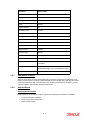
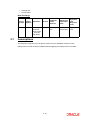
Data Exchange 2.5.5 Webservice/ Notification Name Synchrono us/ Asynchron ous Operation Action Communic ation Channel FCIS FATCA Classification Create Notification NOTIF_FATCA_CLASS Asynchronous FCIS FATCA Classification Modify Notification NOTIF_FATCA_CLASS Asynchronous Source System Target System FCUBS FCUBS Unit Holder Creation In FCIS, a unit holder account can be created for a customer record maintained in Oracle FCUBS. While creating a unit holder account, you can validate the account details of the customer using ‘Validate’ button provided on the screen. You need to specify the branch code and account number in ‘Account Details’ tab of ‘Unit Holder Maintenance’ screen and then click ‘Validate’ button. On clicking ‘Validate’ button, FCIS system will trigger a service request to FCUBS for enquiry of the account details. Following validations are applicable. Specified bank account number is a valid account number for the primary CIF Holding pattern of the bank account (single/joint) is same as the unit holder holding pattern (single/joint) with relevant CIF If the validation is successful, the FCIS system will populate the following details on the screen: Account type Account name Account currency Note The above validation is applicable only to the account numbers belonging to the bank whose entity ID is maintained in ‘sttm_bank’. The details of SWIFT and IBAN will not be automatically updated even after successful validation.You need to manually updated them at the unit holder level. When you save the unit holder details, the system also validates the holding pattern. 2-9