1
Selecting Secure Mode
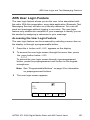
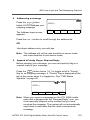
Press and release the SEC softkey. The D indicator
lights up.
Selecting an Encryption Key
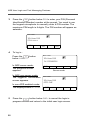
1 Press and hold the SEC softkey until a tone sounds.
2 Use the navigation keys to scroll to KEY SEL.
3 Press Sel to enter the Key Selection Menu.
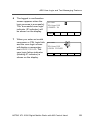
4 Use the navigation keys to select desired key.
5 Press Sel to select key.
6 Press Home or the PTT button to quit.
Selecting a Key Index
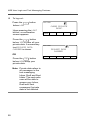
1 Press and hold the SEC softkey until a tone sounds..
2 Use the navigation keys to scroll to INDX SEL.
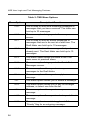
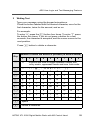
DISPLAY AND LIGHT INDICATORS
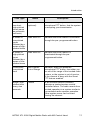
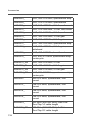
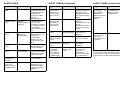
Display/Light
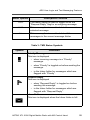
BUSY light on
3 Press Sel to enter the Index Selection Menu.
4 Use the navigation keys to select desired index.
5 Press Sel to select index.
6 Press Home or the PTT button to quit.
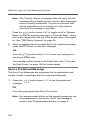
Erasing an Encryption Key
1 Press and hold the SEC softkey until a tone sounds.
XMIT light on
Indicates you are transmitting.
Dir indicator lit
Radio is in direct (mobile-tomobile) operation.
PRI, NPRI
indicators lit
Display shows a mode in the scan
list with the indicated priority level.
P displayed
Telephone dialing pause. Press
Sel softkey to continue the dialing.
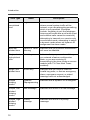
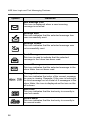
NO ACKNOWLEDGE
displayed
Unit being called with the
Enhanced Private Conversation or
Call Alert Page feature is not in
service, or emergency alarm or
status/message transmission is
not acknowledged by dispatcher.
PHONE BUSY
displayed
Trunked phone interconnect is
busy.
NO ANSWER
displayed
Unit being called with Enhanced
Private Conversation or Call Alert
Page does not respond, but is
operational.
EMERGENCY
displayed
Radio is in emergency alarm or call
state.
NO EMERGENCY
displayed
A mode incapable of emergency
transmission has been selected.
OUT OF RANGE
displayed
Radio is out of range of the
trunking system.
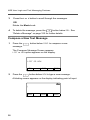
2 Use the navigation keys to scroll to ERASE KY.
3 Press Sel to enter the Key Erase Menu.
4 Use the navigation keys to select desired index.
5 Press Sel to select index.
6 Press Home or the PTT button to quit.
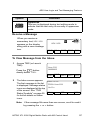
Meaning
Displayed conventional mode has
activity on it, or selected trunked
system is currently busy. Wait for
callback.