1
Section 3 – Using the Dream Player
3.3 Trigger Inputs
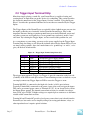
These inputs are the way to control the activities of the Dream player. When the Dream
Player is idle, any trigger input will cause that track to play. Trigger #1 will start File #1,
etc. While the Dream Player is playing a track, any trigger input will cause the current
track to fade out, and the new file to begin once the fade is complete. If you trigger the
input corresponding with the currently playing file, then the current track will fade out
and the player will stop.
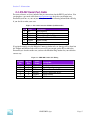
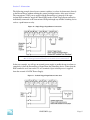
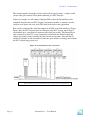
Details of how to connect to the trigger inputs is explained in Section 2.5 entitled
“Trigger Input Terminal Strip”.
3.4 Status Indicator
This LED will be lit when the Dream Player is currently playing an Audio Track or busy
reading the SD Card. If there are troubles loading the SD Card, or a bad WAV file was
encountered this indicator will flash.
When you insert an SD Card into the SD Card Socket, you will notice that the Status
Indicator will go on for a few seconds. This shows that the Dream Player is reading the
SD Card to detect the files loaded. Once this initialization process is complete, the Status
Indicator will turn off. If you push the PLAY button while the SD Card is initializing, the
Dream Player will begin playing the first audio track once the initialization is complete.
3.5 SD Card and Socket
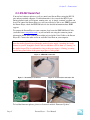
Audio content is loaded onto an SD FLASH Card, and then inserted into the SD Card
Socket. The socket has a spring eject feature that will eject the SD Card when you press
the card into the socket. The SD Card can be inserted or removed at any time, even with
power applied to the Dream Player. The SD Card power is switched on and off by the
insertion or removal of the SD Card. In fact, you can eject the SD Card while the Dream
Player is playing audio and no damage will be done!
PRICOM Design
Page 14