1
ADP Program Environment and Objects Overview
2.3.10 Download Recipes
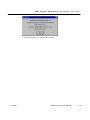
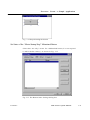
ADP selects a recipe file with file extension *.RCP and downloads it to
HMI .
Note: PWS500 , PWS700, and PWS1711 do not
support the recipe function and hence both commands
are not supported.
2.3.11 Download Source
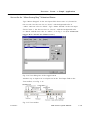
ADP downloads the source code of a HMI application to HMI and save it
in the flash memory as a backup file.
2.3.12 Upload Source
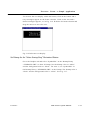
ADP uploads a nd restores the source code of a stored application from
HMI to PC and saves it as a *.V3F file. Use this command to edit or
save your application. Make sure the “Download Source” was executed
before using this command, i.e., HMI must have the source codes of the
application downloaded before it could be uploaded.
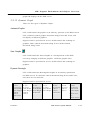
Note: Only PWS3760 series , PWS3260 series,
PWS1760 -xxxR support this function.
2.3.13 Files 1 ~ 4
The last four applications are listed at the bottom of the file menu’s
pull-down list.
2.4.
Edit
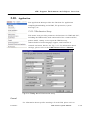
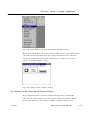
The Edit Menu provides the ADP a management system for objects
with the following functions: “copy/delete”, “align/make same size”,
“bring to next/send to previous”, and “edit”. The grayed-out items in
the pull down menu are not available. (The icons in the description
indicate shortcuts in the toolbar).
Version 3
ADP Software Quick Manual
2 -4