1
Technology parameter
If Specs are changed, forgive us won‟t further notice.
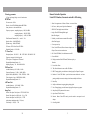
Remote Controller Operation
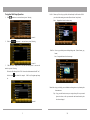
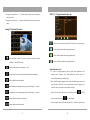
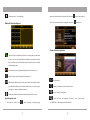
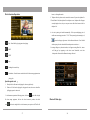
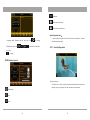
Under DVD Function, the remote controller’s OPeration:
DVD Part
D/A conversion:24 Bit
1、Mute. Press again mute or Volume+/Volume-- can remove Mute
Decoder:linear PCM/Dolbydigital/dats/MP3/WMA
Jouncy tolerance:under measure limit
Frequency response:(sampling frequency:96K)-20-44KHz
(sampling frequency:48K)-20- 22KHz
(sampling frequency:41.4K)-20- 22KHz
Total Harmonic Distortion (1K) :under 0.10%
2、Off screen , but the power light is also illuminated
3、DISPLAY, Disc display time,and left time
4、Angle, Watch DVD through Multi-angle
( Must Disc Support)
5、Subtitle . press this button can transfer Disc subtitle
Signal-to-Noise:100dB (DVD96K)
( Must Disc Support )
Dynamic range:100dB (DVD96K)
6、Cursor up arrow key
CD format:DVD Video/Video CD/CD DA
Ration Bit Number:16/20/24 Bit
7、Goto, Under DVD mode,Choose from one chapter to one
Chapter ,From one time to another time
TV Tuner Part
Reception System:PAL B/G、I、DK,NTSC M/N,SECAM B/G、DK
Frequency compound:locked loop road
TV Reception:full supplement TV channel
Deposited Broadcasting Station:99
Sampling Frequency:44.1kHz/48kHz/96kHz
FM Tuner Part
Available Sensitivity (S/N=30 dB):10 dBu
Frequency Response (±3.0dB):100Hz- 10KHz
Signal-to-Noise (dB)(MONO):55dB (STEREO):45dB
Track Abruption:hyper- 24dB(75kHz,98.1MHz)
Deposited Broadcasting Station:50
AM Tuner Part
Available Sensitivity (S/N=20dB):25dBu
Deposited Broadcasting Station:50
Image Part
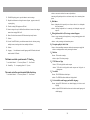
8、OK. Under DVD Mode, Press this button means OK.
9、Cursor Shift left
10、Display at random.Under DVD mode,This button is play at
Random.
11、Cursor Move Down
12、Title, Press this button is return to Disc Title Menu
13、PREV. During played, press this button is select playing Pre-Chapter /Programe .
14、Backward . Under DVD Mode,press this button means backward,each time
pressing, multiple increase,According to disc format, multiple is difference.
15、Pause/Play.
16、Stop.Press this button is stopping playing during played .
17、Next , During playing, press this button is playing Next chapter or programe .
18、Setup.Set-up DVD parameter for the menu.
Exterior Video Input Color System:NTSC/PAL/SECAM
Exterior Video Input Level (RCA jack):1Vp_ p/75Ω
Exterior Audio Input Level (RCA jack):1V/22k
Audio Output (simulation audio):2.0V(rms)
Video Output:1.0V(P-P),75Ω
29
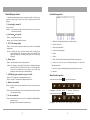
19、Open.Control The Disk In/out.
20、Numeric
Button. Under DVD mode, press the number is correspond to each
chapter.
21、Cursor Right shift.
2