1
001
Detailed description
another shorepower with a different maximal
current.
The Smart-Boost function
To ease the use of the Xtender for these
customers, there is on the RCC -02 / -03 a “one
button push” access to the parameter {1107}
from the default screen. By pressing the SET
button it directly goes to the max current of the
ac source value and it is possible to increase or
decrease it with the up or down button.
A permanent measure of the input current
allows to control the power taken from the AC
source. If the loading current value exceeds the
max current of the ac source value (set with the
parameter {1107} “Max source AC current”),
then the Smart-Boost function will compensate
the power required at the output.
Explanation with examples…
… If the max current of the ac source is set at
10A but the load is 15A, then 10A are taken
from the grid and 5A are taken from the
battery(ies).
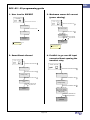
Figure 3, Fast access to set the max current of the ac
source
Allow to go over the max current of the
ac source value
In some situations it may happen that the
battery(ies) are empty, but the consumption
could still be higher than the max current of the
ac source value.
What are then the possibilities?
There is still one parameter that can be adjust in
the installation, “Allow to go over input current
without opening the transfer relay” {1436}.
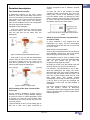
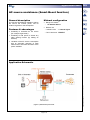
Figure 1, Xtender using the Smart-Boost function
… If the load is only 9A, then the Smart-Boost
function wont be used. The max current of the
ac source is always set at 10A. Then the 9A
load will be powered by the grid and the 1A
remaining will charge the battery(ies).
This parameter is set at “YES” by default, which
means if the power cannot be Smart-Boosted,
then the grid current will go over the
programmed max input limit value.
By setting it at “NO”, then the transfer relay will
open as soon as you go over the input limit.
For example, if this parameter is set at “NO”,
when the battery(ies) are empty, the SmartBoost will stop, then over-current is detected on
the input and the transfer relay will open. The
user has a power supply break and he must
take loads away. The inverter restarts
automatically and if load is under the input limit,
it will go back to the grid and recharge the
battery(ies). In that case, the input breaker is
not tripped.
Figure 2, Xtender in charger mode
Quick setting of the max current of the
ac source
Once a system is installed in a place, there is
normally no need to change Xtender settings
anymore but users of mobile applications need
to change very often the input currents value
because they are moving all the time from one
source to another.
For such a system it could be a good option to
use the auxiliary contact to disconnect
unessential loads when battery(ies) are getting
empty, it becomes then a smarter system with a
load management.
Typical example of this is a boat sailing pier to
pier and in each one it gets connected to
Page 2 / 4