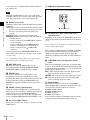
1
Notes
EJECT
MARK1
PUSH SET(S.SEL)
ACCESS
IN
CH-3
CH-1
MENU
OUT
MARK2
SHTL/JOG
ALL CH
CH-2
VAR/JOG
CH-4
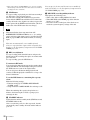
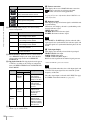
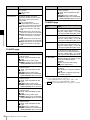
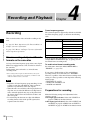
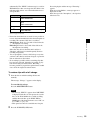
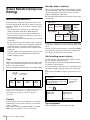
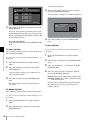
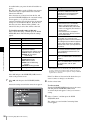
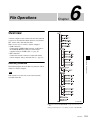
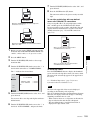
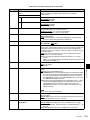
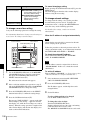
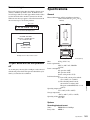
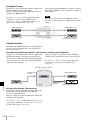
• When setup menu item 669 ESSENCE MARK
RECORD MODE is set to “rec”, shot marks cannot be
set during playback.
• Shot marks cannot be set to a locked clip.
RESET
CHAPTER
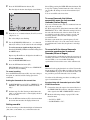
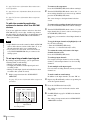
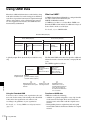
To set a clip flag
You can set one of the three types of flag (OK, NG or
KEEP) for the clip while it is being played back by
viewing its video image and using the function menu (see
page 47).
RETURN
EXPAND
VARIABLE KEY INHI
NET
LOCAL
REMOTE
REC
PRESET
PB
PHONES
ON
OFF
LEVEL
PAGE
HOME
DISPLAY
PREV
PLAY
NEXT
STOP
REC
STANDBY
REC INHI
THUMBNAIL
SUB CLIP
SHIFT
TOP
F REV
F FWD
END
DISC MENU
1 2 3 4
1
2
3
4
5
6
7
5 6 7
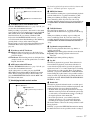
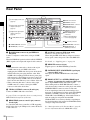
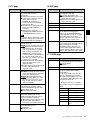
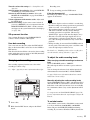
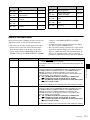
PREV button
PLAY button
NEXT button
STOP button
Jog dial
Shuttle dial
V/MARK1 button and v/MARK2 button
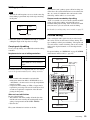
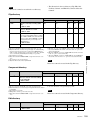
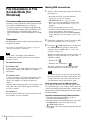
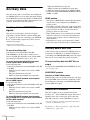
In jog mode, you can control the speed of playback by the
speed of turning the jog dial. The playback speed range is
–1 to +1 times normal speed.
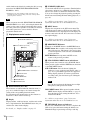
To carry out playback in jog mode, proceed as follows.
Chapter 4 Recording and Playback
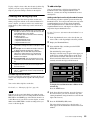
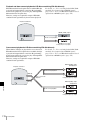
To start playback
Press the PLAY button.
Playback starts.
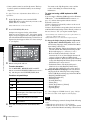
When two or more clips are recorded on the disc, they are
played back continuously.
EJECT
MARK1
PUSH SET(S.SEL)
ACCESS
IN
CH-3
CH-1
OUT
MENU
MARK2
SHTL/JOG
ALL CH
CH-2
VAR/JOG
CH-4
RESET
CHAPTER
RETURN
EXPAND
VARIABLE KEY INHI
Note
NET
LOCAL
REMOTE
REC
PRESET
PB
PHONES
No audio is output when non-audio signals are played
back.
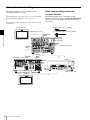
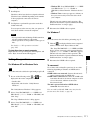
To jump to the next or previous clip, then start
playback
Use the PREV button, NEXT button, jog dial, or shuttle
dial.
To stop playback
Press the STOP button.
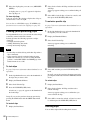
If you play back to the end of the last clip, playback
automatically stops.
If, in this state, you press the PLAY button, the message
“Disc End!” appears on the display.
To carry out playback again, move back to the desired clip
using the PREV button, jog dial or shuttle dial.
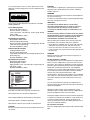
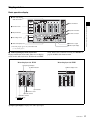
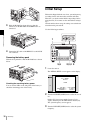
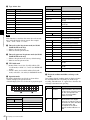
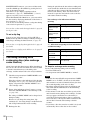
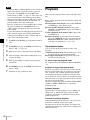
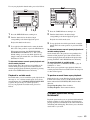
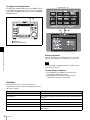
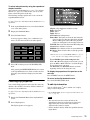
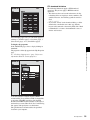
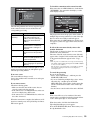
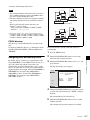
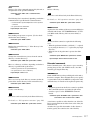
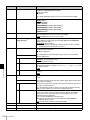
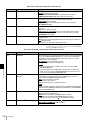
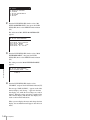
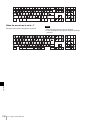
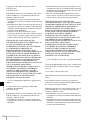
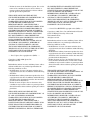
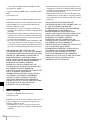
To set shot marks
While playing back a disc, you can set essence marks such
as Shot Mark1 and Shot Mark2 in desired frames.
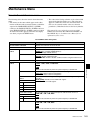
To set a Shot Mark1 or Shot Mark2, hold down the V/
MARK1 or v/MARK2 button and press the PUSH
SET(S.SEL) knob. If you connect a Windows USB
keyboard to the MAINTENANCE connector, you can set
shot marks from Shot Mark0 up to Shot Mark9 by pressing
the 0 to 9 keys on the numeric keypad.
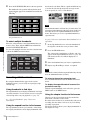
You can also delete and modify essence marks from the
Thumbnail Menu of the chapter thumbnail screen (see
page 74).
62
Playback in jog mode
Playback
ON
OFF
LEVEL
PAGE
HOME
DISPLAY
PREV
PLAY
NEXT
STOP
REC
STANDBY
REC INHI
THUMBNAIL
SUB CLIP
SHIFT
TOP
F REV
F FWD
END
DISC MENU
1 2,3
1
1
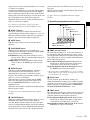
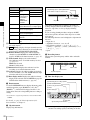
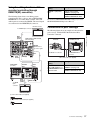
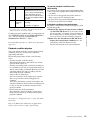
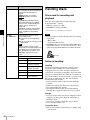
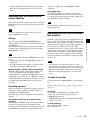
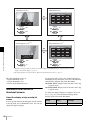
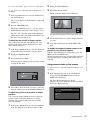
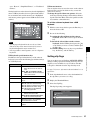
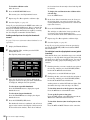
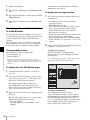
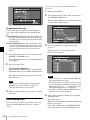
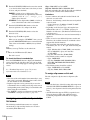
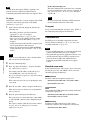
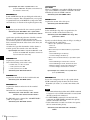
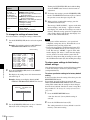
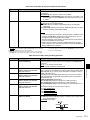
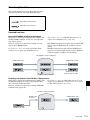
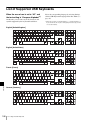
Press the SHTL/JOG button or VAR/JOG button,
turning it on.
2
Turn the jog dial in the desired direction, at the speed
corresponding to the desired playback speed.
Playback in jog mode starts.
3
To stop playback in jog mode, stop turning the jog dial.
When setup menu item 101 SELECTION FOR
SEARCH DIAL ENABLE is set to “dial” (factory
default setting), you can start jog playback by simply
rotating the jog dial, even when the SHTL/JOG and
VAR/JOG buttons are not lit.
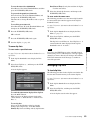
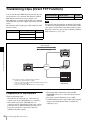
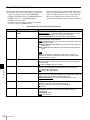
Playback in shuttle mode
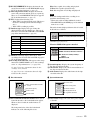
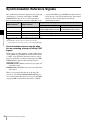
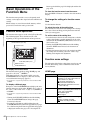
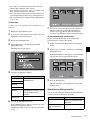
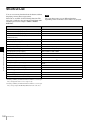
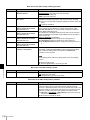
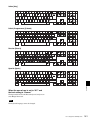
In shuttle mode, you can control the speed of playback by
the angular position of the shuttle dial. The range of
playback speed is ±20 times normal speed or maximum
speed (as selected by an extended menu setting). 1)
1) Maximum speed is about ±50 times normal speed. However, the
maximum speed may vary depending on the state of the clip and the
playback position on the disc.