1
令J HOWTOP凶刷SIC
J
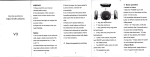
TOPOWERON
Press and hold ~II button until the LED lamp is bright, to power on player.
PLAYING STORED FILES
While the player is id 峙, pressing 州 I buttonwill s個 rt playback
TOPOWEROFF
Press and hold ~II button until the LED lamp is 呵ashing , to turn it off.
If the player is idle for 30 seconds , it will tum itself 0仟 automatica lly.
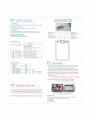
Earphone Jack
USB Plug
PAUSING WHILE PLAYING
Press 州 I bu世.on to pause playback
Press ~II butlon again to resume playback.
Reduce Volume
Reset Player
Increase Volume
KEY DEFl NITION
No
Key
Description
(1 )
抄 11
(2)
(3)
(4)
(5)
(6)
~~I PRE
Press to previous music
I~~ NEXT
Press to next music
P凶Y
Turn on player
Music playback
Pause while music playback
Turn 0仔 player
-
Vol-
Press to reduce volume
R
RESET
Press to reset player
+
Vol+
Press to increase volume
LED INDICATOR
Poweron
Playing
Pause
USB Connected
USB Transmission
Ba仕:ery Charging
Battery Charged
•
••
•
令? 酬削臨T
• Any abnormal ∞nnections between the player and the ∞ mputer,
may halt the data transmitting or written error on flash memory.
You may need to reset before continue using the player.
@
. • @
@
.
Note :
.•
@•
LED Brighting
LED Flashing
The player may be damaged or suddenly shut -d own possibility by
the static electricity. Please press the “R" reset key to re-s旭前 it.
• After player starting , when the operating pro臼ss o∞urs e虞洽eptionally,
press " R" key, the sys旭 m will waiting for action , press “ ~II "key to
playback the music.
.
If the computer doesn't detect the player as a ne叫 device , please
check and 陪-plug USB cable again or restart your computer.
How to Reset: Press the "R" reset key by pointed 0叫 ect,
such as a paper clip to reset the player.
令tc帥GINGTHE BA:市RY
)
1. To charge the battery using the USB 臼ble between player and ∞mputer.
2. Th e LED flashing while battery is chargi呵, untill LED stop flashing.
3. DO NOT power on
player while charging the battery.
NOTE: Please fully charge the battery before start using the player.
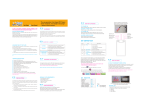
The hard box picture for you r reference only,
you have the different packing possibility.
PACKING LIST
Please check the following items that can be found in the package
Þ' Digital Audio Player (on board flash embedded)
Þ' Earphones
Þ' USB cable
Þ' User' s Manual