1
System Interface
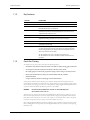
Spirometry Tab (A5 Only)
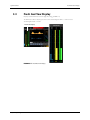
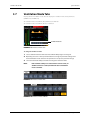
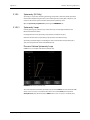
Spirometry loops reflect patient lung function and ventilation. They also indicate other related
parameters such as compliance, over-inflation, breathing system leak, and airway blockage.
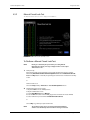
The system provides two spirometry loops: P-V (Paw-volume) loop and F-V (flow-volume) loop. Data
of P-V and F-V loops come from pressure and flow data. Only one loop is displayed at a time.
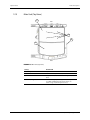
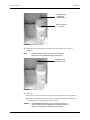
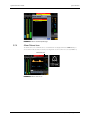
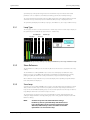
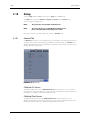
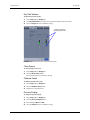
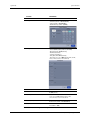
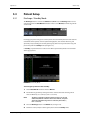
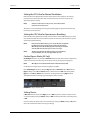
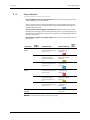
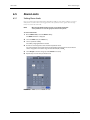
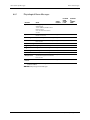
The spirometry tab displays four softkeys: Loop Type, Show Reference, Save Loop, and Review Loops.
3.5.1
Loop Type
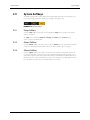
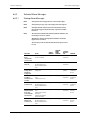
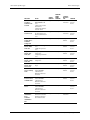
The Loop Type selection is used to select Pressure - Volume loop or Flow - Volume loop to display on
the spirometry screen. Default Loop Type is Pressure - Volume loop.
Show Reference
Review Loops
Loop Type
Save Loop
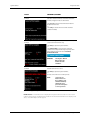
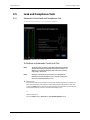
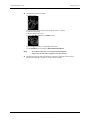
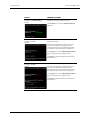
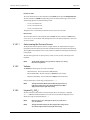
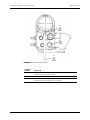
FIGURE 3-15 Spirometry Softkeys: Loop Type, Show Reference, Save Loop, and Review Loops
3.5.2
Show Reference
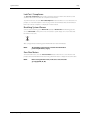
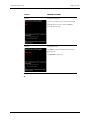
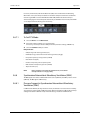
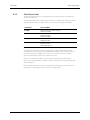
The Show Reference softkey can be selected only after a baseline has been saved via the Save Loop
softkey.
The Show Reference softkey (FIGURE 3-15) is used to select and display a saved Baseline loop,
Reference loop, or no loop (Off ) in the Spirometry Loop Window, overlapped with the currently
plotting loop. Only the four most recently saved reference loops are listed chronologically.
When a Reference loop or Baseline loop is selected to display in the Spirometry Loop Window, the
time stamp will also be displayed.
3.5.3
Save Loop
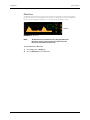
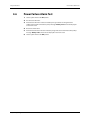
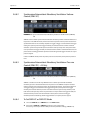
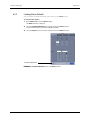
Select the Save Loop softkey (FIGURE 3-15) to save the currently plotting loop (including its numeric
data) as either a baseline loop or reference loop. Only one baseline loop and up to four reference
loops can be saved. Additional plotting loops can be saved to replace the baseline loop or reference
loops. Only the four most recent reference loops are saved.
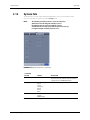
The saved baseline or reference loop can be reviewed with its numeric data (via Review Loops
softkey) or displayed with the currently plotting loop on the same graph for comparison (via Show
Reference softkey).
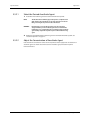
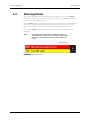
NOTE:
A5/A3™ Operating Instructions
A reference loop cannot be saved without first saving a
baseline loop. The A5 system will always make the first saved
loop as the baseline loop if no previous loops have been saved.
Afterward, additional loops can be saved either as a baseline
replacement or as a new reference loop.
046-003777-00
3 - 13