1
15
Photoshop 7 Basic: Instructor
Manual
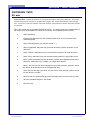
FINAL REVIEW
Here is a recap of what we have learned in this workshop:
♦
♦
♦
♦
♦
♦
♦
♦
♦
The concept of PhotoShop.
How to open a document.
How to create a new document with the needed resolution.
How to select an area, copy and paste the selection.
How to save the document and saving formats.
How to print our document.
How to save images for the web and their formats.
The use of layers and the history palette.
And finally how to use the text editor.
Instructor Note: At this time, pass out the JOB AID to the students and inform them that it contains
some frequently used information that will assist them as a quick reference while they are on the job.
All in all, a lot of stuff. Any questions about any of this before we go into the criterion test phase?
File name: Photoshop7_Instructor.pmd
Last modified: 08/14/02
Copyright Arizona Board of Regents, 2002
University of Arizona