1
F-categories:
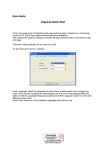
Select F-Categories and right click in the ‘title’ window to make a category at you choice.
From the ‘Files’ window drag some items into the folders.
On the (music) audio item right click and select ‘Properties’ (or use Ctrl- Enter) to explore
what is possible here.
Schedule window (left):
In the left window select the ‘Schedule tab’. Right click in the main window to create one or
more blocks. A properties window will open to change the properties of the block.
From the ‘F-Categories’ window (right) drag audio items into the block to create a list of
items. Clicking on the item will start pfl. Right click to open the options with a load of
possibilities to explore. Alterations to item options made in the schedule are only valid as
long as the item is scheduled.
Drag the first item into the player to start playing.
From here on you can start exploring the possibilities of the program. For additional and indepth information please consult the user manual which is available for download at
http://www.eela-caps.com.
Eela Audio CapsLite