1
Remote Payroll Entry (RPE) User Manual
Add a New Employee
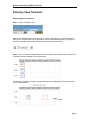
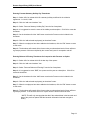
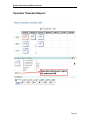
Step 1 – Select the appropriate date and shift from the grid.
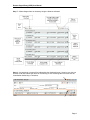
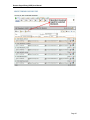
Step 2 – Select the appropriate timesheet. Red timesheets contain errors, yellow timesheets
contain warnings, and green timesheets do not contain errors or warnings and can be authorized.
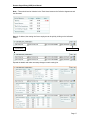
Step 3 – Switch to “Add” mode.
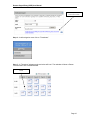
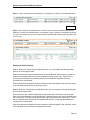
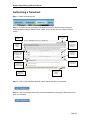
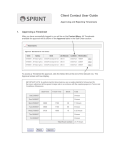
Step 4 – In Add mode this window will display
Click to add an
Employee
Click to add an
RWF
Click to add
a Foreman
Search
for an
employee
by name
Use to add
an
employee by
registration
number
Results
for
employee
name
search
Use to transfer employees
between adjacent fields
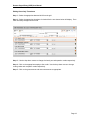
Click to add the employee(s)
shown in the field above to the
timesheet
Page 21