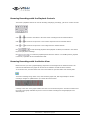
1
•
3.
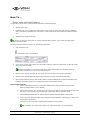
In the Name of View window, specify a descriptive name for the view, and click OK.
4.
The view will now be selectable in the Views menu. If storing several different configurations of
the camera layout as views, you will thus be able to switch between them using the Views menu.
Recalling a View
To recall a stored view, simply select the required view in the Views menu.
•
Editing or Deleting a Stored View
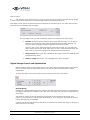
To edit or delete stored views, select Organize Views... in the Views menu. This will open the Views control
panel, in which you are able to rename views, change the sequence in which stored views appear in the
menu, and delete views.
... View Archived Recordings
Note: Viewing of archived recordings is primarily of interest when the Viewer is used on the surveillance system
server. Even when the Viewer is used on the surveillance system server, certain archive viewing options are only
available when the Viewer is used with particular surveillance systems.
•
Viewing Recordings from Archives Stored Locally or on Network Drives
For archived recordings stored locally or on network drives, you simply use the Viewer's browsing
features—for example the timeline browser or the playback controls—for finding and viewing the required
recordings; just like you would with recordings stored in a camera's regular database.
•
Viewing Recordings from Exported Archives
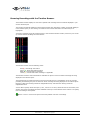
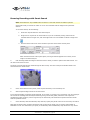
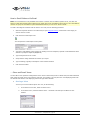
For exported archives, e.g. archives stored on a CD, you click the browse button in the Viewer's Database
Information control panel to browse for the archive you want to view.
Arrow indicates the browse button in the
Viewer's Database Information control panel
Once you have specified the required archive this way, you can use all of the Viewer's browsing features
for navigating the recordings in the archive.
On-Net Surveillance Systems, Inc. | 222 Route 59, Suite 303, Suffern, NY 10901 | Tel: 845-369-6400 | Fax: 845-369-8711
www.onssi.com | [email protected] | page 16