1
CHAPTER 1. USER'S GUIDE
16
Vision X,Y Deadband Width In order to eliminate chatter on the image displacement
due to pixel-based quantization of the measurement, the raw measurements are ltered with
a type of deadband. Any measurements that are smaller than the width of the deadband
are set to zero larger measurements are unaected. This edit box sets the width of the
deadband.
Velocity Filter Cuto Frequency Both the vision and altimeter signals are used to
derive a velocity measurement through a process that includes a low-pass lter on the
velocity. This edit box sets the cuto frequency of that lter, that determines the tradeo
between signal latency and signal smoothness.
Use New Measurement Filter Parameters Whenever any of the above parameters
are changed through the edit boxes, this button must be pressed in order to apply the
changes.
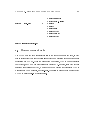
Controller Parameters
This dialog box sets the parameters that are relevant to the vehicle controllers for each
degree of freedom. The user is able to set both the control mode and the control gains
through this dialog box.
The control mode for each DOF can be set independently. First, the user should choose
the X, Y, or Z radio button along the top row that corresponds to the desired DOF. Then,
the desired control mode can be specied by clicking on one of the six radio buttons on the
left. Note that if the user clicks on another DOF, the control mode radio buttons change
to re ect the current mode for that DOF.
The control gains are set independently of the radio buttons. Control gains for every
degree of freedom and/or every control mode can be set by typing in the desired values into
the appropriate edit boxes, then clicking on the \Apply New Control Parameters" button
to apply the new values, even if the controllers are currently active.