1
Chapter 12. TROUBLE SHOOTING
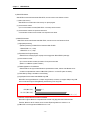
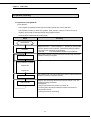
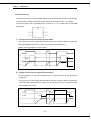
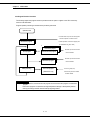
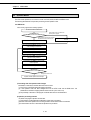
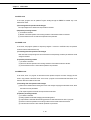
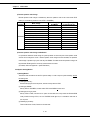
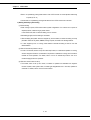
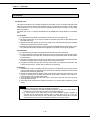
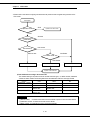
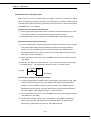
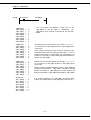
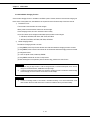
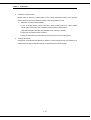
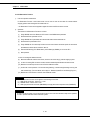
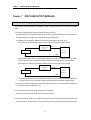
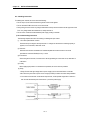
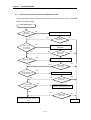
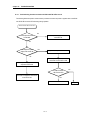
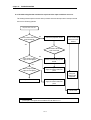
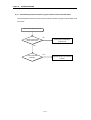
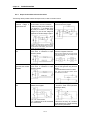
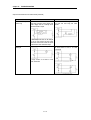
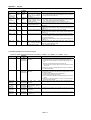
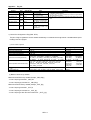
12.2.4 Troubleshooting flowchart used when the output load of the output module does not turn on.
The following flowchart explains corrective action procedure used when the output load of the output module
does not turn ON during operation
Output load does not turn ON.
Is the indicator LED of the
output module ON
No
Check the output status in monitor
mode of the peripheral devices
Measure the voltage
across module input
terminal and CPU
terminal
Yes
Is the indicator LED Of the
input module ON
Is the voltage of power
supply for load applied?
No
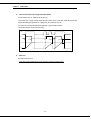
Check the input signal OFF in
monitor mode with the peripheral
devices
Yes
Is the voltage of power
supply for load applied?
Output module defect
Check the wiring load of the power
supply for load and restore the
power
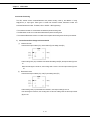
Check external
wiring and
external input
equipment
Check the wiring load of the power
supply for load and restore the
power
Contact the nearest
service center
HINT
1) If the input or load signals are not switched OFF, see Section 12.4.1
12 - 5