1
Product User Manual
Appendix A
Appendix A
Command Line Interface
You can use Management Client to setup your product. Besides, you can also use console / ssh / telnet to remotely
configure or query the device. CLI is necessary when you setup network addresses and the 2/3-tier architecture. It also
helps you to reset back to factory defaults or shutting down the system. We arrange all supported CLI commands as
follows.
A.1 CLI Commands – Non-Priviledged Mode
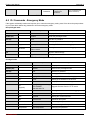
When you connect to the product by console/telnet/SSH, you need to use CLI commands to setup the product. The
default login user name and password pair is admin / admin.
Non-privileged mode
Main Command
Sub Command
Example
Description
?
?
List all the items
enable (en)
enable
Enable the priviledged mode
exit (ex)
exit
Exit the CLI
ip
IP address setup
ping
ip ping 202.11.22.33
Diagnose the network by ping
traceroute
ip traceroute
202.11.22.33
Diagnose the network by traceroute
sys
System settings
status (st)
sys status
Show the system status
version (ver)
sys version
Show the firmware / pattern / urldb version
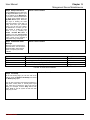
FIGURE A-1 Non-Priviledged Mode
Note: If you don’t know the parameters of a command, you can type “?” anytime after your current
command. For example, type “ip ?” will list all possible parameters following the ip command.
L7 Networks Inc.
158