1
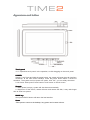
Appearance and button
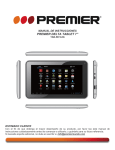
Touch panel
10.1” Capacitive touch panel: In the operation, to click dragging on the touch panel.
POWER
Startup: Long Press and hold the power button, the system will enter the main interface
Shutdown: In the main menu interface, Press the power button about 5 second to
shutdown, The system can hint “power off” option, click ”OK”, you can safely shut down.
Lock screen: Short press Power button to lock screen or unlock screen.
Remark
1. When power is empty, system will shut down automatically.
2. Illegal turn off the device, restart will scan and restore the disk, it may take longer
time to enter into system.
BACK key
Short press BACK button will return the last interface.
Home
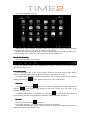
Short press to return to the desktop, long press can increase volume.