1
Addendum User Manual Version 12
Overview
Version 12 Revisions
We have added numerous functionalities into the Striplog printing. The regular Striplog Title pages
have been modified to reflect the changes in the Well Record to print both the Surface Hole CoOrdinates and the Bottom Hole Co-Ordinates along with the Wireline or LWD logging runs and tools
information block.
We have given the user the ability to print a location map in both the reports and the Striplog.
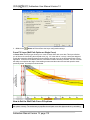
We have also given the user the ability to print out the 5 survey views produced from the New Survey
View Module to the Striplog printing. We have also added the ability to print the new EUB UWI format to
the Striplog Title pages.
We have added the ability to print all 4 Surveys views to the Print to Word format and our regular Print
Well End Reports.
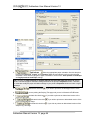
We have added another display option on the Directional Survey Points layer (on the right click menu)
where the user can print the survey along with the choice of displaying the TVD depth values and / or
SS depth values or neither depth value.
We have revised Well Record with the Bottom Hole Co-ordinates and Surface Hole co-ordinates and
displayed these values in both the Striplog header and well end reports.
We have added the ability to display Logarithmic curves scales in hybrid manner such as .2 to 2000
for Resistivity curves or any hybrid display of your choice.
We have added the ability to display the curve scales either horizontally or vertically on the right click
menu for a curve layer in the main body of the log. The header scales are static as they were.
We have added the ability to display the TVD and or the SSL depths for each individual survey point.
You can modify the display from the System Options Display tab or on the right click menu selection on
the directional survey points layer.
We have modified the Slide / Rotate builder to accommodate Toolface orientation and we will now
display the toolface orientation of a slide on the slide rotate layer where the S used to be displayed. If no
Toolface is entered we will revert back to the old representation of an S.
We have added the ability to Import Slides and Toolface orientation from a slide sheet acquired from a
directional driller.
We have modified the System Options - Display tab to allow the user another interface to change the
Display options for the Survey Points.
We have opened up all the annotation layers to all views (TVD, SS, OH & VS) so that the user can more
easily place their annotations for the specialty views.
We have given the user the ability to change the color of the cored interval from a solid black to any
color the user would like. This color change allows the viewer of the log to see the start and stopped of
the coring intervals if they were a continuous core.
We have added the ability to create links to other data that cannot be easily displayed on the log. This
data has to be formatted into a windows compatible display format and can be opened with a windows
application such as a Word document, XL spreadsheet or any graphics. These links can be added to all
of our layers.
We have modified the casing shoe display on the casing layer to be able to scale the shoes so that on
wide tracks they do not take over the whole track. You can find this scaling feature on the right click
menu.
We have added the Vertical Section (VS) module to Power*Curve. This module if purchased will
manipulate Power*Curve depths on a click of a mouse. The user can change the depth from Measured
Addendum Manual Version 12, page 2