1
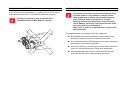
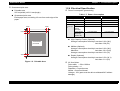
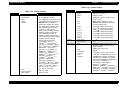
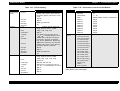
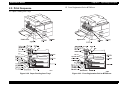
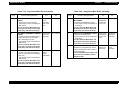
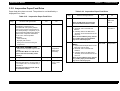
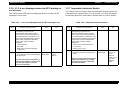
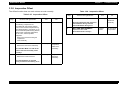
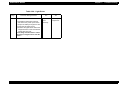
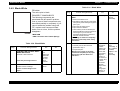
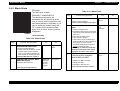
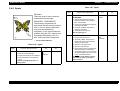
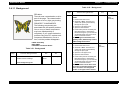
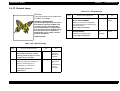
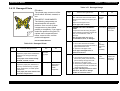
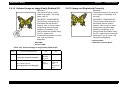
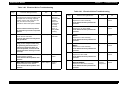
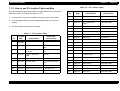
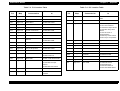
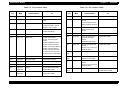
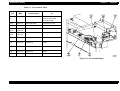
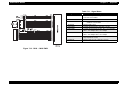
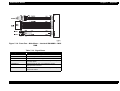
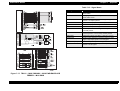
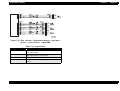
EPSON EPL-N4000 Chapter 3 Troubleshooting 3.4.5 Horizontal Band Deletions Problem There are areas of the image that are extremely light or missing entirely. These missing areas form wide bands that run horizontally across the page, parallel with the direction of paper travel. Table 3-38. Horizontal Band Deletions Step 3 • CRU Connector and Contact Springs. • MCU PWB. • Fuser Assembly Step 1 Actions and Questions PAPER INSPECTION Is the paper wrinkled or dimpled? 2 EP CARTRIDGE REPLACEMENT Install a new EP Cartridge. Are the horizontal band deletions gone? Rev. A Yes 4 No Replace with fresh, dry paper Go to step 2 Problem solved Go to step 3 IMAGE TRANSFER INSPECTION Yes HVPS CHECK Generate a Solid Black Test Print. Is the Test Print normal, with no horizontal band deletions? No Go to step 4 Replace the BTR Assembly, then go to step 4 Problem solved Replace the HVPS Assembly. 1. Remove the Rear Cover. 2. Generate a Solid Black Test Print and switch OFF printer power halfway through the print cycle. 3. Open the Left Upper Cover. 4. Open the Drum Shutter. 5. Hand rotate (counter clockwise) the Main Drive Motor to advance the Drum far enough so you can see the developed image area on the Drum before it reached Transfer. Before Transfer was the toner image on the drum normal and without horizontal band deletions, but there are deletions on the paper after Transfer? SUSPECT COMPONENTS The following components are associated with this specific problem. One or more of these components may have failed partially or completely. If you cannot isolate the problem using this FIP, replace each component listed below, one at a time, until the problem disappears. Table 3-37. Horizontal Band Deletions Actions and Questions 99