1
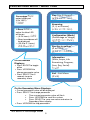
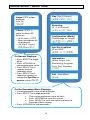
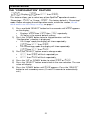
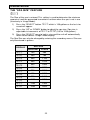
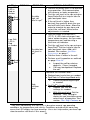
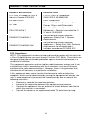
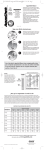
PERCENTAGE MODE – MENU TREE
Day (1 to 24 hours)1
(day =24 hr)
Percentage pct
output displayed
(0 to 100%)
(100)
Reversing
(2, 4, or 8 hours)
(rev = 4 hr)
If Boost bst is
active the blue LED
will be on
Configuration (Mode)
(Percentage or Usage)
(
= pct)
• (0-24 hours) =24
• Boost countdown will
be displayed
• (23.9 to 0.1 hours)
Spa Size in gallons1
(0 to 1200)
(spa = 1 200)
23.9 to =0.1
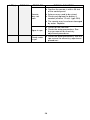
Information
(Volts, Amps, Life
Remaining, Program,
Year, Day, Serial)
(Inf)
On the Normal
Displays:
• Press BOOST to toggle
off/on
• Press UP/DOWN to
change parameter value
• Press SELECT for 5
seconds to go to
secondary menu
End – Exit Menu
(end)
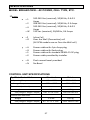
On the Secondary Menu Displays:
• Current parameter value will be displayed
• Press SELECT to change parameter
o Then current parameter value will flash
o Press UP/DOWN to scroll thru values
o Press SELECT to save new value and return to
Secondary Menu display
• Press UP/DOWN to skip parameters
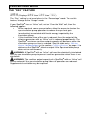
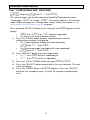
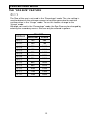
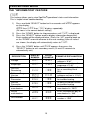
1
1
Not active in Percentage Mode
5