1
USAGE MODE
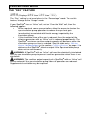
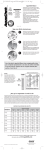
THE “INFORMATION” FEATURE
Inf
®
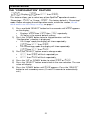
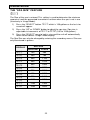
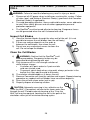
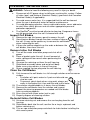
This feature allows you to view SpaPilot operational status and information.
This is helpful when troubleshooting.
1)
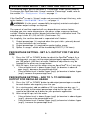
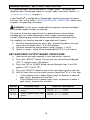
Press and hold the “SELECT” button for five seconds until day
appears on the display.
Displays day, then =24, then hr repeatedly.
(24 hours is the normal default setting.)
2)
3)
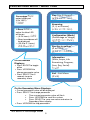
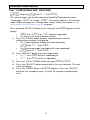
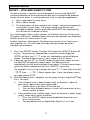
Press the “DOWN” button to skip parameters until INF is displayed.
Press the “SELECT” button once to display information diagnostics.
Each reading will be displayed twice. (Press the “UP” arrow to back up
or the “DOWN” arrow to advance to the next reading.) After all values
are shown, the display will automatically return to INF.
4)
Press the “DOWN” button until End appears then press the
“SELECT” button to exit secondary menu. (Or wait 15 seconds to
automatically exit.)
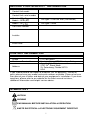
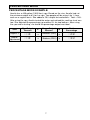
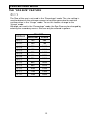
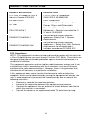
DESCRIPTION
DISPLAY
SYMBOL
VALUE
EXAMPLE
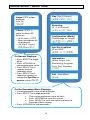
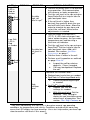
Voltage
v=
9.81
Amperage
A=
1.61
Cell Life
Remaining
Lr=
Software Program
Version
99
C1.0
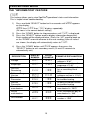
EXAMPLE EXPLANATION
In this example the cell
voltage is “9.81”
In this example the cell
amperage is”1.61”
In this example the cell has
a remaining life of 99%
In this example the
software version is “C1.0”
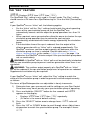
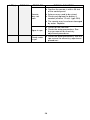
Service
Parameter
Service
Parameter
Year of
Manufacture
th=
99
tS=
99
Yr=
13
Day of
Manufacture
dAY
340
In this example the day of
manufacture is “340”
Unit Number
N=
999
In this example the unit
number is “999”
23
Used by customer service
for troubleshooting
Used by customer service
for troubleshooting
In this example the year of
manufacture is “2013”