1
IC-F110/210S(EUR)
02.8.23 11:33 AM
Page 6 (1,1)
OPERATION
2
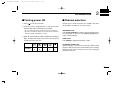
■ Turning power ON
■ Channel selection
q Push [
Several types of channel selection are available. The methods may differ according to your system setup.
] to turn the power ON.
w If the transceiver is programmed for a start up passcode,
input the digit codes as directed by your Dealer.
• The keys in the table below can be used for password input:
• The transceiver detects numbers in the same block as identical.
Therefore “01234” and “56789” are same.
e When all channel indicator LEDs still blink after inputting 4
digits, the input code number is incorrect. Turn the power
off and start over in this case.
KEY
NUMBER
0
5
1
6
2
7
3
8
4
9
NON-BANK TYPE:
Push [CH UP]/[CH DN] to select the desired operating channel, in sequence; or, push one of the [CH 1] to [CH 4] keys to
select a channel directly.
BANK-TYPE:
Push [BANK] to toggle between bank 1 and 2.
AUTOMATIC SCAN TYPE:
Channel setting is not necessary for this type. When turning
the power ON, the transceiver automatically starts scanning.
Scanning stops when receiving a call or when taking the
microphone off hook.
6