1
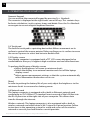
14 3. OPERATING YOUR COMPUTER Numeric Keypad You can activate the numerical keypad by pressing Fn + Numlock. The numeric is displayed at the right lower corner of keys. This contains keys for basic calculation, i.e. plus, minus, times and divide. Press the Fn+Numlock once again to resume original keyboard function. 3.4 Touch pad The built-in touch pad is a pointing device that follows movement on its surface to control the mouse pointer. Slide your finger on its surface to move the cursor. Tap once to select and twice to double-click 3.5 Display screen Your laptop computer is equipped with a TFT LCD screen designed to be comfortable to the eyes, It supports high resolution and real color functions. To prolong the lifespan of display screen Adjust the brightness of screen to minimum levels Switch the display to an external monitor and shut off the laptop display screen Adjust power management settings so that the system automatically enters hibernation mode when not in use [Note] In order to prolong the battery life of your unit, adjust the brightness to the minimum levels to consume less battery power. 3.6 Network card This laptop computer is equipped with a built-in Ethernet network card conforming to 10/100 Base-TX standard. Insert one end of the LAN line into the RJ-45 provision at the right side of your computer. This allows data transfer through the internet. Wireless network. This laptop computer is also equipped with a built-in wireless network card which detects Wi-Fi signal in a given location. Follow instructions in the operating system for setup and access of the wireless network or consult your local wireless service provider. All specifications and information are subject to changes without further notice