1
1.4. Support
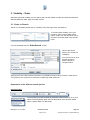
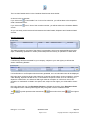
Support information for individual KN Login functionalities can be found in the “Support” menu.
“Screen Help” is available on each KN Login screen, and it
always relates to the KN Login feature you are currently
accessing.
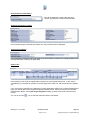
Under “My Manuals” you will find links to several KN Login user manuals, including the detailed KN
Login Order User Manual.
It is recommended that you save the PDF document,
by right-clicking on the link and selecting “save target
as”, respectively “save link as”.
1.5. Request Help via “KN Login Feedback”
Should additional help be required, you can generate a Support Request
directly from the Logon (“Single Sign-on”) screen.
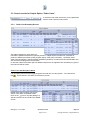
Click on the “KN Login Feedback” link to generate a feedback request.
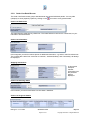
You will be presented with this screen.
Make sure to fill out all fields with a red asterisk as well as
the “Remarks” field, so the KN Login specialist can
contact you promptly.
KN Login v. 3.1 >> Order
Quick Start Guide
Page 4 of 21
May 2011
Copyright © Kuehne + Nagel 2008-2011