1
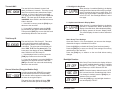
Receive Frequency
PRG RX
151.62500
keys 0 thru 9 to enter a CTCSS Code Guard
value. See "CTCSS Code Guard Values" on
page 27 of this manual. Press the [ENT] key to
store the new value and automatically advance
to the next field.
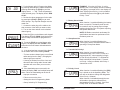
1. Press the [FCN] key and the upper part of
the display will show ‘PRG RX.’ This is the
receive frequency for channel 1 (in MHz).
2. If the displayed frequency is correct, press
the [FCN] key to advance to the next field.
3. If a new frequency is desired, press the
[CLR] key followed by the digits of the desired
frequency. Then press the [ENT] key to store
this frequency and automatically advance to the
next field.
PRG RX
D 131--
CG
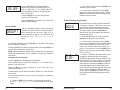
Receive Mode
PRG RX
MODE -- X
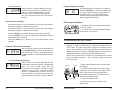
After the receive frequency is set, the upper part
of the display will show ‘PRG RX’, and the lower
part of the display will show ‘Mode-X’, where X
can be ‘A’ for Analog Mode, ‘D’ for Digital Mode,
or ‘M’ for Mixed Mode.
1. If the mode is correct, press the [FCN] key to
advance to the next field.
2. If a new mode is desired, press the [PRI]
key to cycle through the mode settings. Press
[ENT] to store the new mode and automatically
advance to the next field.
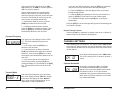
Receive NAC
PRG RX
ID CG
NAC XXXX
000.0
CG
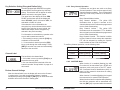
The next field is the Analog Code Guard value
for Channel 1 receive. This value is only used if
the receive mode selected was Analog or Mixed,
or if User Code Guard is activated. The upper
display will show ‘PRG RX CG' and the lower
part of the display will show the programmed
guard.
NOTE: 0.0 indicates carrier squelch operation (no Code Guard).
1. If the displayed value is correct, press the
[FCN] key to advance to the next field.
2. If a new NAC is desired, press the [CLR]
key followed by the digits of the desired NAC.
Then press the [ENT] key to store this NAC and
automatically advance to the next field.
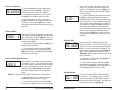
Squelch Mode
PRG RX
ID
sqL -- XXX
2. If a new value is desired, press the [CLR]
key to reset the display to 0.0. Press the number
16
DPHx Programming Manual
The next field is the Network Access Code
(NAC) for Channel 1 receive. This value is only
used if the receive mode selected was Digital or
Mixed, or if User Code Guard is activated. The
upper part of the display will show ‘PRG RX ID
CG’. The lower part of the display will show
‘NACXXXX’ where XXXX is the Network Access
Code in decimal.
1. If the NAC is correct, press the [FCN] key to
advance to the next field.
Receive Analog Code Guard
PRG RX
3. To enter a CDCSS Code Guard value press
the [#] key, causing the letter ‘D’ to appear
followed by three zeros. Enter the desired code
using keys 0 thru 7 (keys 8 & 9 do not respond).
See "CDCSS Code Guard Values" on page 28
of this manual. Pressing the [PRI] key after the
three-digit code has been entered allows the
code to be inverted (a dash appears to the right
of the number). When the displayed value is
correct, press the [ENT] key to store the Code
Guard value and automatically advance to the
next field.
RELM/BK Radio
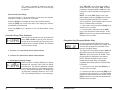
The next field is the Receiver Squelch Mode
for Channel 1. This setting is only used if the
receive mode selected was Digital or Mixed, or
if User Code Guard is activated. The upper part
of the display will show ‘PRG RX ID’.
17