1
MatchMan User’s Manual
Page 7
sheets, one per page, used for scoring the bouts. Note that BoutSheets.Txt should be
printed in landscape mode. ScoreList.Txt contains the final scored results of the match,
by bout, and should also be printed in landscape mode. ScoreTally.Txt contains counts,
by team, of the eight possible bout dispositions. Note that you will most often write the
files several times: Once after initial matches to negotiate possible additional matches,
once when all wrestlers have been matched, and once when the scores have been entered.
Each time, all of the files are rewritten, updating them with the current information. The
files cannot be written if you have them open in Word or another editor. If this happens,
you will receive a warning. Close the file in your editor and click Write Files again.
Bouts can be removed from the end of the bout list by clicking the Remove Last button.
This has the same effect as the Remove Last Bout button on the Roster screen.
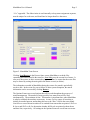
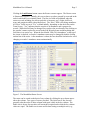
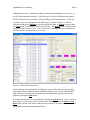
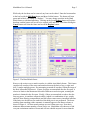
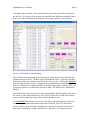
Scoring is done through the Bout screen, as illustrated in Figure 9. Clicking on a bout
brings it up in the Results frame. The scores, the winner, and the justification are entered.
Clicking Accept places the results in the main grid. When the match is complete,
clicking the Write Files button writes the score files to disk.
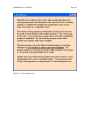
Figure 7. The Bout Screen
You may end the program through the File tab in the menu or by clicking the X in the
upper right corner of the window. You should do this only when the match is complete