1
2.5 Minimum System Requirements
Components
Hardware
Memory
Disk
I/O
Operating
System
Minimum System Requirements
Pentium Class PC
64 MB RAM
650 MB Hard Disk Space
1 available RS-232 or USB Port
Any operating system that supports a USB keyboard including Microsoft Windows 2000®,
XP®, Vista®, 7®, 8®, 8.1®, 8.2®, Server 2003®, and Server 2008®.
The software does not perform any data validation checking. The data must be known before it is
read to verify its validity.
2.6 Reader Setup Basics
To setup the reader:
1. Plug the connector into the workstation’s (or available on any peripheral) open RS-232, USB, or
Ethernet plug.
2. Place the device next to the monitor, beside the workstation, or where appropriate.
3. The workstation should detect new hardware for USB connections. Verify the workstation
recognizes this connection using Device Manager.
4. Verify the correct COM port for RS-232 DB9 connections using Device Manager.
When the software is installed, it should recognize these connections in order to configure the
appropriate device. Once the device is configured and written to its flash memory, these settings will not
have to be configured again.
2.7 LED
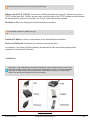
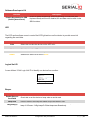
The desktop, USB dongle, surface mount, and non-housed model readers are all equipped with a light
up LED on the front cover.
©2014 RF IDeas Inc.
Configuration Utility User Manual
Page |8