1
IDS-706/710/720/806/810/820 Operation Manual
Digital Storage Oscilloscope
IDS-700 & IDS-800 Series
Operation Manual
© 2003 RS Components Ltd. All rights reserved
82DS-81000MA
0
IDS-706/710/720/806/810/820 Operation Manual
Table of Contents
Pages
1. USAGE PRECAUTIONS AND RECOMMENDATIONS ....... 2
2. GENERAL DESCRIPTION AND FEATURES........................ 6
3. FIRST TIME OPERATION........................................................ 9
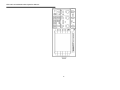
4. PANEL DESCRIPTION ............................................................ 11
5. OPERATION .............................................................................. 17
6. BLOCK DIAGRAM ................................................................... 61
7. RS-232 CONFIGURATION ...................................................... 62
8. SPECIFICATIONS .................................................................... 65
Due to continuous improvements in the IDS-706/710/720/806/810/820 Digital Storage Oscilloscopes, information contained in this manual is subject to change without notice. Contact
RS Components for revisions and corrections.
This document supports firmware version v1.07 and previous version
RS Components Ltd.
PO Box 99, Corby,
Northants., NN17 9RS
United Kingdom.
Tel: +44 (0) 1536 201234
Fax: +44 (0) 1536 405678
Internet: rswww.com
1
IDS-706/710/720/806/810/820 Operation Manual
1. Usage Precautions and Recommendations
The following precautions are recommended to ensure your safety and to provide the best conditions for this instrument. If this equipment is used in a manner not specified by the manufacturer,
the protection provided by the equipment may be impaired.
Safety Terms and Symbols
These terms may appear in this manual or on the product:
WARNING: Warning statements identify condition or practices that could result in injury or loss of life.
CAUTION: Caution statements identify conditions or practices that could result in damage to this equipment or other property.
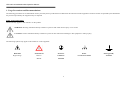
The following symbols may appear in this manual or on the equipment:
DANGER
High Voltage
ATTENTION
Refer to
Protective
Frame
Earth (ground)
Conductor
or Chassis Terminal
Terminal
Manual
Terminal
2
IDS-706/710/720/806/810/820 Operation Manual
FOR UNITED KINGDOM ONLY
NOTE: This lead / appliance must only be wired by competent persons
WARNING: THIS APPLIANCE MUST BE EARTHED
IMPORTANT: The wires in this lead are colour-coded in accordance with the following code:
Green/ Yellow:
Earth
Blue:
Neutral
Brown:
Live (Phase)
As the colours of the wires in main leads may not
correspond with the coloured marking identified in your plug/appliance, proceed as follows:
or coloured Green or Green & Yellow.
The wire which is coloured Green & Yellow must be connected to the Earth terminal marked with the letter E or by the earth symbol
The wire which is coloured Blue must be connected to the terminal which is marked with the letter N or coloured Blue or Black.
The wire which is coloured Brown must be connected to the terminal marked with the letter L or P or coloured Brown or Red.
If in doubt, consult a competent electrician or contact RS Components for further advice.
This cable/appliance should be protected by a suitably rated and approved HBC mains fuse: refer to the rating information on the equipment and/or user instructions for details. As a guide,
cable of 0.75mm2 should be protected by a 3A or 5A fuse. Larger conductors would normally require 13A types, depending on the connection method used.
Any moulded mains connector that requires removal or replacement must be destroyed by removal of any fuse & fuse carrier and disposed of immediately, as a plug with bared wires is
hazardous if engaged in live socket. Any re-wiring must be carried out in accordance with the information detailed on the wiring label, this Instruction Book and comply with current wiring
regulations.
3
IDS-706/710/720/806/810/820 Operation Manual
Use and Care
CAUTION
•
Do not exceed 300Vpeak into the channel BNC INPUTs
•
To avoid risk of fire hazard and electrical shock, a hazardous live voltage must never be connected to the negative side (reference side) of the BNC measuring terminals.
•
•
•
•
•
Do not place any heavy object on the instrument.
Avoid severe impacts or rough handling that could damage the instrument.
Use electrostatic discharge precautions while handling and making connections to the instrument.
Do not place wires into the connectors of the instrument; use only the correct mating connectors and adapters.
Do not block or obstruct the cooling fan vents on the side or rear panel of the instrument.
1)
Disassembly of the Instrument
•
Do not disassemble the instrument. If repair or calibration is required, contact RS Components for advice.
2) AC Power Input
CAUTION
•
The a.c.input should be within the range of selected line voltage ±10%.
•
Ensure the correct fuse is installed prior to applying voltage for the first time –
For 100 V ~ 240 VAC input: Fuse rating is:
Anti-surge 2A / 250V High Breaking Capacity type (HBC), 20 x 5 mm.
4
IDS-706/710/720/806/810/820 Operation Manual
3) Grounding
WARNING
•
To avoid electrical shock, the power cord protective grounding conductor must be connected to earth ground.
4) Fuse Replacement
WARNING
•
For continued fire protection, replace the fuse with the specified type and rating only.
•
Disconnect the power cord before replacing the fuse.
•
Use a flat blade screwdriver to open the fuse drawer on the a.c. inlet socket.
•
If the fuse has blown, there is a fault. Investigate and rectify the cause of the fault before replacing the fuse.
•
Replace the fuse.
5) Cleaning
•
Disconnect AC Power Cord from the instrument before cleaning.
•
Use a soft cloth dampened in a solution of mild detergent and water. Do not allow any liquid to enter the instrument.
•
Do not use chemicals or cleaners containing benzene, toluene, xylene, acetone or other harsh chemicals.
5
IDS-706/710/720/806/810/820 Operation Manual
6) Operating Environment
•
Use of this instrument outside the recommended operating conditions may impair the safety provided for the user.
•
The following conditions are recommended for optimum use of the instrument Indoor Use
Altitude < 2000 m
Temperature 0° to 50° C
Relative Humidity < 80%
No direct sunlight
No strong magnetic fields
Dust Free
•
Installation Category:
•
Pollution degree: 2
300V Cat.II*
7) Storage Environment
•
The following conditions are recommended for optimum storage of the instrument Indoor
Temperature -20° to 70° C
Relative Humidity < 80%
WARNING
This is a Class A product. In a domestic environment this instrument may cause radio and/or television interference in which case the user may be required to take adequate corrective
measures.
*: Measurement category IV is for measurement performed at the source of low-voltage installation
Measurement category III is for measurement performed in the building installation
Measurement category II is for measurement performed on the circuits directly connected to the low voltage installation
2. General Description and Features
The IDS-706, 710, 720, 806, 810 and 820 oscilloscopes are versatile, 2 channel digital storage instruments with the following features:
60MHz, 150MHz, (250MHz for IDS-720 & 820) repetitive bandwidth and 100MSa/s sample rate per channel (25GSa/s E.T. sample rate per channel).
z
Up to 10ns peak detection for glitch capture.
6
IDS-706/710/720/806/810/820 Operation Manual
z
z
z
z
z
z
z
z
z
z
z
z
z
z
A large 5.7” mono or colour LCD display (monochrome display for IDS-706, 710, and 720, colour display for IDS-806, 810 and IDS-820).
Two input channels, each with a record length of 125k points and 8 bits vertical resolution. Both channels acquire waveforms simultaneously.
Time base: 1ns/div~10s/div.
6-digit frequency counter.
Auto-set for quick setup operation.
Three Acquisition modes: Sample, peak detect, and average mode.
Cursors and 15 continuously updated automatic measurements: Vhi, Vlo, Vmax , Vmin , Vpp, Vaverage, Vrms, Vamp , rise time, fall time, duty cycle, frequency, period, positive width, negative
width.
15 memory sets for front panel setting save & recall.
2 memory sets for waveform trace save & recall.
FFT spectrum analysis.
Two useful “Program mode” and “Go, No-Go” function are included.
Advanced video and pulse width trigger.
A large 8 ×12 divisions(menu off)waveform display graticule.
RS-232, parallel printer port and USB output are included as standard on all models.
7
IDS-706/710/720/806/810/820 Operation Manual
The IDS-706, 710, 720, 806, 810 & 820 advanced 32-bit microprocessor controlled Digital Storage Oscilloscopes have been designed for a wide range of applications in educational, service
and industrial applications. The instruments offer a combinations of trigger control, frequency response, time base versatility and other functions to facilitate measurements and observations,
which are generally only available on more expensive oscilloscopes. For ease of operation an “Autoset” function allows for signal related automatic setup of measuring parameters. On-screen
readouts and cursor functions for voltage, frequency and frequency related measurement provide extraordinary operational convenience. Fifteen different user defined instrument settings can
be saved and recalled without restriction. The built-in RS-232 serial interface allows for remote controlled operation by a PC. A six-digit frequency counter provides extra functionality. The
standard USB port permits the “dump” of the entire contents of the instruments’ LCD screen to computer via specific software. A “Program” mode is provided to record all the necessary
waveform measuring operations and replay all steps as required. The additional “Go, No-Go” function allows for a simple semi-automated comparison of waveforms with predetermined
limits.
8
IDS-706/710/720/806/810/820 Operation Manual
3. First Time Operation
The following text assumes that the “SAFETY” section of this manual has been read carefully and understood.
Each time before the instrument is put into operation, check that the oscilloscope is connected to protective earth. For this reason the power cable must be connected to the oscilloscope and the
power outlet first. Next, connect the test lead(s) to the oscilloscope input(s). Check that the equipment or unit under test is switched off and connect the test lead(s) to the test point(s). Lastly,
switch on the instrument and afterward the equipment or device under test.
The oscilloscope is switched on by a single press of the ON/STBY button (Before depressing the ON/STBY button on the front panel, ensure the main power switch on the rear panel is
switched on). After a few seconds the oscilloscope will initialize and revert to its last used operating mode.
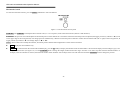
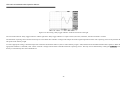
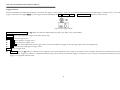
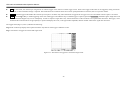
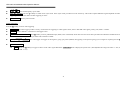
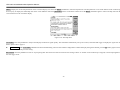
Tilt-stand: For desktop use, lock the tilt-stand in place as shown in the following diagrams:
Figure 3-1: Tilt-stand operation
9
IDS-706/710/720/806/810/820 Operation Manual
Probe calibration
To display an undistorted waveform on an oscilloscope, the probe must be matched to the individual input impedance of each vertical amplifier.
For this purpose a square wave signal with a very fast rise time and minimum overshoot should be used, as the sinusoidal contents cover a wide frequency range.
The build-in compensation signal generator provides a square wave signal with a very fast rise time, and frequency of approx. 1kHz from the output socket below the LCD screen. As the
square wave signals are used for probe compensation adjustment, neither the frequency accuracy nor the pulse duty factor are of importance and therefore not specified.
The output provides 2Vpp±3% for a 10:1 probe. When the Y deflection coefficient is set to 50mV/div, the calibration voltage corresponds to a vertical display of 4 divisions (10:1 probe).
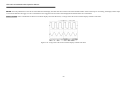
Connect the probe to the probe calibration output and check the waveform indicates correct compensation (see Figure 3-2). If the waveform indicates over or under compensation, refer to the
instructions for the probe and adjust the compensation.
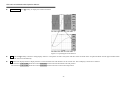
incorrect
correct
Figure 3-2: Probe compensations
10
incorrect
IDS-706/710/720/806/810/820 Operation Manual
AUTOSET
The “Autoset” function provides a stable, triggered display of almost any input signal. Connect a signal to either the channel 1 or channel 2 input BNC connectors and press the AUTOSET
button. Table 3-1 shows the defaults of “Autoset” function.
Table 3-1: Defaults of “Autoset” function
Control parameter:
Modified by Autoset to:
Acquire
Sample
Acquire stop after
RUN/STOP button only
Display style
Vectors
Display format
YT
Horizontal position
Centered within the graticule windows
Horizontal Scale
As determined by the signal frequency
Trigger coupling
DC
Trigger level
Midpoint of trace for the trigger source
Trigger position
Center
Trigger slope
Positive
Trigger source
Highest frequency of available channels
Trigger type
Edge
Vertical bandwidth
Full
Vertical coupling
DC or AC (dependent on the signal)
Vertical offset
0V
Vertical scale
As determined by the signal level
4. Panel Description
Front Panel
11
IDS-706/710/720/806/810/820 Operation Manual
12
IDS-706/710/720/806/810/820 Operation Manual
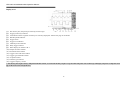
Display Area
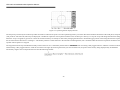
(1): The memory bar (500 points processed by oscilloscope)*.
(2): Trigger position (T) indicator
(3): Viewable area shows segment of memory bar currently displayed*. Please refer page 38 for details.
(4): Run/Stop mode indicator
(5): Trigger status
(6): Trigger level indicator
(7): Channel position indicator
(8): Delay trigger indicator
(9): Status display for channel 1 & 2
(10): Sample rate status readout
(11): Horizontal status readout
(12): Trigger source and status readout
(13): Trigger type and mode readout
(14): Acquisition status
(15): Interface type indicator
(16): Trigger Frequency counter
*: The memory bar length is always 500 points under RUN mode, even when the memory length is set greater than 500 points. The oscilloscope will display 250 points or 300points (menu
off) on the LCD screen waveform area.
13
IDS-706/710/720/806/810/820 Operation Manual
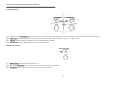
Vertical controls
(1):
(2):
(3):
(4):
Channel 1 and 2 POSITION knobs. The position control knobs adjust the vertical position of the channel 1 and channel 2 waveforms on the screen.
CH1, CH2 Menu pushbutton. Shows the vertical waveform function and selects the waveform on or off the screen.
MATH function pushbutton. Selects the various math functions available.
VOLTS/DIV knobs. Adjusts the vertical scale of the waveforms.
Horizontal controls
(1): HORI MENU. Selects the horizontal functions.
(2): Horizontal POSITION knob. Adjusts waveform horizontal position on the screen.
(3): TIME/DIV knob. Adjusts the horizontal scale of selected waveform.
14
IDS-706/710/720/806/810/820 Operation Manual
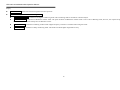
Trigger controls
(1): The power ON/STANDBY pushbutton.
(2): Selects the trigger type, source and mode.
(3): Trigger level adjustment.
Miscellaneous controls
(1):
(2):
(3):
(4):
(5):
(6):
(7):
(8):
(9):
Select the acquire modes.
Control the display modes.
Select the utility functions.
Sets the Program mode.
Select the cursor types.
VARIABLE knob. Multi-function knob which controls many menu functions.
Access the 15 automatic measurement modes.
AUTOSET pushbutton automatically adjusts setup values to display a signal.
Printout a hardcopy of the LCD display.
(10): Start and stop waveform acquisition.
(11): Save and recall the setups and waveforms.
(12): Erases the stationary waveform display.
(13): Display build-in help files on the LCD screen.
(14): Stop the replay for Program mode.
15
IDS-706/710/720/806/810/820 Operation Manual
BNC inputs
(1): The channel 1 & 2 BNC inputs receive electrical signals for display.
(2): Ground.
(3): Connects an external trigger signal to the oscilloscope.
Rear Panel
(1):
(2):
(3):
(4):
(5):
(6):
(7):
(8):
Main power switch.
AC power inlet.
Fuse drawer.
“SELF CAL” output BNC (output range: 0~±2V DC).
“GO/NO GO” output BNC (open collector output, a 10μs pulse will be generated, if certain conditions is met, please refer to page 46 for details)
USB connector
Printer port
RS-232 port
16
IDS-706/710/720/806/810/820 Operation Manual
5. Operation
This chapter contains useful information about the operation of this oscilloscope.
Vertical Control
All vertical operations affect the selected waveform. Press the CH1, CH2, or MATH pushbutton to adjust and select the waveform scale and position.
Figure 5-1: The vertical controls panel
VOLTS/DIV: The VOLTS/DIV knobs adjust the vertical scale (in a 1-2-5 sequence) of the selected waveforms (channel 1 and channel 2).
POSITION: The position control knobs adjust the vertical position of the channel 1 & 2 waveforms. When the vertical position is adjusted, the channel position indicator or (located on
the left side of the LCD graticule) will change position simultaneously. When the channel position indicator reaches the vertical border (top or bottom) of the LCD graticule, the indicator will
change shape to “ , ” or “ , ”. The vertical scale information will also be displayed on the LCD screen.
If the position of channel 1 (or channel 2) is changed, the vertical position will be displayed above the status display area of the screen (1).
Figure 5-2: Operating the position knob
17
IDS-706/710/720/806/810/820 Operation Manual
CH1, CH2: The vertical menu contains the following items when channel 1 or channel 2 is selected. These two pushbuttons also switch the waveform display of channel 1 or channel 2 on or
off. When channel 1 (or channel 2) is turned on, the CH1 (or CH2) button will be illuminated, and vice versa.
z
z
Coupling
/
/
: Press the F1 softkey to select AC (
Invert On/Off: Press the F2 softkey to select to turn (waveform) invert on or off.
z
Bw Limit On/Off: Press the F3 softkey to switch between 20MHz or full bandwidth.
z
z
Probe 1/10/100: Press the F4 softkey to select the probe attenuation ×1, ×10, or ×100 as appropriate.
Impedance 1MΩ: Input impedance display.
) or DC (
) coupling, or ground (
).
MATH: Select a formula from the math menu: CH1+CH2, CH1-CH2 or FFT (Fast Fourier Transform). You can convert a time-domain signal into its frequency components by an advanced
FFT math function. The Math menu contains the following items by pressing F1 softkey after math function is selected. The display of the mathematical waveform can be disabled by pressing
MATH pushbutton again.
z
CH1+CH2: Waveform of channel 1 plus waveform of channel 2.
Figure 5-3: Operating the math function (Channel 1 + channel 2)
z
CH1-CH2: Algebraic sum of channel 1 and channel 2.
The position of CH1+CH2/CH1-CH2 mathematical waveform can be adjusted by rotating the VARIABLE knob. The math position indicator
(located on the left side of the LCD
graticule) will change the position simultaneously. The information of mathematical division and units will also be displayed on the math menu bar.
z
FFT: The details of FFT operations are as follows:
FFT
Operation: Push the MATH button to select the FFT function. The Source Channel and Window algorithm can be selected. Press the MATH pushbutton again to disable FFT spectrum
18
IDS-706/710/720/806/810/820 Operation Manual
display.
z
Source CH1/CH2: Selects the channel assigned to the FFT spectrum.
z
Window Rectangular/Blackman/Hanning/Flattop:
z
Window Rectangular: Transform to rectangular windowing mode. This windowing mode is suitable for transient analysis.
z
Window Blackman: Transform to Blackman window mode. The peak resolution of Blackman window mode is not as fine as Hanning mode, however, the response shape
flares-out less at low levels and rejection of sidelobes is better.
z
Window Hanning: Transform to Hanning window mode. Higher frequency resolution is available when using this mode.
z
Window Flattop: Transform to flattop windowing mode. This mode can obtain higher magnitude accuracy.
19
IDS-706/710/720/806/810/820 Operation Manual
z
Position: Adjust the FFT position on the display area by rotating the VARIABLE knob. The “
0 dB approximately, where 0dB is defined as 1Vrms.
z
Unit/div 20/10/5/2/1 dB: Press F5 softkey to expand the FFT spectrum vertically. Expansion factors are 20dB/Div, 10dB/Div, 5dB/Div, 2dB/Div and 1dB/Div.
” math position indicator which located on the left side of LCD screen always points to
FFT spectrum measurement using cursors: FFT spectrum’s magnitude (dB) and frequency (Hz) can be measured by using the cursors. Press the CURSOR pushbutton and select Source
MATH by pressing the F1 softkey.
z
Source MATH: Selects FFT spectrum cursor measurement function.
z
Horizontal
/
/
/
: Adjust vertical cursors by rotating the VARIABLE knob. The reference values are also shown on the LCD screen:
f1: first cursor frequency indication.
f2: second cursor frequency indication.
△ : The difference value of f1 and f2.
Div: frequency per division at present.
For more detail operations, please refer to page 53.
z
Vertical
/
/
/
: Adjust horizontal cursors by rotating the VARIABLE knob. The reference values are also shown on the LCD screen: The
colour of two horizontal cursors will be changed to red for the colour oscilloscope.
M1: magnitude indication of first cursor.
M2: magnitude indication of second cursor.
△ : The difference value of M1 and M2.
For more detail operations, please refer to page 53.
20
IDS-706/710/720/806/810/820 Operation Manual
(1): Cursors measure frequency of input waveform.
(2): The spectrum of channel one input waveform.
(3): Cursors measure magnitude of input waveform.
(4): the readouts for both horizontal and vertical cursors.
Figure 5-4: Operating the math function (FFT) with cursor measurements.
21
IDS-706/710/720/806/810/820 Operation Manual
Horizontal Control
To select the horizontal controls, press the MENU pushbutton to select the features.
Figure 5-5: The horizontal controls panel
TIME/DIV: The TIME/DIV knob adjusts the horizontal scale (in a 1-2-5 sequence) of the selected waveforms (channel 1 and channel 2).
POSITION: The position control knob adjusts the horizontal position of the channel 1 & 2 waveforms. When the horizontal position is adjusted, the trigger position (T) indicator “▼” (located
on the upper edge of the LCD graticule) will change position simultaneously. When the horizontal position indicator reaches the horizontal border (left or right) of the LCD graticule, the
trigger position (T) indicator “▼” will change shape to “W” or “X”.
MENU: Select a function to modify the timebase, horizontal position and horizontal magnification of the selected waveform.
z
Main: Display the main timebase only.
z
Window: To switch between the normal and zoomed display, press the F2 softkey to display the timebase of the zoomed window. The waveform display area will change to grey colour
except the zoomed area (see figure 6-6). Use the TIME/DIV knob to change the length (window frame time range: from 2ns to one more step faster than the desired timebase. For
example, if the 1ms timebase is selected, the maximum window frame timebase will be 500μs) of the zone and rotate the horizontal POSITION knob to change the position.
22
IDS-706/710/720/806/810/820 Operation Manual
z
Window Zoom: Press F3 softkey to display the zoomed waveform.
Figure 5-6: Operating the zoom function
z
Roll: Press the F4 softkey to obtain a rolling display similar to a strip-chart recorder. The system will then select roll mode from “Acquisition Mode” and an upper timebase limit of
200ms/div will be set automatically.
z
XY: Select XY display format to display channel 1 on the horizontal axis and channel 2 on the vertical axis. The XY display controls are as follows:
The channel 1 VOLTS/DIV knob and vertical POSITION knob control the horizontal scale and position.
The channel 2 VOLTS/DIV knob and vertical POSITION knob control the vertical scale and position.
23
IDS-706/710/720/806/810/820 Operation Manual
Figure 5-7: Operating the XY display function
The 500 points processed by the oscilloscope under run mode are characteristic points of a real acquired long memory waveform. Due to the hardware limitations of the LCD panel, 250 points
(300 points for side menu off) will always be displayed. A method to explore the real acquired waveform on the oscilloscope’s memory is to stop the scope and change the time base setting.
When the ‘scope is stopped, any portion of or all of the waveform memory record may be observed by changing the time base or horizontal trigger position. Decreasing the time base expands
the waveform and is referred to as “zooming in”. This feature performs a similar function to the time base windowing feature, but is available under the real-time acquisition mode and is only
operable when acquisition is stopped.
The stopped waveform may be shifted horizontally on the LCD screen. It is controlled by the horizontal’s POSITION knob. Increasing “delay trigger indicator” shifts the waveform to the left
and decreasing “delay trigger indicator” shifts the waveform to the right. By observing the memory bar and viewable area, the portion of the memory being displayed may be identified.
The memory length is also an important factor because the following formula.
24
IDS-706/710/720/806/810/820 Operation Manual
For example, a signal is displayed on the screen as figure 5-8.
Figure 5-8: The stopped waveform
The sample rate is 250kS/s and the record length is 2500, according the formula;
There are 10ms of data in the waveform record. Adjust the “delay trigger indicator” to observe the total waveform record.
Figure 5-9: Increasing “delay trigger indicator” shifts the waveform to the left
25
IDS-706/710/720/806/810/820 Operation Manual
Figure 5-10: Decreasing “delay trigger indicator” shifts the waveform to the right
The sum of the left-most “delay trigger indicator” and the right-most “delay trigger indicator” is equal to 10ms (5ms+5ms). Therefore, the above formula is verified.
The maximum “exploring” factor for this oscilloscope is 7 times faster than “time/div” setting for the sample rate of the original acquired waveform. The “exploring” factor is only based on the
500 points of the memory length.
To ensure appropriate settings, check the sample rate in advance and examine Table 5-2 (the row where memory length = 500) to determine the available timebase after acquisition. When the
appropriate timebase is confirmed, count 7 faster “time/div” settings from the table to find the maximum “exploring” factor. This may also be determined by rotating the TIME/DIV knob
directly to automatically show the available factor.
26
IDS-706/710/720/806/810/820 Operation Manual
For example, the sample rate of figure 5-8 is 250kSa/s. The 250kSa/s for memory length 500 is 100μs/s according to Table 5-2. Therefore, the maximum expanded time/div will be “500ns/s”.
Figure 5-11: The maximum “zooming in” factor for 250kSa/s sample rate is 500ns/s
The viewable area is adjusted automatically for the variable “exploring” factor.
27
IDS-706/710/720/806/810/820 Operation Manual
Trigger Control
When the instrument starts acquiring and displays a waveform, the “trigger” control permits a stable trace to be obtained from an otherwise unstable display or a blank screen. To access the
trigger controls, press the trigger MENU key. The trigger menu will then display the Type, SOURCE, MODE, or SLOPE/COUPLING soft keys to allow selection.
Figure 5-12: Trigger controls
Type (Edge/Video/Pulse/Delay): The F1 softkey provides four different kinds of trigger types: Edge, video, pulse and delay.
Type Edge: Select edge triggering to trigger on the input signals’ edge.
SOURCE: Select the trigger source.
z
CH 1: Select channel 1 as trigger source.
z
CH 2: Select channel 2 as trigger source.
z
External: Select “EXT TRIG” BNC input as trigger source. Note this instrument can trigger on external trigger signals, but cannot display them.
z
Line: Select AC line voltage signal as trigger source.
MODE: Select a trigger mode.
z
Auto Level: Press the F3 softkey to enable auto level triggering. In this mode, adjustment of the “trigger level indicator” will be limited to between the top and bottom of the input
waveform. If the “trigger level indicator” is adjusted beyond this range, the oscilloscope will shift the “trigger level indicator” to the central part of waveform automatically. External
trigger is not supported under this mode.
28
IDS-706/710/720/806/810/820 Operation Manual
z
Auto: In this mode, the oscilloscope will generate an internal trigger in the absence of other trigger events. Select Auto trigger mode when an un-triggered, rolling waveform at
250ms/div or slower timebase settings is required. This mode allows the continuous observation of low-speed phenomena in real-time, down to a speed of 10s/div.
z
Normal: Normal trigger mode enables the oscilloscope to acquire a waveform only when instrument is triggered. If no trigger occurs, the instrument will not acquire a waveform.
z
Single: Press the F3 softkey to enable triggering on the next valid trigger event and then stop. If a further trigger is required, press the RUN/STOP pushbutton again. Single-shot events
are waveforms that happen only once or infrequently. In order to capture a single-shot event, some characteristics of the waveform to be captured must be known. The trigger, vertical
and horizontal controls must be set appropriately to capture and display the event, so the approximate amplitude, duration and DC offset of the signal must be known.
The trigger status (Page 13, item 5) indicates the following:
Trig’d: The oscilloscope displays the acquired waveform only after all of the trigger conditions are met.
Trig?: The absence of triggers for normal and single mode.
Figure 5-13: The absence of triggers for normal and single mode
29
IDS-706/710/720/806/810/820 Operation Manual
AUTO: The oscilloscope is in auto mode and trigger conditions are not met.
Figure 5-14: The oscilloscope is in auto mode and trigger conditions are not met
SLOPE/COUPLING: Change the trigger slope and select trigger coupling by pressing the F5 softkey.
z
Slope
z
Coupling DC/AC: Press the F2 softkey to select DC coupling (
z
Rejection LF/HF/Off: Press the F3 softkey to select the frequency reject mode as required.
z
LF: Press the F3 softkey to enable low frequency reject mode. Low frequency reject mode removes the low frequency portion of the triggering signal. Only the high frequency
components pass to the triggering system to start an acquisition. Low frequency rejection attenuates signals below 50kHz.
z
HF: High frequency reject mode does the opposite of low frequency reject mode. High frequency rejection attenuates signals above 50kHz.
: Press the F1 softkey to select the triggering slope. The oscilloscope will change the “trigger slope” to the rising or falling edge.
) or AC coupling (
30
).
IDS-706/710/720/806/810/820 Operation Manual
z
: Switch off frequency reject mode.
z
Noise Rej On/Off: Press the F4 softkey to enable noise reject mode. Noise reject mode provides lower DC sensitivity. This mode requires additional signal amplitude for stable
triggering, but reduces the chance of false triggering on noise.
z
Previous Menu: Back to previous menu.
Video Triggering
Press the F1 softkey to select video triggering.
z
Type Video: The video trigger provides a variety of selections for triggering on video signals: NTSC, PAL or SECAM video signal; polarity; line, field 1 or field 2.
z
SOURCE: Select channel 1 or channel 2 as the trigger source.
z
Standard NSTC/PAL/SECAM: Press F3 softkey to select predefined setups (NSTC, PAL or SECAM). NSTC has a line rate of 525 lines per frame and a field rate of 60Hz. PAL and
SECAM have a line rate of 625 lines per frame and a field rate of 50Hz.
z
Polarity
softkey to invert the signal.
z
Field 1/Field 2/Line:
z
: The video trigger can trigger on the negative- going sync pulses (default). If triggering on the positive-going sync of a signal is required, press the F4
Field 1: Press the F5 softkey to trigger on field 1 of the video signal. Rotate the VARIABLE knob to display the specific line. (The adjustable line range for NSTC: 1~263; for
PAL/SECAM: 1~313)
31
IDS-706/710/720/806/810/820 Operation Manual
z
Field 2: Press the F5 softkey to trigger on field 2 of the video signal. Rotate the VARIABLE knob to display the specific line (The adjustable line range for NSTC: 1~262; for
PAL/SECAM: 1~312)
z
Line: Press the F5 softkey to trigger on all lines of the video signal
Figure 5-15: Video trigger mode
32
IDS-706/710/720/806/810/820 Operation Manual
Pulse-width Triggering
z
Type PULSE: The pulse-width trigger mode can allows the ‘scope to trigger on a negative or positive pulse of a specified width. The pulse-width range can be adjusted from 20ns to 10
seconds. The relationship between pulse width, pre-scale and pulse-width count are shown in Table 5-1.
Pulse-width
Pre-scale
Pulse-width count
20ns~980ns
1.00us~9.98us
10us~99.9us
100us~999us
1.00ms~9.99ms
10.0ms~99.9ms
100ms~999ms
1.00s~10.0s
20ns
20ns
20ns
200ns
200ns
2000ns
20000ns
200000ns
1~49
50~499
500~4995
500~4995
5000~49950
5000~49950
5000~49950
5000~50000
Table 5-1
z
SOURCE: Select the input channel as trigger source.
z
Mode: Select different triggering types.
z
When <>=≠: Press the F4 soft key to select the different time compare factor.
z
When <: When the less than “<” time compare factor is selected, the VARIABLE knob sets the ‘scope to trigger on a pulse-width less than the time value displayed by the F4 soft
key.
z
When >: When the greater than “>” time compare factor is selected, the VARIABLE knob sets the ‘scope to trigger on a pulse-width greater than the time value displayed by the
F4 soft key.
z
When =: When the equal “=” time compare factor is selected, the VARIABLE knob sets the ‘scope to trigger on a pulse-width equal to the time value displayed by the F4 soft key.
z
When ≠: When the unequal “≠” time compare factor is selected, the VARIABLE knob sets the ‘scope to trigger on a pulse-width unequal to the time value displayed by the F4
soft key.
33
IDS-706/710/720/806/810/820 Operation Manual
z
Slope
: Selects positive or negative polarity for the pulse-width triggering.
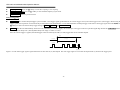
(1): When positive polarity is selected, the trigger will take place on the high to low transition of the pulse if the compare condition is met. See figure 5-16.
(2): When negative polarity is selected, the trigger will take place on the low to high transition of the pulse if the compare condition is met. See figure 5-17
Figure 5-16: Pulse-width trigger with positive polarity selected
Figure 5-17: Pulse width trigger with negative polarity selected
34
IDS-706/710/720/806/810/820 Operation Manual
z
Coupling DC/AC: Press the F2 softkey to select DC coupling or AC coupling.
z
Rejection LF/HF/Off: Press the F3 softkey to switch off the frequency reject mode.
z
Previous Menu: Return to previous menu.
Delayed Triggering
z
Type Delay: The versatile delayed-trigger system includes a start-trigger signal (generated from an external trigger source) and a 2nd trigger source (main-trigger). When using the
trigger system, the acquisition of a waveform may be delayed for a user-defined time, or a user-defined number of delayed trigger events after a start-trigger signal. Press the F2, F3, and
F4 softkey to select one of three delay-trigger settings: By Time, By Event, and TTL/ECL/USER.
z
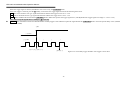
By Time: After the user-defined delay-timer times-out (initiated by an external trigger), the oscilloscope will trigger on the next specified signal edge. Rotate the VARIABLE knob to
select the specific delay-time. (The adjustable delay-time range is: 100ns to 1.3ms).
Once the external trigger is applied, the timed-trigger will be activated by the CH1 (or CH2) trigger after the set time has elapsed.
Trigger
Start trigger
Set time (T)
Main trigger
Trigger Point
Figure 5-18: The main trigger signal is ignored until the set time interval (T) has elapsed. The next trigger signal to occur after the elapsed time (T) becomes the trigger point.
35
IDS-706/710/720/806/810/820 Operation Manual
z
If the start trigger signal is selected, the DELAY time can be set by the VARIABLE knob.
If the main trigger is selected, press the F4 softkey to select the start trigger signal level from the following three levels.
TTL: This is the mode for TTL type signal measurements and the start trigger level is set to +1.4V.
ECL: This is the mode for ECL type signal measurements and the start trigger level is set to -1.3V.
USER: Select USER mode and rotate the VARIABLE knob to define the specific start trigger signal level. (The adjustable start trigger signal level range is: +12V to –12V)
Note: The level of the signals above is valid for a ×1 probe only
By Event: The instrument waits the user-defined number of delay trigger events and then acquires the signal. Rotate the VARIABLE knob to select the specific delay event. (Numbers
of events: 2~65000)
Trigger
Start trigger
1
Main trigger
Start of external trigger count
2
3
Trigger Point
Figure 5-19: Event delay trigger. Number of set trigger event is three.
36
IDS-706/710/720/806/810/820 Operation Manual
If start trigger signal is selected, the number of events can be selected by the VARIABLE knob.
If the main trigger is selected, press the F4 softkey to select the start trigger signal level from the following three levels.
TTL: This is the mode for TTL type signal measurements and the start trigger level is set to +1.4V.
ECL: This is the mode for ECL type signal measurements and the start trigger level is set to -1.3V.
USER: Select USER mode and rotate the VARIABLE knob to define the specific start trigger signal level. (The adjustable start trigger signal level range is: +12V to –12V)
Note: The level of the signals above is valid for a ×1 probe only
37
IDS-706/710/720/806/810/820 Operation Manual
Miscellaneous Controls
To select the various miscellaneous controls, press these pushbuttons to select the specific feature (see Figure 5-12).
Figure 5-20: Miscellaneous controls
ACQUIRE: Press the ACQUIRE pushbutton to select the different acquire modes: Sample, Peak-Detect and Average. Acquisition is the process of sampling the analog input signal,
converting it into digital format afterward and assembling it into a waveform record finally.
z
Sample: Press F1 to select the “sample” acquisition mode. In sample mode, the instrument generates a record point by saving the first sample during each acquisition interval.
z
Peak-Detect: The “Peak-detect” mode stores the minimum and maximum values (pairs) in each time frame.
z
Average: The average mode selects the number of waveform acquisitions that are averaged to generate the displayed trace. The range for the averaging is from 2 to 256 in powers of 2.
Note: The variable number of acquisitions of “average” mode is only available with record lengths of 500.
Average mode reduces the displayed signal noise significantly on repetitive waveforms. As the number of averages increases from 2 to 256, the display becomes less responsive to
changes in the input signal. Averaging more signals reduces the effects of noise and improves overall resolution.
38
IDS-706/710/720/806/810/820 Operation Manual
If any record length (except 500) and an averaging number has been selected (for this moment, the averaging number selected is inhibited), the instrument will use its automatic
resolution enhancement function to average an entire waveform by different acquisition intervals. This provides an averaged result, but at a higher sample rate and therefore with a better
resolution waveform.
Note: The difference between record lengths of 500 and the rest is the “sampling” is: If the “record length” is set to 500, the sampling will be triggered repeatedly. If the “record
length” is other than 500, the sampling is triggered only once.
z
Mem Leng: The number of points that make up the waveform record is defined by record length. This oscilloscope provides record lengths of 500, 1250, 2500, 5000, 12500, 25000,
50000, and 125000 points. For the relationship between memory length, timebase, and sample rate, please refer to Table 5-2. To ensure a full screen display of 500 points on slower
timebase ranges, the sample rate is reduced as the timebase is slowed down.
The relationship between memory bar, viewable area and memory length setting are shown on Figure 5-21 and 5-22. The memory bar is always indicating the selected memory length,
but compressed into 500 points. The screen area will display 250 points with the side menu turned on. If the side menu is turned off, the screen will display 300 points.
39
IDS-706/710/720/806/810/820 Operation Manual
Figure 5-21: The relationship between “memory bar”, “memory length”, and “viewable area (menu on)”
40
IDS-706/710/720/806/810/820 Operation Manual
Figure 5-22: The relationship between “memory bar”, “memory length”, and “view- able area (menu off)”
41
IDS-706/710/720/806/810/820 Operation Manual
Memory length
Timebase
500
1250
2500
5000
12500
25000
1ns/div
2.5ns/div
ET25Gsa/s
ET10Gsa/s
NA
NA
NA
NA
NA
NA
NA
NA
NA
NA
NA
NA
NA
NA
5ns/div
10ns/div
ET5Gsa/s
ET2.5Gsa/s
NA
NA
NA
NA
NA
NA
NA
NA
NA
NA
NA
NA
NA
NA
ET1Gsa/s
NA
25ns/div
50ns/div
100ns/div
250ns/div
500ns/div
ET500Msa/s
NA
ET250Msa/s
NA
100MSa/s
NA
50MSa/s 100MSa/s
50000 125000
NA
NA
NA
NA
NA
NA
NA
NA
NA
NA
NA
NA
NA
NA
NA
NA
NA
NA
NA
NA
NA
NA
NA
NA
NA
NA
NA
NA
NA
NA
NA
NA
NA
NA
NA
NA
NA
NA
1μs/div
2.5μs/div
25MSa/s
10MSa/s
50MSa/s 100MSa/s
NA
25MSa/s 50MSa/s 100MSa/s
5μs/div
10μs/div
25μs/div
5MSa/s
2.5MSa/s
1MSa/s
10MSa/s 25MSa/s 50MSa/s 100MSa/s
NA
NA
5MSa/s 10MSa/s 25MSa/s 50MSa/s 100MSa/s
NA
2.5MSa/s 5MSa/s 10MSa/s 25MSa/s 50MSa/s 100MSa/s
50μs/div
500kSa/s
100μs/div
250kSa/s
500kSa/s
250μs/div
100kSa/s
250kSa/s 500kSa/s
500μs/div
1ms/div
50kSa/s
25kSa/s
100kSa/s 250kSa/s 500kSa/s 1MSa/s 2.5MSa/s 5MSa/s 10MSa/s
50kSa/s 100kSa/s 250kSa/s 500kSa/s 1MSa/s 2.5MSa/s 5MSa/s
2.5ms/div
5ms/div
10ms/div
10kSa/s
5kSa/s
2.5kSa/s
25kSa/s
10kSa/s
5kSa/s
25ms/div
50ms/div
100ms/div
250ms/div
500ms/div
1s/div
2.5s/div
5s/div
10s/div
1kSa/s
500Sa/s
250Sa/s
100Sa/s
50Sa/s
25Sa/s
10Sa/s
5Sa/s
2.5Sa/s
2.5kSa/s 5kSa/s 10kSa/s 25kSa/s 50kSa/s 100kSa/s 250kSa/s
1kSa/s 2.5kSa/s 5kSa/s 10kSa/s 25kSa/s 50kSa/s 100kSa/s
500Sa/s 1kSa/s 2.5kSa/s 5kSa/s 10kSa/s 25kSa/s 50kSa/s
250Sa/s 500Sa/s 1kSa/s 2.5kSa/s 5kSa/s 10kSa/s 25kSa/s
100Sa/s 250Sa/s 500Sa/s 1kSa/s 2.5kSa/s 5kSa/s 10kSa/s
50Sa/s 100Sa/s 250Sa/s 500Sa/s 1kSa/s 2.5kSa/s 5kSa/s
25Sa/s
50Sa/s 100Sa/s 250Sa/s 500Sa/s 1kSa/s 2.5kSa/s
10Sa/s
25Sa/s
50Sa/s 100Sa/s 250Sa/s 500Sa/s 1kSa/s
5Sa/s
10Sa/s
25Sa/s
50Sa/s 100Sa/s 250Sa/s 500Sa/s
1MSa/s 2.5MSa/s 5MSa/s
NA
NA
NA
10MSa/s 25MSa/s 50MSa/s 100MSa/s
1MSa/s 2.5MSa/s 5MSa/s
10MSa/s 25MSa/s 50MSa/s
1MSa/s 2.5MSa/s 5MSa/s
10MSa/s 25MSa/s
50kSa/s 100kSa/s 250kSa/s 500kSa/s 1MSa/s 2.5MSa/s
25kSa/s 50kSa/s 100kSa/s 250kSa/s 500kSa/s 1MSa/s
10kSa/s 25kSa/s 50kSa/s 100kSa/s 250kSa/s 500kSa/s
Table 5-2: Available sample rates, with different timebase and memory settings.
42
IDS-706/710/720/806/810/820 Operation Manual
DISPLAY: Press the DISPLAY pushbutton to change the appearance of the display and select how waveforms are presented.
Note: There are always 250 points plotted to screen on each acquisition.
Type Vector/Dot:
z
Type Vector: Press the F1 softkey to select vector display style. The instrument draws a vector between each pair of waveform points.
z
Type Dot: Displays only the individual sample points.
z
Accumulate (On/Off): The “Accumulate” mode can acquire and display a waveform record that shows the total variation over all acquisitions.
z
Refresh: Press the F3 softkey to refresh the above waveforms.
z
Contrast (0~100%): Press the F4 softkey to enter the contrast setting mode of the LCD screen. Use the VARIABLE knob to vary LCD screen contrast.
: Press the F5 softkey to select three different graticule display modes.
z
z
: Only X and Y axis are displayed.
z
: Only outer frame is displayed.
z
: Full grids are displayed
43
IDS-706/710/720/806/810/820 Operation Manual
UTILITY: The utility menu provides abundant sub menus: Printer menu, Interface menu,
When.
z
(Beep), Language, self-cal menu, System Inform, Go-No Go menu, and No Go
Printer Menu: If a printer is connected and correctly configured, the oscilloscope can print a hard copy of the LCD display. Press the F1 softkey to select a printer type. This
oscilloscope supports the following printers:
z
Type HP: Both Hewlett-Packard LaserJet laser printers and DeskJet inkjet printers are supported.
Press the HARDCOPY pushbutton to start printing at any time, once the printer is correctly configured.
Note: These instruments do not support GDI printers.
Note: The USB ports of these oscilloscopes is a “DEVICE” only, and therefore DO NOT support any USB printers directly.
z
Interface Menu: These instruments can transfer data between the ‘scope and other instruments via the RS-232 or USB ports.
For RS232 setup
z
Type RS232: Select the RS-232 communication port.
z
Baud rate: Transmission rate in characters per second. Transmission rate settings are: 2400, 4800, 9600, 19200 and 38400 baud.
z
Stop bit: Press the adjacent pushbutton to select “1” or “2” bits.
z
Parity: Press the adjacent pushbutton to select “Odd”, “Even”, or “None”.
z
Previous Menu: Return to previous menu.
Note: The “Data Bit” is set to 8-bits and cannot be altered.
44
IDS-706/710/720/806/810/820 Operation Manual
For USB
z
Type USB: Select USB port.
z
Previous Menu: back to previous menu.
z
: Select the tone for build-in buzzer.
z
: Select a high-frequency tone.
z
: Select a low-frequency tone.
z
: Select a mixed-frequency tone.
z
: Turn the tone off.
z
Language Menu: English, traditional Chinese, simplified Chinese, French, German, Italian, Korean, Russian, and Danish are supported.
z
More: Press the F5 softkey to display other utility options.
45
IDS-706/710/720/806/810/820 Operation Manual
z
Self Cal Menu: Please refer to service menu for details.
z
System Inform: The company name, model name, and firmware version will appear on the LCD screen.
z
Go, No-Go Menu: The Go, No-Go judgment function can be used to judge if the acquired signal matches with a previously saved waveform. The input waveforms are compared with
the pattern and the measured waveform is evaluated to automatically determine which action to perform. The following indicators can be selected and activated, triggered by this
evaluation:
1) The build-in buzzer.
2) The “Go-No Go” BNC connector on the rear.
The level of the output signal from “Go-No Go” BNC connector is defined as follows:
If the result is “Good”, the output level remains at low level.
If the result is “Not Good”, a 10us pulse will be generated at the BNC connector.
Note: The signal at the “Go, No-Go” BNC connector is “open collector”.
z
Template Edit: Edits the reference templates. Press the F1 softkey once to enter the sub-menu.
For Template Max and Min
z
Template Max/Min: The “Go-No Go” templates are selected from reference A or B of the “Save/Recall” function. For the detailed operation, please refer to page 57.
Template Max: The maximum template is always selected from the reference A of the “Save/Recall” function.
46
IDS-706/710/720/806/810/820 Operation Manual
Template Min: The minimum template is always selected from the reference B of the “Save/Recall” function.
z
Source RefA/RefB: Indication for the source of the maximum or minimum template (reference A for maximum template; reference B for minimum template).
z
Position: Adjust the vertical position for the maximum template or template.
z
Save: Press the F4 softkey to save the settings. The original saved reference A or B from the “Save/Recall” function will replace the current setting.
z
Previous Menu: back to previous menu.
For Template Auto
z
Template Auto: The two “Go, No-Go” templates are generated from the subject signal.
(1): Based on the subject signal, the two templates (Ref A and Ref B) are created by the “Template Auto” function automatically. The adjustable range (Tolerance) available is from ±0.4% to
±40%.
Figure 5-23: Template created by the “Template Auto” function.
47
IDS-706/710/720/806/810/820 Operation Manual
z
Source CH1/CH2: Select the input source of channel 1 or channel 2 as “Go, No-Go” template.
z
Tolerance %: Select the tolerance percentage range for vertical and horizontal scales for the subject signal. The adjustable range available is from ±0.4% to ±40%.
z
Save & Create: Press the F4 softkey to save the settings. The original saved reference A or B from the “Save/Recall” function will replace the current setting.
z
Previous Menu: Back to previous menu.
z
Source: select channel 1 or channel 2 as subject signal input.
z
Violating Stop/
/Continue/
: Select what happens if the signal is outside compared templates.
Violating Stop: If the subject signal is judged to be “Not Good”, the “Go, No-Go” function will stop. The number of violations will be recorded.
Violating
recorded.
: If the subject signal is judged to be “Not Good”, the “Go, No-Go” function will stop and the oscilloscope will beep once. The number of violations will be
Violating Continue: If subject signal is judged to be “Not Good”, the “Go, No-Go” function will to be executed continually. The number of violations will be recorded.
Violating
be recorded.
: If the subject signal is judged to be “Not Good”, the “Go, No-Go” function will continue and the oscilloscope will beep once. The number of violations will
Note: All the judgment condition are based on the setting of No-Go When
/
48
. See next page for details.
IDS-706/710/720/806/810/820 Operation Manual
z
Go, No-Go On/Off: Starts the “Go, No-Go” function.
z
Ratio :: Display the counts of “Go, No-Go” tests and failures. Press the F5 softkey to reset the counts to zero.
Press any pushbutton to exit the “Go, No-Go” function.
z
z
No-Go When
/
: Select the judgment condition for violation of the “Go, No-Go” function.
z
No-Go When
: If the subject signal is not violating the templates, the system will judge the condition as “No-Go” situation by selecting this function.
z
No-Go When
: If the subject signal is violating the templates, the system will judge such condition as “No-Go” situation by selecting this function.
Previous Menu: Back to previous menu.
49
IDS-706/710/720/806/810/820 Operation Manual
PROGRAM: The advanced “Program mode” function enables the oscilloscope to remember certain steps and replay all the saved steps. There are two main operating classes for “Program
mode”: Edit and Play. Preferred operating steps may be edited, saved and then replayed.
Figure 5-24: Press the PROGRAM pushbutton to enter “Program” mode
Editing the steps:
z
Edit: To begin to edit the steps, press the F1 softkey to enter replay mode.
z
Step 1-15: Determine which step is to be edited and rotate the VAIABLE knob to select the one required. The range of settings is from 1 to 15.
z
Item Memory/Menu/Time: Select the conditions for each step. Press the F3 softkey repeatedly to select from three different conditions: Item Memory, Item Menu, and Item Time.
z
Item Memory: Select one of the pre-saved waveform from fifteen internal memory sets. Rotate the VARIABLE knob to select the required memory set. The pre-saved memories
available are from memory one to memory fifteen (M1~M15).
z
Item Menu: Select which menu will be shown on the LCD panel for the currently running step. Only two menus can be displayed when “Program Mode” is running; measurement
menu and cursor menu. Rotate the VARIABLE knob to select the preferred display menu.
50
IDS-706/710/720/806/810/820 Operation Manual
z
Item Time: Select how long the item will run. The selectable range is 1 to 99 seconds, or to wait until the Run/Stop pushbutton is pressed. Either event will terminate the current
step.
z
Save: Press the F5 softkey to save the current steps of Program mode.
Steps Replaying:
z
Play: Settings for replaying of saved steps.
z
Cycle 1~99: The Program mode procedure can be replayed from 1 to 99 times repeatedly.
z
From/To: Select which steps of “Program mode” are to be the first and last replayed steps.
z
Start: Press the F5 softkey to start replaying the “Program mode”.
Press Auto test/Stop pushbutton to quit the “Program mode”.
Figure 5-25: Programming for play function of “Program” mode
(1): The starting step indicator for replaying.
(2): The final step indicator for replaying.
51
IDS-706/710/720/806/810/820 Operation Manual
Figure 5-25 shows a program which replays from step one to step six and runs ten times.
The first step is recalled from memory one (M1). The “Auto Measurement” menu will be displayed on the LCD screen while step one is replaying; the running time is three seconds.
The final step (step six) is recalled from the sixth memory location (M6) and the “Cursor” menu will be displayed on the LCD screen while step six is replaying. The running time is controlled
by pressing the Auto test/Stop pushbutton.
52
IDS-706/710/720/806/810/820 Operation Manual
CURSOR: Select the different cursor measurements. Vertical cursors measure time; horizontal cursors measure voltage. For both vertical and horizontal cursors, the cursor readout T1 and T2
(V1 and V2) show the selected cursor position relative to the center horizontal (or vertical) LCD origin; the readout symbol indicates the distance (time or voltage) between of two cursors
(see Figure 5-26).
z
Source 1/2: Press the F1 softkey to select the waveform signal of channel 1 or channel 2 to be measured.
z
Horizontal
/
/
/
: Press the F2 softkey to switch two cursor modes: independent and tracking. Adjust vertical cursors by rotating the
VARIABLE knob. In tracking mode, both cursors move in tandem by using the VARIABLE knob. The two cursors remain a fixed distance from each other. The T1 cursor is a solid line;
the T2 cursor is a dotted line.
Horizontal
: Only T1 cursor is available for adjusting.
Horizontal
: Only T2 cursor is available for adjusting.
Horizontal
: Both T1 and T2 cursor in tracking mode.
Horizontal
: Disable both horizontal cursors.
The reference values are also shown on the LCD screen:
T1: first cursor time indication
T2: second cursor time indication
△ : The difference between T1 and T2
f: The frequency variation between T1 and T2
53
IDS-706/710/720/806/810/820 Operation Manual
z
Vertical
/
/
/
: Press the F3 softkey to switch two horizontal cursor modes: independent and tracking.
Vertical
: Only V1 cursor is available for adjusting.
Vertical
: Only V2 cursor is available for adjusting..
Vertical
: Both V1 and V2 cursor in tracking mode.
Vertical
: Disable both vertical cursors.
Only one cursor may be moved at a time using the VARIABLE knob in independent mode. The V1 cursor is a solid line; the V2 cursor is a dotted line.
In tracking mode, both cursors move in tandem by using the VARIABLE knob. The two cursors remain a fixed distance from each other.
The reference values are also shown on the LCD screen:
V1: voltage indication of first cursor
V2: voltage indication of second cursor
△ : The difference of V1 and V2
Figure 5-26: Vertical and horizontal cursor measurements
54
IDS-706/710/720/806/810/820 Operation Manual
MEASURE: This oscilloscope provides various automatic measurements. Automatic measurements are taken over the entire waveform record, or the area specified by cursors.
Select the required measurement by pressing the F1 to F5 softkey. A maximum of 10 measurements can be displayed simultaneously (if both Channel 1 and Channel 2 are displaying signals).
There are fifteen individual measurements which can be selected by each softkey. Each softkey menu can display the same measurement for both channels.
z
Vpp: Vmax-Vmin (over the entire waveform).
z
Vamp: Vhi-Vlo (over the entire waveform).
z
Vavg: Average voltage of the first cycle of the signal.
z
Vrms: The true Root Mean Square voltage over the entire waveform or specified area.
z
Vhi: Voltage of the global high value.
z
Vlo: Voltage of the global low value.
z
Vmax: Voltage of the maximum amplitude. The positive peak voltage measured over the entire waveform.
z
Vmin: Voltage of the minimum amplitude. The negative peak voltage measured over the entire waveform.
z
Freq: Frequency measurement for the first cycle in the waveform or specified area. The frequency is the reciprocal of the period and measured in Hertz (Hz).
z
Period: Period measurement determines the duration of the first complete signal cycle in the waveform or specified area. The period is the reciprocal of the frequency and measured in
seconds.
55
IDS-706/710/720/806/810/820 Operation Manual
z
Risetime: Timing measurement taken for the leading edge of the first pulse in the waveform.
z
Falltime: Timing measurement taken for the falling edge of the first pulse in the waveform.
z
+Width: Measurement of the first positive pulse in the waveform or specified area. The time is between the 50% amplitude points.
z
-Width: Measurement of the first negative pulse in the waveform or specified area. The time is between the 50% amplitude points.
z
Duty Cycle: Timing measurement for the first cycle in the waveform or specified area. The ratio of pulse width of the signal period expressed as a percentage. Duty Cycle =
(Width/Period)×100%
Figure 5-27: 10 measurements are displayed at the same time.
56
IDS-706/710/720/806/810/820 Operation Manual
SAVE/RECALL: Any waveform may be saved in one of two internal memories of the oscilloscope. These waveforms will be retained even the instrument turned off. The two saved
waveforms can also be applied the reference waveforms for “Go, No-Go” function. The complete oscilloscope panel setups may also be saved in the internal memory. Fifteen different setup
data may be saved and recalled at any time to perform measurements under the same conditions. The fifteen saved setup data also can be applied as the item memory for “Program mode”’.
Press the F1 softkey to select “setup” save/recall or “waveform” save/recall.
Setup: The oscilloscope can save its complete front panel setups in the nonvolatile memory (15 sets in total).
z
Default Setup: Recalls the factory default setup.
z
M01~M15: Selects a destination setup memory location. To save the current setup, press the F3 softkey. Press the F3 softkey again in order to change to another memory location.
z
Save: Save the current setup into a specific memory location.
z
Recall: When a specific memory location (M01~M15) has been selected, press the F5 softkey to recall the saved setup.
Waveform: A maximum of two sets of waveforms can be saved. Use the VARIABLE knob to adjust the vertical position of saved waveform.
z
Source CH1/CH2/MATH: Press the F2 softkey to select the waveform signal of channel 1, channel 2 or the mathematical resultant waveform to be saved.
z
Trace RefA/RefB: Selects the memory 1 or memory 2 to save the waveform as reference A or reference B.
57
IDS-706/710/720/806/810/820 Operation Manual
z
Save: After Trace RefA/RefB has been selected, press the F4 softkey to save the current waveform. The position and scale factors are saved with each waveform.
z
Trace On/Off: Turn the reference 1 or reference 2 saved waveform on or off from the screen.
Figure 5-28: Both reference A and reference B are displayed on the waveform area
AUTO TEST/STOP: Quit the replaying of Program Mode.
HARDCOPY: Print a hardcopy of the display. A printer must be connected and correctly configured.
58
IDS-706/710/720/806/810/820 Operation Manual
HELP: Display the on-line help document on the waveform display area. Press the HELP pushbutton to enter the help function. The help function covers all the features of the oscilloscope.
Press any key to display the related help text on the screen and then rotate the VARIABLE knob to scroll all the contents. Press the HELP pushbutton again to remove the help text from the
screen and return to the waveform display.
Figure 5-29: The help menu.
AUTOSET: Press the pushbutton to analyze and display an unknown signal quickly. The instrument automatically sets up the vertical, horizontal and trigger to display the signal. For full
details, please refer to page 11.
z
Undo Autoset: If the AUTOSET pushbutton has been unintentionally pressed or the resultant configuration is unable to display the signal as desired, press the F5 softkey again to return
the instrument to the previous setting.
RUN/STOP: Press the pushbutton to start or stop acquiring data. The status area of the screen shows the message “RUN” or “STOP”. If the oscilloscope is stopped, it starts acquiring data on
the next trigger event.
59
IDS-706/710/720/806/810/820 Operation Manual
ERASE: Press the pushbutton to erase all waveform data from the display area and clear the waveform roll and accumulate modes. If the oscilloscope is not running, the display remains empty
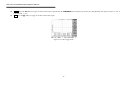
of waveform data until the trigger circuit is rearmed and is next triggered. The new data is then displayed and measurements are recalculated.
MENU ON/OFF: Select a traditional ten-division waveform display area with side-menu, or a large twelve-division waveform display without a side-menu.
Figure 5-30: A large twelve division waveform display without side menu.
60
IDS-706/710/720/806/810/820 Operation Manual
6. Block Diagram
61
IDS-706/710/720/806/810/820 Operation Manual
7. RS-232 Configuration
This oscilloscope contains a DB 9-pin, male RS-232 connector for serial communication with a computer or terminal. The RS-232 interface of this oscilloscope is configured as an RS-232
“Data Terminal Equipment”, so that data is sent from pin 3 and received on pin 2. For remote control, the RS-232 interface has to be connected with a computer or terminal.
Pin Assignments
The pin assignments for RS-232 interface series are listed below.
1.
2.
3.
4.
5.
6.
7.
8.
9.
No connection
Receive Data(RxD)
Transmit Data(TxD)
No connection
Signal Ground
No connection
No connection
No connection
No connection
(input)
(output)
(GND)
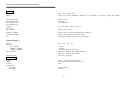
Figure 7-1: Pin assignments for the RS232 connector.
DB9 to DB9 Wiring
The wiring configuration is used for computer with DB9 connectors that configured as Data Terminal Equipment.
Computer
(DB9, DTE)
IDS-710/720/
810/820 series
(DB9, DTE)
Pin2
Pin2
Pin3
Pin3
Pin5
Pin5
Figure 7-2: DB9 to DB9 wiring
62
IDS-706/710/720/806/810/820 Operation Manual
When the oscilloscope is set up with a RS232 interface, please check the following points:
z
Do not connect the output line of one DTE device to the output line of the other.
z
Many devices require a constant high signal on one or more input pins (Hardware handshaking) before communications will work.
z
Ensure that the signal ground of the equipment is connected to the signal ground of the external device.
z
Ensure that the chassis ground of the equipment is connected to the chassis ground of the external device.
z
Do not use more than 15m of cable to connect devices to a PC.
z
Ensure the same data configurations (Baud rate, handshaking, start/stop bits & parity) are used on the device and PC or terminal.
Computer Connection
A personal computer with a COM port is required to operate the oscilloscope via the RS232 interface.
The connections between oscilloscope and computer are as follows:
I.
Connect one end of a RS232 cable to the computer.
II.
Connect the other end of the cable to the RS232 port on the oscilloscope.
III.
Turn on the oscilloscope.
IV.
Turn on the computer.
63
IDS-706/710/720/806/810/820 Operation Manual
RS232 connection testing
To test whether the RS232 connection is working, a command can be sent from the computer. For instance, using a terminal program send the query command:
*idn?
This should return the Manufacturer, model number, serial number and firmware version in the following format:
ISO-TECH IDS-820, P920130, V1.09
If no response is received from the oscilloscope, ensure the power is on, the RS232 configurations are the same on both the oscilloscope and personal computer and all cable connections are
correct.
64
IDS-706/710/720/806/810/820 Operation Manual
8. Specifications
Performance Condition: The electrical specifications found in these tables of guaranteed specifications apply when the oscilloscope has been adjusted at an ambient temperature between
+20 and +30 and a warm-up period of at least 30 minutes has elapsed.
Vertical system:
Channel 1(CH1) and
Channel 2 (CH2)
Accuracy
Bandwidth
Rise time
Input Coupling
Input Impedance
Polarity
Maximum Voltage Between Signal
and Common at input BNC sockets
Waveform Signal Process
Offset Range:
2mV/div ~ 50mV/div
100mV/div ~ 500mV/div
1V/div ~ 5V/div
Bandwidth Limit
2mV/div to 5V/div
±(3﹪× Readout +0.05 div × Volts/div + 0.8mV)
DC ~ 60MHz (-3dB) for IDS-706 & 806
DC ~ 150MHz (-3dB) for IDS-710 & 810.
DC~250MHz (-3dB) for IDS-720 & 820.
AC coupled
10Hz~60MHz (-3dB) for IDS-706 & 806;
10Hz~150MHz (-3dB) for IDS-710 & 810;
10Hz~250MHz (-3dB) for IDS-720 & 820.
< 5.8ns for IDS-706 & 806;
<2.3ns for IDS-710 & 810;
<1.4ns for IDS-720 & 820
AC, DC & Ground
1MΩ ±2﹪, ~16pF for IDS-706 & 806.
1MΩ ±2﹪, ~22pF for IDS-710 & 810.
1MΩ ±2﹪, ~16pF for IDS-720 & 820.
Normal & Invert
300V (DC+AC peak)
CH1-CH2、CH1+CH2、FFT
±0.5V
±5V
±50V
20MHz (-3dB)
65
IDS-706/710/720/806/810/820 Operation Manual
Trigger:
Sources
Modes
CH1、CH2、LINE、EXT.
Auto-Level、 AUTO、 NORMAL、 SINGLE、 TV、 Time-delay、 Event-delay、 Edge、 Pulse Width
Time Delay Range
Events Delay Range
Start Trigger Level
(For USER Mode)
Coupling
Sensitivity
DC ~ 25MHz
100ns to 1.3ms
2 to 65000
±12V adjustable
Approx. 0.5div or 5mV
25MHz ~ 150MHz
150MHz ~ 250MHz
TV
Approx. 1.5div or 15mV for IDS-706 806, 710 & 810
Approx. 2div or 20mV for IDS-720 & 820.
TV trigger sensitivity: 0.5 division of synch signal
AC,DC,LFrej,HFrej,Noise rej
External Trigger:
Range
Sensitivity
DC ~ 30MHz
30MHz ~ 150MHz
150MHz ~ 250MHz
Input Impedance
Maximum Input
DC:±15V,AC:±2V
~ 50mV
~ 100mV
~ 150mV for IDS-720 & 820 only.
1MΩ ±2%, ~16pF for IDS-706/806/720/820
1MΩ ±2﹪, ~22pF for IDS-710/810.
300V (DC+AC peak)
Horizontal:
Range
Modes
Accuracy
Delay Range
Pre-trigger
Post-trigger
1ns/div ~ 10s/div (1-2-5 increments)
Main, Window, Window Zoom, Roll, X-Y
0.01﹪
20 div maximum
1000 div
66
IDS-706/710/720/806/810/820 Operation Manual
X-Y mode:
X-Axis Input
Y-Axis Input
Phase shift
Channel 1 (CH1)
Channel 2 (CH2)
±3 at 100kHz
Signal Acquisition System:
Real-time Sample Rate
Equivalent Sample Rate
Vertical Resolution
Record Length / Channel
Single Shot Record Length
Single Shot Bandwidth
Acquisition Mode
100MSa/s maximum on each channel
25GSa/s E.T. maximum on each channel
8 Bits
125k Points
125k Points
10MHz
Sample, Peak Detect, Average
Peak Detection
10ns (500ns/div ~ 10s/div)
Average
2、4、8、16、…、256
Cursors and Measurement:
Automated Voltage Measurement
Vpp,Vamp,Vavg,Vrms,Vhi,Vlo,Vmax,Vmin
Automated Time Measurement
Freq, Period, Rise Time, Fall Time, Positive Width, Negative Width, Duty Cycle
Cursors Measurement
Voltage difference between cursors (ΔV)
Time difference between cursors (ΔT)
Reciprocal of ΔT in Hertz
Trigger Frequency Counter
Readout Resolution
Accuracy
Signal Source
6 digits
±2%
All available trigger sources, except video trigger mode
67
IDS-706/710/720/806/810/820 Operation Manual
Control Panel Functions:
Autoset
“Autoset” adjusts Vertical VOLT/DIV, Horizontal SEC/DIV and trigger level automatically
Save/Recall
Up to 15 sets of measurement conditions can be saved and recalled
Waveform Trace Save/Recall
2 sets of waveforms can be saved and recalled
Display System:
LCD Type
Waveform Display Graticule
Display Contrast
5.7 inch Mono LCD (320*240) for IDS-706, 710 & 720
5.7 inch Color LCD (320*240) for IDS-806, 810 & 820
8 ×10 divisions、
8 ×12 divisions(menu off)
Adjustable
Power Source:
Line Voltage Range
100V ~ 240V AC, auto selection
Line Frequency
Power Consumption
Fuse Rating
47Hz ~ 63Hz
45 Watts, 65VA maximum, with Fan
2 Ampere Slow-blow, 250V, HBC ceramic, 20 x 5 mm.
Interfaces:
Centronics port
Printer Compatibility
HP LaserJet with HP PCL5
HP DeskJet
USB Interface
RS-232 Interface
A 25-pin IBM PC type, parallel printer interface
Black & white @150×150dpi
Black & white @150×150dpi
USB 1.1 & USB 2.0 Full speed compatible.
Device only, does not directly support USB printers
A DB 9-pin male DTE RS-232 interface
68
IDS-706/710/720/806/810/820 Operation Manual
Miscellaneous:
Probe Calibration Output
Probe
Overall Dimensions
Weight
2Vpp±3%
2 sets
310(W) ×142(H) ×254(D) mm
~ 4.1 kg
Environment:
Ambient Temperature
Operating
Storage
Relative Humidity
Operating
Storage
Installation Category
Pollution Degree
Altitude
Location
0 oC ~ 50 oC
-20oC ~ 70 oC
80﹪R.H @ 35
80﹪R.H. @ 70
Cat.ll, 300V
2
< 2000 metres
Indoor use only, no direct sunlight or strong magnetic fields.
69