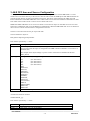
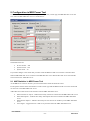
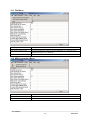
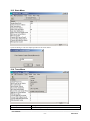
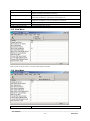
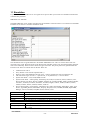
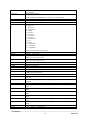
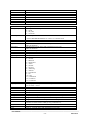
1
USER MANUAL MB3 A&E OPC Server v7.20-3 A&E OPC Server for ABB MasterBus 300 By Novotek Document version 7.20-3 This version printed: Thursday 19 April 2012 Copyright 2007 Novotek Sverige AB MB3 A&E OPC Server A&E OPC Server for ABB MasterBus 300 Program version 7.20-3 Copyright © 2007Novotek Sverige AB No part of the contents of this document may be reproduced, transmitted or translated to other languages without permission from Novotek Sverige AB. The information is subject to change without prior notice All company names and other names, data and addresses that are shown in screen dumps and other examples are fictive and have been worked out only to enhance understanding. Novotek Sverige AB takes no responsibility for the function of the programs if: Non recommended hardware and software are used Any of the required programs has been shut off by any other that staff from Novotek Sverige AB Virus has destroyed any files. Version information Revision 7.20-1 7.20-2 7.20-3 Date 2006-07-04 2006-12-05 2007-10-24 Description Created New Version New Version _________________________________________________________________________________________ User Manual - 22012-04-19 CONTENTS 1 1.1 1.2 2 2.1 2.2 3 3.1 4 4.1 4.2 4.3 4.4 4.5 5 5.1 5.2 5.3 5.4 5.5 6 6.1 6.2 6.3 7 7.1 7.2 8 8.1 8.2 9 ABOUT THE MB3 A&E OPC SERVER ....................................................................................................4 REFERENCES .................................................................................................................................................4 ABBREVIATIONS ...........................................................................................................................................4 INSTALLATION ...........................................................................................................................................5 OPC PROGRAM ID ........................................................................................................................................5 RUNNING AS A SERVICE ................................................................................................................................ 5 A&E OPC AREA AND SOURCE CONFIGURATION ............................................................................8 EXAMPLE OF A AREA AND SOURCE FILE .................................................................................................... 10 TEXT FILES ................................................................................................................................................ 11 MB3_SYSTEM_EVENTS.TXT FILE ............................................................................................................... 11 MB3_SYSTEM_TEXTS.TXT FILE ................................................................................................................. 11 MB3_STANDARD_EVENTS.TXT FILE .......................................................................................................... 11 MB3_STANDARD_PROPERTIES.TXT FILE .................................................................................................... 12 MB3_EVENT_TREATMENTS.TXT FILE ........................................................................................................ 12 SUBSCRIPTION FILTERING IN THE MB3 A&E OPC SERVER ...................................................... 15 SIMPLE EVENTS .......................................................................................................................................... 15 CONDITION EVENTS .................................................................................................................................... 15 EVENT CATEGORIES.................................................................................................................................... 15 VENDOR SPECIFIC ATTRIBUTES .................................................................................................................. 20 AREAS AND SOURCES ................................................................................................................................. 21 MB3 ALARM & EVENTS IN THE A&E OPC CLIENT ........................................................................ 23 SYSTEM EVENTS ......................................................................................................................................... 23 SYSTEM TEXT ............................................................................................................................................. 23 PROCESS EVENTS ........................................................................................................................................ 23 ACKNOWLEDGING PROCESS EVENTS .............................................................................................. 25 IN THE MB3 DA OPC SERVER .................................................................................................................... 25 IN THE MB3 A&E OPC SERVER ................................................................................................................. 25 TIME SYNCHRONIZATION .................................................................................................................... 26 MB3 OPC SERVER IS CLOCK MASTER ......................................................................................................... 26 ANOTHER NODE ON THE MASTERBUS NETWORK IS CLOCK MASTER ............................................................ 26 CONFIGURATION IN MB3 POWER TOOL .......................................................................................... 27 9.1 A&E STATISTICS IN MB3 POWER TOOL ..................................................................................................... 27 10 MB3 A&E OPC SERVER WINDOW .................................................................................................... 29 10.1 10.2 10.3 10.4 10.5 10.6 FILE MENU.................................................................................................................................................. 30 MB3 CONNECTION MENU........................................................................................................................... 30 STATS MENU............................................................................................................................................... 31 TRACE MENU .............................................................................................................................................. 31 VIEW MENU ................................................................................................................................................ 32 HELP MENU ................................................................................................................................................ 32 11 SIMULATION.......................................................................................................................................... 34 _________________________________________________________________________________________ User Manual - 32012-04-19 1 About the MB3 A&E OPC Server The MB3 DA OPC server receives System Events, System Text and Process Events from the ABB controllers. These are then sent from the MB3 DA OPC server to the MB3 A&E OPC server that makes the alarms reachable for A&E OPC clients. 1.1 References MB3 Server User Manual ABB GCOM Multidrop User's Guide 3BSE 000 165R0001 ABB MasterNet User's Guide 3BSE 003 839R301 AdvaCommand Basic Functions User's Guide 3BSE 001 976R0401 Rev A AdvaCommand Localization User's Guide 3BSE 009 666R0001 Rev A OPC Foundation Alarms & Events Custom Interface Standard Version 1.10 1.2 Abbreviations Name OPC A&E MB300 MB3 AC MP OS Description OPC Alarms & Events MasterBus 300 MasterBus 300 OPC server three letter abbreviation. ABB Advant Controller ABB Master Piece ABB Operator Station _________________________________________________________________________________________ User Manual - 42012-04-19 2 Installation The MB3 A&E OPC Server is automatically installed together with the MB3 DA OPC installation. The MB3 A&E OPC server will also be registered. The files installed that is used by the MB3 A&E OPC Server are: File MB3AESrv.exe MB3AESrv.sim NDIAEServer.dll NDIAEErrors.dll MB3_Event_Treatments.txt MB3_Standard_Events.txt MB3_Standard_Properties.txt MB3_System_Events.txt MB3_System_Texts.txt opccomn_ps.dll opc_aeps.dll Description The MB3 A&E OPC server program A file containing simulation events. Northern Dynamic DLL version 2.0.2.50 or later Northern Dynamic DLL Alarm & Event Texts Alarm & Event Texts Alarm & Event Texts System Event Texts System Text Texts OPC foundation dll OPC foundation dll The MB3 A&E OPC server will be uninstalled with the MB3 DA OPC Server uninstallation. 2.1 OPC Program ID The program ID of the MB3 A&E OPC Server is: Novotek.MB3AEOPCSvr Browse for this program id or enter it manually when you want to connect your A&E OPC client to the MB3 A&E OPC server. 2.2 Running as a Service When the MB3 A&E OPC server is installed it is registered as a regular server process. The MB3 A&E OPC server can also run as a Windows Service. Running your A&E OPC server as a Windows service lets users log on and off the operating system without shutting down the A&E OPC server. To set up the MB3 A&E OPC Server to run as a service, you must register it as a service. During installation, the Setup wizard automatically registers the server as a regular server process. To register it to run as a service, you must run the server on the command line, specifying that you wish to register it as a service. Once the server is running as a service, you may need to re-register it in certain situations, such as when you need to change the logon account. Before you register the Server to run as a service, follow these steps to ensure that it is not currently running: If the server is currently running as a regular server, you must stop the process by shutting down all A&E OPC clients to the server. If the driver is currently running as a service, you must stop the process by shutting down all clients to the server, and you must also perform these tasks on your operating system: Windows XP and Windows 2000: from Control Panel, select Administrative Tools, and then select Services. A list of all services configured on the machine displays. Locate MB3 AE Server. If the status is Started, right click and Stop the server. Windows NT: from Control Panel, select the Services icon. A list of all services configured on the machine displays. Locate MB3 AE Server. If the status is Started, click the Stop button. Once you stop the server from running, select the Process tab from the Task Manager and verify that the MB3AESrv.exe process is no longer listed. _________________________________________________________________________________________ User Manual - 52012-04-19 2.2.1 Registering the MB3 A&E OPC Server as a Service To register the MB3 A&E OPC Server as a service: 1. 2. Select Run from the Windows Start menu. Enter the following text and click OK: Path\MB3AESrv.exe /RegService The registration process now allows the user to specify a logon account. This provides flexibility with the user’s choice of security settings. The Logon Account for Running As A Service dialog box appears after the user enters the command and clicks OK: This dialog box allows the user to select one of these accounts when registering the MB3 A&E OPC server to run as a service: FixIOUser Account uses the FixIOUser account to log on the MB3 A&E OPC Server. This conventional account uses a hard-coded password and has the necessary privileges to log on as a service. You should not modify this account if one or more 7.x drivers use this as the logon account when running the Server as a service. If you do modify this account, those drivers will not be able to start as a Windows service. The FixIOUser account may not be created if it does not conform to your local IT department’s security policies. If this account does not exist, you must select one of the other two options. NOTE: If you previously ran the MB3 A&E OPC Server as a service without incident, you should continue to run it using the FixIOUser account. System Account uses the local system account to log on the MB3 A&E OPC Server. This pre-defined account is useful when your local IT department’s security policy requires password expiration. This Account uses an account specified by the user to log on the MB3 A&E OPC Server. This account is useful if you need to specify a domain account. The account used here must be an existing account with both Administrator and Logon as a Service privileges to run the server as a service. To determine if the account has Administrator privileges, refer to the manual provided with your operating system. For example, to determine Administrator privileges in Windows 2000, select Administrative Tools from Control panel, and then select Users and Passwords. Use the Local Security Policy Setting tool to grant the account Logon as a Service privilege. You can reset the server to be a regular server process again, by re-registering it as: Path\MB3AESrv.exe /RegServer NOTE: Before you register the Server to run as a regular server, you must ensure that it is not currently running. _________________________________________________________________________________________ User Manual - 62012-04-19 When registering the server this way, it will run, perform the necessary registration work, and then exit. You can then start the server by using more conventional methods such as starting any A&E OPC client program capable of communicating with the server. _________________________________________________________________________________________ User Manual - 72012-04-19 3 A&E OPC Area and Source Configuration At startup of the MB3 A&E OPC server it will try to read a configuration file named "MB3AESrv.csv" that should exist in the same directory as the exe file. This file shall contain all ABB objects and ABB nodes that can generate System Events, System Texts and Process Events. This file is used to build up the A&E Area and Source information in the MB3 A&E OPC server. A&E clients can use the Area and Source information to filter from which sources and/or areas it want to receive alarms and events. Note! If the MB3 A&E OPC server receives an alarm or event from an object or node that not exists in its area and source configuration then it will be added to it automatically. When the MB3 A&E OPC server is shut down then it saves its current Area and Source configuration to the file. The file is a text file with one line per object and node. The line format for objects is: PRO_SECxx:ObjectType:ObjectName Each field is separated by ":" where: Field PRO_SECxx Description The ABB process section this object belongs to where xx is a number between 00-16. The process section for the object is configured in the ABB controller's database. You can see it in the BAX files. ObjectType For example if the object belongs to process section 3 then this text should look like this: PRO_SEC03 The type of the object. Supported types are: ObjectName AI, (See Note below) AO, (See Note below) DI, (See Note below) DO, (See Note below) SEQ, PIDCONA, PIDCON, MANSTN, RATIOSTN, GENCON, GENBIN, GENUSD, MOTCON, VALVECON, MMCX, GRPALARM, DRICONS, DRICONE The name of the object And the line format for nodes is: NODES:NODE_yyy Each field is separated by ":" where: Field NODES NODE_yyy Description A constant string. A text where yyy is the node number. _________________________________________________________________________________________ User Manual - 82012-04-19 For example if the node number is 7 then this text should look like this: NODE_007 NOTE! The following object types shall be set as AI AIPTS, AIS, AITCS, PULSES, AIXRS, AIS610, AIS620, AIS625, AIS630, AIS635, AIS810, AIS820, AIS830, AIS835, AIC NOTE! The following object types shall be set as AO AOS, AOXS, AOXRS, AOS610, AOS650, AOS810, AOS820, AOC NOTE! The following object types shall be set as DI DIS, DIXS, DIS610, DIS620, DIS621, DIS622, DIS635, DIS636, DIS650, DIS651, DIS652, DIS810, DIS811, DIS814, DIS820, DIS821, DIS830, DIS831, DIS885, DIS890, DIC NOTE! The following object types shall be set as DO DOS, DOXS, DOS610, DOS620, DOS625, _________________________________________________________________________________________ User Manual - 92012-04-19 DOS630, DOS810, DOS814, DOS815, DOS820, DOS821, DOS890, DOC 3.1 Example Of a Area and Source File This example contains objects from process section 00, 01 and 02. It also contain 4 nodes, node no 2, 5, 6 and 19. PRO_SEC00:GRPALARM:AKA93-111.20 PRO_SEC00:DI:AKA93-DI101 PRO_SEC00:MMCX:MMCX_001 PRO_SEC00:MOTCON:MOTCON_001 PRO_SEC00:VALVECON:VALVECON_001 PRO_SEC01:AI:AK-A21-6.10 PRO_SEC01:DI:AK-A41-8.36 PRO_SEC01:GENUSD:G4A32-117.5 PRO_SEC02:DI:AKA93-DI338 NODES:NODE_002 NODES:NODE_005 NODES:NODE_006 NODES:NODE_019 _________________________________________________________________________________________ User Manual - 102012-04-19 4 Text files When the MB3 A&E OPC server is installed 5 text files are copied to the installation directory. These are "MB3_System_Events.txt", "MB3_System_Texts.txt", "MB3_Standard_Events.txt", "MB3_Standard_Properties.txt" and "MB3_Event_Treatments.txt". 4.1 MB3_System_Events.txt file This file contains all the texts that will be shown for System Events received from the nodes. Below you see an extract from the file. 280,PROC I/O ST: @3A2@-board error. Net @1A3@ Node @2A3@ 281,PROC I/O ST: @3A2@-board working. Net @1A3@ Node @2A3@ 282,REM I/O ST: Error in bus @1I1@ node @2I2@. Net @1A3@ Node @2A3@ 283,REM I/O ST: Bus @1I1@ node @2I2@ working. Net @1A3@ Node @2A3@ 284,DEV ST: Error. Net @1A3@ Node @2A3@ 285,DEV ST: Device not ready. Net @1A3@ Node @2A3@ You can translate the texts in this file to your choice of language. The number that starts each row must be kept intact. Also the sections that starts and stops with @ must be kept intact. You must restart the MB3 A&E OPC Server after you have modified the texts in the file. 4.2 MB3_System_Texts.txt file This file contains all the texts that will be shown for System Text events received from the nodes. Below you see an extract from the file. 55,Limit out of range. Input ignored. 56,Value out of range. Input ignored. 57,Limit not used. Input ignored. 58,Manual orders blocked. Command ignored. 59,Blocking of Integration not allowed. Command ignored. 60,Blocking of Derivation not allowed. Command ignored. 61,Manual mode selection not allowed. 62,Auto mode selection not allowed. You can translate the texts in this file to your choice of language. The number that starts each row must be kept intact. You must restart the MB3 A&E OPC Server after you have modified the texts in the file. 4.3 MB3_Standard_Events.txt file This file contains all the standard event texts that will be shown for Process Events. See description of the TEXTCOMB parameter in the Event Treat file in section "4.5.1 Event Treat Block Parameters used by the MB3 A&E OPC Server", for usage of user or standard event texts. Below you see the content of the file. 0,Normal 1,Blocked 2,Deblocked 3,Alarm 4,Normal 5,SysText 6,ValueChg 7,AckList 8,ClearPersist 9,On 10,Off 11,StatChkOn 12,UnackOn 13,UnackOff _________________________________________________________________________________________ User Manual - 112012-04-19 You can translate the texts in this file to your choice of language. The number that starts each row must be kept intact. You must restart the MB3 A&E OPC Server after you have modified the texts in the file. 4.4 MB3_Standard_Properties.txt file This file contains all the standard property texts that will be shown for Process Events. See description of the TEXTCOMB parameter in the Event Treat file in section "4.5.1 Event Treat Block Parameters used by the MB3 A&E OPC Server", for usage of user or standard property texts. Below you see an extract from the file. 2,Value 3,Sig.Err 4,Lim H2 5,Lim H1 6,Lim L1 7,Lim L2 8,Value 9,Printout 10,Alarm 11,Update 12,Disturb. 13,Opening 14,Closing 15,NotClose 16,Not Open You can translate the texts in this file to your choice of language. The number that starts each row must be kept intact. You must restart the MB3 A&E OPC Server after you have modified the texts in the file. 4.5 MB3_Event_Treatments.txt file When the MB3 A&E server is installed a default exported Operator Station Event Treat BAX file will be installed. This file is named "MB3_Event_Treatments.txt". This file contain all the ABB event treat blocks that will control how the Process Events sent from objects in ABB controllers will be displayed in the MB3 A&E OPC server. If you have an Operator Station that already contains the Event Treat configuration you want to use then you can export its Event Treat database to a BAX file. After that you can copy the content from that BAX file and replace all content in the default "MB3_Event_Treatments.txt" file. You must restart the MB3 A&E OPC Server after you have modified the file. See the ABB documentation "AdvaCommand Localization User's Guide 3BSE 009 666R0001 Rev A" chapter "3.2.8 Alarm and Event Handling" of how to export your Event Treat database to file. If you don't have any Operator Station Event Treat configuration you want to use then you can modify the default file with a text editor. The Event Treat database functionality is described in the ABB documentation "AdvaCommand Basic Functions User's Guide 3BSE 001 976R0401 Rev A" in chapter "3.3.12 Alarm and Event Alarm Handling". The text handling in the Event Treat database is described in the ABB documentation "AdvaCommand Basic Functions User's Guide 3BSE 001 976R0401 Rev A" in chapter "Appendix A Event Texts". The event texts for each object type are also described in the objects Functional Units documentation, for example "Functional Unit Part 6, MOTCON, VALVECON 3BSE 003 854R0001 Rev A" for MOTCON and VALVECON event texts. 4.5.1 Event Treat Block Parameters used by the MB3 A&E OPC Server The MB3 A&E OPC server uses these parameters in an Event Treat block: Flag AUDIBLE Description The value of this flag is saved as a user attribute for the object Process Event in the MB3 A&E OPC server. _________________________________________________________________________________________ User Manual - 122012-04-19 AL_PRIO AL_TOBLK ABB Description: The connection between the Priority in the configured data of External Alarm is the property AUDIBLE in the Event Treat file. Alarm priority 1 – 7. This priority is converted to OPC A&E severity 1 - 1000 according to the values below. 1 = 875 2 = 750 3 = 625 4 = 500 5 = 375 6 = 250 7 = 125 YES = Blocks alarm handling for 0 -> 1 transitions. NO = Invoke alarm handling for 0 -> 1 transitions. Since most alarm signals/flags are active high, AL_TOBLK should be set =NO to invoke alarm handling for 0 -> 1 transitions and =YES to disable it. AL_FRBLK If both AL_TOBLK and AL_FRBLK is set to YES then the alarm will be treated as a simple event instead of a condition event. YES = Blocks alarm handling for 1 -> 0 transitions. NO = Invoke alarm handling for 1 -> 0 transitions. Since most alarm signals/flags are active high, and since alarm handling on return to normal makes little sense, AL_FRBLK should normally be set = YES. TEXT_TOBLK If both AL_TOBLK and AL_FRBLK is set to YES then the alarm will be treated as a simple event instead of a condition event. YES = Flag that blocks generation of text in lists and printouts when the event/alarm changes from 0 ->1. TEXT_FRBLK This will block a simple event to be shown in the MB3 A&E OPC server. YES = Flag that blocks generation of text in lists and printouts when the event/alarm changes from 1 ->0. TEXTCOMB This will block a simple event to be shown in the MB3 A&E OPC server. Text Combination code. Integer to select if Standard or User defined property text and event text shall be used. Standard is text from either "MB3_Standard_Events.txt" file "MB3_Standard_Properties.txt" file and User defined is text from Event Treat block. or The combination codes are listed in the table below. This text combination together with the object description is used as the alarm message text for object Process Events. Text Combination Code 0 1 2 3 4 5 16 17 Property Text Event Text Standard Standard User defined Value + Unit User defined Standard User defined Standard User defined Standard Standard User defined User defined User defined User defined _________________________________________________________________________________________ User Manual - 132012-04-19 18 19 20 21 24 Standard Standard User defined User defined Standard Standard + Step no User defined + Step no Standard + Step no User Defined + Step no Value + Unit _________________________________________________________________________________________ User Manual - 142012-04-19 5 Subscription Filtering in the MB3 A&E OPC Server 5.1 Simple Events All System Events and System Text sent from the ABB controllers are treated as simple events in the MB3 A&E OPC server. The priority 1 – 7 received with the System Events is converted to A&E OPC severity 1 – 1000 as shown below. 1 = 875 2 = 750 3 = 625 4 = 500 5 = 375 6 = 250 7 = 125 System Text simple events always has A&E OPC severity 625. The object Process Events not received as "alarm on" or "alarm off" events are treated as simple events. "Alarm on" or "alarm off" events received but blocked with AL_TOBLK and AL_FRBLK in the Event Treat file are also treated as simple events. The priority 1 – 7 is read from the Event Treat file and converted to the A&E OPC severity 1 – 1000 as shown above. 5.2 Condition Events Object Process Events received as "alarm on" or "alarm off" events and not blocked in the Event Treat file are treated as condition events. The priority 1 – 7 is taken from the Event Treat file and converted to the A&E OPC severity 1 – 1000 as shown above. 5.3 Event Categories The MB3 A&E OPC server contains the following event categories: Category AI_Events DI_Events PIDCON_Events PIDCONA_Events RATIOSTN_Events MANSTN_Events VALVECON_Events MOTCON_Events MMCX_Events GENUSD_Events GENCON_Events GENBIN_Events SEQ_Events GRPALARM_Events DRICONS_Events DRICONE_Events ObjectEvents Type Condition Condition Condition Condition Condition Condition Condition Condition Condition Condition Condition Condition Condition Condition Condition Condition Simple System Simple OPC_SERVER_ERROR Simple Description AI condition events DI condition events PIDCON condition events PIDCONA condition events RATIOSTN condition events MANSTN condition events VALVECON condition events MOTCON condition events MMCX condition events GENUSD condition events GENCON condition events GENBIN condition events SEQ condition events GRPALARM condition events DRICONS condition events DRICONE condition events The object Process Events not received as alarm on or alarm off events is treated as simple events. Alarm on or alarm off events received but blocked with AL_TOBLK and AL_FRBLK in the Event Treat file are also treated as simple events. All System Events and System Text sent from the ABB controllers are treated as simple events. Internal errors. _________________________________________________________________________________________ User Manual - 152012-04-19 5.3.1 AI_Events Conditions Condition AI_LevelHIHI AI_LevelHI AI_LevelLO AI_LevelLOLO AI_SigError Description Upper limit H2 Upper limit H1 Lower limit L1 Lower limit L2 Signal error 5.3.2 DI_Events Conditions Condition DI_Value DI_SigError Description Abnormal position Signal error 5.3.3 PIDCON_Events Conditions Condition PIDCON_LevelHIHI PIDCON_LevelHI PIDCON_LevelLO PIDCON_LevelLOLO PIDCON_DeviationHI PIDCON_DeviationLO PIDCON_SigError Description Upper limit H2 for measured value Upper limit H1 for measured value Lower limit L1 for measured value Lower limit L2 for measured value Upper limit for deviation Lower limit for deviation AI-error 5.3.4 PIDCONA_Events Conditions Condition PIDCONA_LevelHIHI PIDCONA_LevelHI PIDCONA_LevelLO PIDCONA_LevelLOLO PIDCONA_DeviationHI PIDCONA_DeviationLO PIDCONA_SigError PIDCONA_ATAbort PIDCONA_ATFail PIDCONA_TSFault PIDCONA_AdFail Description Upper limit H2 for measured value Upper limit H1 for measured value Lower limit L1 for measured value Lower limit L2 for measured value Upper limit for deviation Lower limit for deviation AI-error Autotuning aborted Autotuning failed There is an invalid sample rate Adaptation failed 5.3.5 RATIOSTN_Events Conditions Condition RATIOSTN_LevelHIHI RATIOSTN_LevelHI RATIOSTN_LevelLO RATIOSTN_LevelLOLO RATIOSTN_SigError Description Upper limit H2 for measured value Upper limit H1 for measured value Lower limit L1 for measured value Lower limit L2 for measured value AI-error 5.3.6 MANSTN_Events Conditions Condition MANSTN_LevelHIHI MANSTN_LevelHI MANSTN_LevelLO MANSTN_LevelLOLO MANSTN_SigError Description Upper limit H2 for measured value Upper limit H1 for measured value Lower limit L1 for measured value Lower limit L2 for measured value AI-error _________________________________________________________________________________________ User Manual - 162012-04-19 5.3.7 VALVECON_Events Conditions Condition VALVECON_Fault1 VALVECON_Fault2 VALVECON_PosErrO VALVECON_PosErrC VALVECON_PosO VALVECON_PosC VALVECON_IntPos Description User defined Fault 1 User defined Fault 2 Position error open Position error closed Valve in/changes from open position Valve in/changes from closed position Valve in/not in intermediate position 5.3.8 MOTCON_Events Conditions Condition MOTCON_ControlV MOTCON_BimetalR MOTCON_LStop MOTCON_SafeMon MOTCON_MainCErr MOTCON_MonLow MOTCON_MonHigh MOTCON_PosA MOTCON_HighCurr MOTCON_PosB Description Control voltage Bimetal relay Local Stop Safety Monitor Main contactor Error Monitor Low Monitor High Position A Current limit 100 % Position B 5.3.9 MMCX_Events Conditions Condition MMCX_IND1_00 MMCX_IND1_01 MMCX_IND1_02 MMCX_IND1_03 MMCX_IND1_04 MMCX_IND1_05 MMCX_IND1_06 MMCX_IND1_07 MMCX_IND1_08 MMCX_IND1_09 MMCX_IND1_10 MMCX_IND1_11 MMCX_IND1_12 MMCX_IND1_13 MMCX_IND1_14 MMCX_IND1_15 MMCX_IND2_00 MMCX_IND2_01 MMCX_IND2_02 MMCX_IND2_03 MMCX_IND2_04 MMCX_IND2_05 MMCX_IND2_06 MMCX_IND2_07 MMCX_IND2_08 MMCX_IND2_09 MMCX_IND2_10 MMCX_IND2_11 MMCX_IND2_12 MMCX_IND2_13 Description IND1 status bit 0 IND1 status bit 1 IND1 status bit 2 IND1 status bit 3 IND1 status bit 4 IND1 status bit 5 IND1 status bit 6 IND1 status bit 7 IND1 status bit 8 IND1 status bit 9 IND1 status bit 10 IND1 status bit 11 IND1 status bit 12 IND1 status bit 13 IND1 status bit 14 IND1 status bit 15 IND2 status bit 0 IND2 status bit 1 IND2 status bit 2 IND2 status bit 3 IND2 status bit 4 IND2 status bit 5 IND2 status bit 6 IND2 status bit 7 IND2 status bit 8 IND2 status bit 9 IND2 status bit 10 IND2 status bit 11 IND2 status bit 12 IND2 status bit 13 (Timeout sequence for GROUP) (Timeout step for GROUP) (User defined Fault 3 for GROUP) (User defined Fault 4 for GROUP) (User defined Fault 5 for GROUP) (Position A for GROUP) (Position B for GROUP) _________________________________________________________________________________________ User Manual - 172012-04-19 MMCX_IND2_14 MMCX_IND2_15 IND2 status bit 14 IND2 status bit 15 5.3.10 GENUSD_Events Conditions Condition GENUSD_AL_Q1 GENUSD_AL_Q2 GENUSD_AL_IND1 GENUSD_AL_IND2 GENUSD_AL_IND3 GENUSD_AL_IND4 GENUSD_AL_IND5 GENUSD_AL_IND6 Description Alarm ALQ1 Alarm ALQ2 Alarm ALF1 Alarm ALF2 Alarm ALF3 Alarm ALF4 Alarm ALF5 Alarm ALF6 5.3.11 GENCON_Events Conditions Condition GENCON_SigError GENCON_LevelHIHI GENCON_LevelHI GENCON_LevelLO GENCON_LevelLOLO GENCON_DeviationHI Description AI-error Upper limit H2 for measured value Upper limit H1 for measured value Lower limit L1 for measured value Lower limit L2 for measured value Limit for control deviation 5.3.12 GENBIN_Events Conditions Condition GENBIN_SigError GENBIN_LevelHIHI GENBIN_LevelHI GENBIN_LevelLO GENBIN_LevelLOLO GENBIN_FBError Description Signal-error Upper limit H2 for measured value Upper limit H1 for measured value Lower limit L1 for measured value Lower limit L2 for measured value Feedback error 5.3.13 SEQ_Events Conditions Condition SEQ_JumpError SEQ_SeqAlarm SEQ_StepAlarm Description Position error Sequence error Step error 5.3.14 GRPALARM_Events Conditions Condition GRPALARM_Disturbance Description Abnormal position 5.3.15 DRICONS_Events Conditions Condition DRICONS_IND1_00 DRICONS_IND1_01 DRICONS_IND1_02 DRICONS_IND1_03 DRICONS_IND1_04 DRICONS_IND1_05 DRICONS_IND1_06 DRICONS_IND1_07 DRICONS_IND1_08 Description IND1 status bit 0 IND1 status bit 1 IND1 status bit 2 IND1 status bit 3 IND1 status bit 4 IND1 status bit 5 IND1 status bit 6 IND1 status bit 7 IND1 status bit 8 _________________________________________________________________________________________ User Manual - 182012-04-19 DRICONS_IND1_09 DRICONS_IND1_10 DRICONS_IND1_11 DRICONS_IND1_12 DRICONS_IND1_13 DRICONS_IND1_14 DRICONS_IND1_15 DRICONS_IND2_00 DRICONS_IND2_01 DRICONS_IND2_02 DRICONS_IND2_03 DRICONS_IND2_04 DRICONS_IND2_05 DRICONS_IND2_06 DRICONS_IND2_07 DRICONS_IND2_08 DRICONS_IND2_09 DRICONS_IND2_10 DRICONS_IND2_11 DRICONS_IND2_12 DRICONS_IND2_13 DRICONS_IND2_14 DRICONS_IND2_15 IND1 status bit 9 IND1 status bit 10 IND1 status bit 11 IND1 status bit 12 IND1 status bit 13 IND1 status bit 14 IND1 status bit 15 IND2 status bit 0 IND2 status bit 1 IND2 status bit 2 IND2 status bit 3 IND2 status bit 4 IND2 status bit 5 IND2 status bit 6 IND2 status bit 7 IND2 status bit 8 IND2 status bit 9 IND2 status bit 10 IND2 status bit 11 IND2 status bit 12 IND2 status bit 13 IND2 status bit 14 IND2 status bit 15 5.3.16 DRICONE_Events Conditions Condition DRICONE_IND1_00 DRICONE_IND1_01 DRICONE_IND1_02 DRICONE_IND1_03 DRICONE_IND1_04 DRICONE_IND1_05 DRICONE_IND1_06 DRICONE_IND1_07 DRICONE_IND1_08 DRICONE_IND1_09 DRICONE_IND1_10 DRICONE_IND1_11 DRICONE_IND1_12 DRICONE_IND1_13 DRICONE_IND1_14 DRICONE_IND1_15 DRICONE_IND2_00 DRICONE_IND2_01 DRICONE_IND2_02 DRICONE_IND2_03 DRICONE_IND2_04 DRICONE_IND2_05 DRICONE_IND2_06 DRICONE_IND2_07 DRICONE_IND2_08 DRICONE_IND2_09 DRICONE_IND2_10 DRICONE_IND2_11 DRICONE_IND2_12 DRICONE_IND2_13 Description IND1 status bit 0 IND1 status bit 1 IND1 status bit 2 IND1 status bit 3 IND1 status bit 4 IND1 status bit 5 IND1 status bit 6 IND1 status bit 7 IND1 status bit 8 IND1 status bit 9 IND1 status bit 10 IND1 status bit 11 IND1 status bit 12 IND1 status bit 13 IND1 status bit 14 IND1 status bit 15 IND2 status bit 0 IND2 status bit 1 IND2 status bit 2 IND2 status bit 3 IND2 status bit 4 IND2 status bit 5 IND2 status bit 6 IND2 status bit 7 IND2 status bit 8 IND2 status bit 9 IND2 status bit 10 IND2 status bit 11 IND2 status bit 12 IND2 status bit 13 _________________________________________________________________________________________ User Manual - 192012-04-19 DRICONE_IND2_14 DRICONE_IND2_15 IND2 status bit 14 IND2 status bit 15 5.4 Vendor Specific Attributes The MB3 A&E OPC server can store some vendor specific attributes with each event generated. An A&E OPC client can view these attributes if the client has support of these attributes. System Events and System Text events has one collection of attributes and Process Events has one collection of attributes. 5.4.1 System Event and System Text Attributes Attribute Net Node TextNo ProcSec Type VT_I4 VT_I4 VT_I4 VT_I4 Class TimeQuality VT_I4 VT_I4 RealPar IntPar AsciiPar HexPar DigPar VT_BSTR VT_BSTR VT_BSTR VT_BSTR VT_BSTR Description Net number that sent the event Node number that sent the event Text record number of either System Event or System Text text. Process section of the event. (System Event only) MMI number the text is intended for. (System Text only) Class of the event. (System Event only) Quality of the time stamp. Good = 0 No_time = 1 Uncertain = 2 (System Event only) The value of the real parameter if used. (System Event only) The values of up to two integer parameters if used. (System Event only) The values of up to five ASCII parameters if used. (System Event only) The value of the hex parameter if used. (System Event only) The value of the digital parameter if used. (System Event only) 5.4.2 Process Event Attributes Attribute Net Node ProcSec Class TimeQuality Type VT_I4 VT_I4 VT_I4 VT_I4 VT_I4 Audible VT_I4 Value TreatRef PropTxt VT_BSTR VT_I4 VT_I4 EvtTxt VT_I4 Reason VT_I4 Description Net number that sent the event Node number that sent the event Process section of the event. Class of the event. Quality of the time stamp. Good = 0 No_time = 1 Uncertain = 2 (System Event only) The value of the flag AUDIBLE read from the Event Treat file for the event. The actual value of the parameter in the object that caused the event. The index number of the Event Treat reference block that shall be used. The index number of which property text in the Event Treat block that shall be used. The index number of which event text in the Event Treat block that shall be used. Reason of the event. A value between 0 – 13. 0 = Normal 1 = Blocked 2 = Deblocked 3 = Alarm 4 = Normal 5 = SysText 6 = ValueChg 7 = AckList _________________________________________________________________________________________ User Manual - 202012-04-19 Property VT_I4 RefType LF LR VT_I4 VT_I4 VT_I4 8 = ClearPersist 9 = On 10 = Off 11 = StatChkOn 12 = UnackOn 13 = UnackOff Which property in the object that caused the event. A value between 2 – 278 or 65502 – 65535. The reference type of the object that caused the event. Logical File number of the object that caused the event. Logical Record number of the object that caused the event. 5.5 Areas and Sources In the MB3 A&E OPC server configuration there exist areas and sources. 5.5.1 Areas For System Events and System Texts the area is hard coded to NODES. For Process Events the area is built up from the process section the object belongs to and what type the object is of. See example below. In this example we have objects from four different process sections, 0, 1, 2 and 9. We can also see that in process section 1 we have objects of type AI, DI, GENUSD and GRPALARM and in process section 9 we have objects of type AI and DI. The NODES area contains all node sources that can send System Events and System Texts. 5.5.2 Sources For System Events and System Texts the sources are the node numbers that can send the events. The sources will get the name NODE_yyy where yyy is the node number. For Process Events the source is the object name that can send the events. See example below. _________________________________________________________________________________________ User Manual - 212012-04-19 The NODES area contains four nodes, node number 2, 5, 6 and 9, that can send System Events and System Texts. The PROC_SEC09:AI area contains at least two AI object sources with name "G9A37-AU" and "G9A72VG-AS". _________________________________________________________________________________________ User Manual - 222012-04-19 6 MB3 Alarm & Events in the A&E OPC Client 6.1 System Events The System Events sent from an ABB controller will be shown as simple events in the A&E OPC client. The Standard Attributes will contain: Source – NODE_yyy, where yyy is the node number. E.g. NODE_003 for node number 3. Time – The timestamp when the event occurred in the controller. This timestamp is sent from the controller. Type – Simple EventCategory – System Severity – The alarm priority 1 - 7 sent with the event is converted to an OPC severity 1 - 1000. Message – A text based on a text index number sent from the controller. The MB3 A&E OPC server searches for the text in the "MB3_System_Events.txt" file. The parameters in the text are filled in with the parameters received with the event. 6.2 System Text The System Text sent from an ABB Controller will be shown as simple events in the A&E OPC client. The Standard Attributes will contain: Source – NODE_yyy, where yyy is the node number. E.g. NODE_003 for node number 3. Time – The timestamp when the server received the System Text. This timestamp is created in the MB3 A&E OPC server. Type – Simple EventCategory – System Severity – Always 625 for System Text. Message – A text based on a text index number sent from the controller. The MB3 A&E OPC server searches for the text in the "MB3_System_Texts.txt" file. 6.3 Process Events The Process Events sent from the ABB controllers will either be shown as simple or condition events in the A&E OPC client. 6.3.1 Simple Process Events The Standard Attributes for simple events will contain: Source – The object name of the object that caused the event. Time – The timestamp when the event occurred in the controller. This timestamp is sent from the controller Type – Simple EventCategory – ObjectEvents Severity – The alarm priority 1 – 7 read from the Event Treat block is converted to an OPC severity 1 – 1000. Message – Is created from the Description of the object sent with the event + the combination of event text and property text told by the TEXTCOMB flag in the Event Treat block. E.g. "AI Description Alarm Blocked". 6.3.2 Condition Process Events The Standard Attributes for condition events will contain: Source – The object name of the object that caused the event. Time – The timestamp when the event occurred in the controller. This timestamp is sent from the controller Type – Condition EventCategory – TYPE_Events, where type is the object type. E.g. AI_Events. _________________________________________________________________________________________ User Manual - 232012-04-19 Severity – The alarm priority 1 – 7 read from the Event Treat block is converted to an OPC severity 1 – 1000. Message – Is created from the Description of the object sent with the event + the combination of event text and property text told by the TEXTCOMB flag in the Event Treat block. E.g. "AI Description Lim H1 > 75 %". Condition Name – Name of associated condition. See tables in sections 5.3.1 – 5.3.16 for valid conditions for each object type. SubCondition Name – The name of the currently active sub condition. The name of the sub condition is the same as the condition. Change Mask – Indicates which properties of the condition have changed, to cause the server to send the event notification. New State – Indicates the new values for the Enabled, Active and Acked properties of the condition. Quality – Always Good in MB3 A&E OPC server. AckRequired – Indicates whether or not an acknowledgement is required. This is controlled with AL_TOBLK and ALFRBLK in the Event Treat file when the server receives the event from the controller. ActiveTime – The time of the transition into the condition which is associated with this event notification. Actor ID – The identifier of the OPC client, which acknowledged the condition. _________________________________________________________________________________________ User Manual - 242012-04-19 7 Acknowledging Process Events Process Events System Events System Texts ABB Controller Unacknowledge check in EVENT_TREAT ACK Process Events System Events System Texts MB3 DA OPC Server MB3 A&E OPC Server ACK EVENT TREAT PROPERTY & SYSTEM TEXTS 7.1 In the MB3 DA OPC server When the MB3 DA OPC server receives a Process Event from an ABB controller then it checks in the Event Treat file for the event if it shall send an Unacknowledge back to the ABB controller. If it is an "Alarm On" event and the AL_TOBLK flag in the Event treat block is set to NO then it will send an Unacknowledge. If the AL_TOBLK flag is set to YES then it will not send a Unacknoweldge. If you want to prevent the MB3 DA OPC server to send Unacknowledge to the ABB controllers then you have to set all the AL_TOBLK and AL_FRBLK parameters in the Event Treat file to YES. 7.2 In the MB3 A&E OPC server When the MB3 A&E OPC server receives a Process Event then it checks in the Event Treat file block for the event if it shall set the AckRequired flag for the event to TRUE or FALSE. If it is an "Alarm On" event and the AL_TOBLK flag in the Event treat block is set to NO then it will set the AckRequired flag to TRUE. A condition event in the MB3 A&E OPC server, that requires acknowledge, can be acknowledged in two ways. 1. 2. The condition event is acknowledged from the connected A&E OPC client. The MB3 A&E OPC server receives an acknowledge process event from the object that has caused the condition event. This event is sent from the ABB controller. When an operator acknowledges the alarm from the A&E OPC client then it trigs the MB3 DA OPC server to send an Acknowledge order to the ABB controller. The ABB controller will then send a process event to all event subscribers that the event has been acknowledged. In this way the acknowledgement is synchronized in all MB3 A&E OPC servers connected to the ABB controllers. _________________________________________________________________________________________ User Manual - 252012-04-19 8 Time Synchronization There are two options. 1. 2. The MB3 OPC server is the clock master and sends broadcast clock synch telegrams every 10 minute. Another node on the network is clock master and the MB3 OPC server receives the clock synch telegram and sets the clock in the PC from it. 8.1 MB3 OPC server is clock master There is a channel item that can be used to control the MB3 OPC server as a clock synch master on the Masterbus network. ItemID !START_CM:ChannelName Type Long Integer Description Whenever this tag is set <> 0, the MB3 OPC server sends clock synch-broadcast message every 10 minutes. The 'state' of the tag is saved in the registry, at :HKLM\Software\Novotek\Drivers\MB3\SendCM A clock synch-broadcast is also sent every time an OPC client writes <> 0 to the !START_CM tag. The nodes on the network must be set up to listen for time synchronization messages. LOC_TIME in the controllers must be set to 3 “Listen to Time Set Telegram and High Precision Time Synchronization Telegram”. 8.2 Another node on the masterbus network is clock master From an OPC DA client it is possible to read the latest received clock sync date and time and from those values then set the clock in the computer. There are two possible clock sync telegrams that the MB3 DA OPC server might receive a broadcast clock sync telegram or a clock sync telegram sent from a specific node addressed to the MB3 DA OPC server. In the MB3 DA OPC server it is possible to address both of these clock sync date and times as items. Broadcast clock sync telegram (Clock Master is set to CLK_SEND = 3): ItemID !CS_DATE:ChannelName Type Long Integer !CS_TIME:ChannelName Long Integer Description Latest Clock Sync Date received from a broadcast clock sync telegram. The format is in number of days since 1 January 1980. 1 January 1980 is day 1. Latest Clock Sync Time received from a broadcast clock sync telegram. The format is in number of 0,1 milliseconds since midnight. Clock sync from a node (Clock Master is set to CLK_SEND = 2): ItemID !CS_DATE:DeviceName Type Long Integer !CS_TIME:DeviceName Long Integer Description Latest Clock Sync Date received from this node's clock sync telegram. The format is in number of days since 1 January 1980. 1 January 1980 is day 1. Latest Clock Sync Time received from this node's clock sync telegram. The format is in number of 0,1 milliseconds since midnight. There is installed an OPC DA client program for clock synchronization together with the MB3 OPC server. The program is named “MB3ClockSync.exe” and it has an own manual “MB3 Clock Sync User Manual” for further information. _________________________________________________________________________________________ User Manual - 262012-04-19 9 Configuration in MB3 Power Tool In the MB3 Power Tool it is possible to set up how many events, of each type, the MB3 DA OPC server can store when no MB3 A&E OPC server is connected to it. The default values are Process Events – 200 System Events – 100 System Texts – 50 If you make changes to the values then you must restart the MB3 DA OPC server before it will take effect. When a MB3 A&E OPC server connects to the MB3 DA OPC server then the DA OPC server will send the stored events to the A&E OPC server. 9.1 A&E Statistics in MB3 Power Tool At the MB3 level in the tree browser you can watch statistics about the alarms & events. Event Queues statistics shows the number of events of each type that the MB3 DA OPC server has stored and not sent over to the MB3 A&E OPC server. A&E OPC Server Stats shows some statistics from the MB3 A&E OPC server. Num Event Server objects – Indicates how many clients are connected to the MB3 A&E OPC server. Num Subscriptions – Indicates how many subscriptions have been created in the MB3 A&E OPC server. Num Browser Objects – Indicates how many browse sessions are underway in the MB3 A&E OPC server. Alive Signal – Toggles between 1 and 0 every third second in the MB3 A&E OPC server. _________________________________________________________________________________________ User Manual - 272012-04-19 _________________________________________________________________________________________ User Manual - 282012-04-19 10 MB3 A&E OPC Server Window If you are running the MB3 A&E OPC server as a service then the window is not visible. The window contains some information about connected clients, events generated and the connection to the MB3 DA OPC server. Field Sample Period (ms) Num Event Server Objects Num Subscriptions Num Browser Objects Num Events Generated Num Client Notifications Num Events Last Sample Period MB3 Server ConnectStatus MB3 Server Alive Connect MB3 Server Result Connect MB3 Callback Result Connect MB3 AlarmSink Result MB3 AlarmSink Cookie Description Sample time for periodic statistics in ms Number of active clients connected Number of subscriptions created in the server Number of browse sessions underway Number of events generated since startup Number of event notifications sent to the server's clients. Note that a notification can contain data for multiple events. Number of events generated the last sample period Connect status with the MB3 DA OPC server. 1 = Connected, 0 = Disconnected. A toggle flag indicating a connection between the MB3 DA OPC server and the MB3 A&E OPC server. Is toggled every second. HRESULT of last connection to the MB3 DA OPC server. 0 = OK. HRESULT of last connection to the MB3 DA OPC server's callback connect interface. 0 = OK HRESULT of last connection to the MB3 DA OPC servers AlarmSink. 0 = OK. The returned Cookie to the MB3 DA OPC servers AlarmSink. _________________________________________________________________________________________ User Manual - 292012-04-19 10.1 File Menu Menu Option Request Clients to Disconnect Save Source Cache To File Exit Description Sends out a request to the connected clients that they should disconnect. Saves the actual Source Cache to the file "MBAESrv.csv". This file is also updated when the server is shutdown. Shuts down the MB3 A&E Server if no clients are connected. 10.2 MB3 Connection Menu Menu Option Connect To Server Disconnect Server Description Trigs a manual connection to the MB3 DA OPC server. Trigs a manual disconnection from the MB3 DA OPC server. _________________________________________________________________________________________ User Manual - 302012-04-19 10.3 Stats Menu Opens the dialog to enter the sample period in ms as shown below: 10.4 Trace Menu Menu Option None Description No trace messages are output. _________________________________________________________________________________________ User Manual - 312012-04-19 Connect Server Subscription Event All Set Trace File Enable COM Call Tracing Log trace messages associated with client connectivity and server activation. Log trace messages from operations invoked on OPCEventServer object. For example, enabling and disabling conditions. Log trace messages associated with subscription transactions. For example, client event notifications, subscription state changes, etc. Log trace messages associated with the generation of events. This is irrespective of whether or not any clients have subscribed. Log all message types. Set filename where to store the trace. Is not supported in this version. 10.5 View Menu Here you can set if you want to view the toolbar and/or status bar. 10.6 Help Menu Menu Option Description _________________________________________________________________________________________ User Manual - 322012-04-19 Help About Shows the online help Shows the About dialog box. _________________________________________________________________________________________ User Manual - 332012-04-19 11 Simulation If you run the MB3 A&E OPC server as a regular server process then you can start it in simulation mode with a command line parameter. MB3AESrv.exe /Simulate The MB3 A&E OPC server window will show the text Simulator in the title. There is no connection to the MB3 DA OPC server when it is started in simulation mode. The simulated events are generated from a file named "MB3AESrv.sim". This is a text file where each row represents a new event. When all events in the file has been read then it starts over from the beginning again but with a new timestamp. There are three valid event types in this file. They are System Text, System Event and Process Event. There are certain rules for the file. These are: Comment starts with # Every field on a row must be separated with ",". Each row starts with Simulation interval in ms -> time to generate the next event from the file The next field is Type of event. 1 = System Text, 2 = System Event, 3 = Process Event System Text fields = Net, Node, MMI, Text No System Event fields = Time Quality, Timestamp, Net, Node, List, Reason, Source, OutDesc, Class, Process Section, List Store, Priority, AndRef, TextStat, LF, TextNo, RealPar, IntPar1, IntPar2, HexPar, AsciiPar1, AsciiPar2, AsciiPar3, AsciiPar4, AsciiPar5, DigPar, TxtPtr1, TxtPtr2, TxtPtr3, TxtPtr4, TxtPtr5, TxtPtr6, TxtPtr7, TxtPtr8, TxtPtr9, TxtPtr10 Process Event Fields = Time Quality, Timestamp, Net, Node, ObjectName, ObjectDesc, Value, Unit, Source, TypOfReq, Reason, StatChkSrc, Property, PropTxt, EvTxt, AlrmBlk, PrintBlk, RepFailBlk, RefType, LF, LR, TreatRef, GroupRef, Process Section, Class System Text Fields Net Node MMI Text No System Event Fields Time Quality Description Masterbus 300 net number who sent the event Masterbus 300 node number who sent the event The MMI number the text is intended for. The system text no. Valid numbers are those listed in "MB3_System_Texts.txt". Description Quality of the timestamp. 0 = Good _________________________________________________________________________________________ User Manual - 342012-04-19 Timestamp Net Node List Reason Source OutDesc Class ProcessSection List Store Priority AndRef TextStat LF TextNo RealPar IntPar1 IntPar2 HexPar AsciiPar1 AsciiPar2 AsciiPar3 AsciiPar4 AsciiPar5 DigPar TxtPtr1 TxtPtr2 1 = No_time 2 = Uncertain Timestamp in format: "YYYY-MM-DD HH:MM:SS.ccc" where ccc is milliseconds. Masterbus 300 net number who sent the event Masterbus 300 node number who sent the event Always 0. Not used. Reason of the event. 0 = Normal 1 = Blocked 2 = Deblocked 3 = Alarm 4 = Normal 5 = SysText 6 = ValueChg 7 = AckList 8 = ClearPersist 9 = On 10 = Off 11 = StatChkOn 12 = UnackOn 13 = UnackOff Always 3 alarm on for system events Always 0. Not used. Always –1. Not used. Class number 0-99 for the alarm. Only seen 0 for system events Process Section 0 –16 of the alarm. Only seen 0 for system events Always 1. Not used. Alarm priority 1 – 7. Is converted to A&E OPC severity 1 - 1000 Always 0. Not used. Always 512. Not used. Always 0. Not used. The system event text no. Valid numbers are those listed in "MB3_System_Events.txt". Value of the Real parameter. If no real parameter then add a space in the field. Value of the Integer parameter 1. If no Integer parameter 1 then add a space in the field. Value of the Integer parameter 2. If no Integer parameter 2 then add a space in the field. Value of the Hex parameter. If no Hex parameter then add a space in the field. Value of the Ascii parameter 1. If no Ascii parameter 5 then add a space in the field. Value of the Ascii parameter 2. If no Ascii parameter 5 then add a space in the field. Value of the Ascii parameter 3. If no Ascii parameter 5 then add a space in the field. Value of the Ascii parameter 4. If no Ascii parameter 5 then add a space in the field. Value of the Ascii parameter 5. If no Ascii parameter 5 then add a space in the field. Value of the Digital parameter. If no Digital parameter then add a space in the field. Enter a value 0 – 99. Not used Enter a value 0 – 99. Not used _________________________________________________________________________________________ User Manual - 352012-04-19 TxtPtr3 TxtPtr4 TxtPtr5 TxtPtr6 TxtPtr7 TxtPtr8 TxtPtr9 TxtPtr10 Enter a value 0 – 99. Not used Enter a value 0 – 99. Not used Enter a value 0 – 99. Not used Enter a value 0 – 99. Not used Enter a value 0 – 99. Not used Enter a value 0 – 99. Not used Enter a value 0 – 99. Not used Enter a value 0 – 99. Not used Process Event Fields Time Quality Description Quality of the timestamp. 0 = Good 1 = No_time 2 = Uncertain Timestamp in format: Timestamp Net Node ObjectName ObjectDesc Value Unit Source TypOfReq Reason StatChkSrc Property PropTxt EvTxt AlrmBlk PrintBlk RepFailBlk RefType LF LR TreatRef GroupRef Process Section Class "YYYY-MM-DD HH:MM:SS.ccc" where ccc is milliseconds. Masterbus 300 net number who sent the event Masterbus 300 node number who sent the event The name of the object that caused the process event. Max 20 characters. The description of the object that caused the process event. Max 28 characters. The value of the parameter or limit in the object that caused the process event. The unit of the value that caused the process event. Max 6 characters. Always 0. Not used. Always 1. Not used. Reason of the event. 0 = Normal 1 = Blocked 2 = Deblocked 3 = Alarm 4 = Normal 5 = SysText 6 = ValueChg 7 = AckList 8 = ClearPersist 9 = On 10 = Off 11 = StatChkOn 12 = UnackOn 13 = UnackOff Always 0. Not used. The property of the object that caused the process event. A value between 2 – 278 or 65502 – 65535. The property text line number 1- 16 in the Event Treat block. The event text line number 1 – 16 in the Event Treat block. Always 0. Not used. Always 0. Not used. Always 0. Not used. Object reference type number for the object that caused the process event. Logical file number for the object that caused the process event. Logical record number for the object that caused the process event. The number to the Event Treat block to use for this process event. Valid block numbers are those listed in "MB3_Event_Treatments.txt". Always 0. Not used. Process section 0 - 16 of the object that caused the process event. Class 0 – 99 of the object that caused the process event. _________________________________________________________________________________________ User Manual - 362012-04-19 When the MB3 A&E OPC server is installed a default simulation file, "MB3AESrv.sim", will be installed. This file contain Process Events for the following object names: Type AI AO DI DO SEQ PIDCON PIDCONA MANSTN RATIOSTN GENCON GENBIN GENUSD VALVECON MOTCON MMCX GRPALARM Object Name AI AO DI DO SEQ PIDCON PIDCONA MANSTN RATIOSTN GENCON GENBIN GENUSD VALVECON MOTCON MMCX GRPALARM Object desc AI OBJECT AO OBJECT DI OBJECT DO OBJECT SEQ OBJECT PIDCON OBJECT PIDCONA OBJECT MANSTN OBJECT RATIOSTN OBJECT GENCON OBJECT GENBIN OBJECT GENUSD OBJECT VALVECON OBJECT MOTCON OBJECT MMCX OBJECT GRPALARM OBJECT Number of events 11 1 8 1 7 14 23 10 10 14 13 18 18 24 6 3 The file also contains 19 System Text events and 7 System Event events. _________________________________________________________________________________________ User Manual - 372012-04-19