1
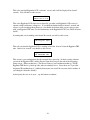
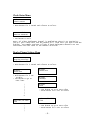
4) Multiply #1 and #3
11.25
5) Divide by 1500
.0075
6) Take the square root:
.0866
We’ll multiply this by 32 to get the size of the drill in 1/32nds, it’s 2.77/32” so we should be fine
with a 3/32 drill bit. Make sure that you use a good sharp drill bit, you do not want any burrs on
the outside of the tube disturbing the airflow. You may want to sand the area around the holes
with some #400 extra-fine sandpaper to smooth out any burrs or flash, and possibly harden it
slightly with some thin CA glue too.
Appendix A – Special Functions
There are some special functions that are accessed from the settings screen that are not on the
menu. In general, you will probably not need to use these functions very often, if at all, but you
need to be aware of them in case you do.
Master Reset
A master reset completely clears all flight memory, and resets the flight settings to the defaults.
The default settings are:
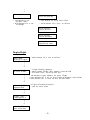
Main Altitude:
Drogue Enable:
Device Name:
500
1 (Nose-Over)
MY EGGTIMER TRS
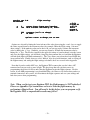
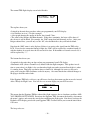
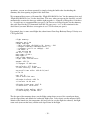
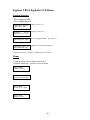
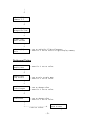
To perform a Master Reset, hold the Ctrl and Y keys down together at the Flight Settings screen,
you will then see this screen:
Eggtimer TRS 1.4N
Master Reset
**** WARNING ****
DO YOU REALLY WANT TO CLEAR ALL FLIGHT MEMORY???
Press BUTTON for 10 seconds to Reset
To perform the reset, you need to hold the Button on the Eggtimer TRS down for at least 10
seconds. When you do, you will hear a long confirmation tone, then you will see a progress
screen as the memory pages are reset. Leave the Eggtimer alone until the process is complete.
When the reset is complete, you will see “Master Reset Completed”, you need to reset or power
down the Eggtimer TRS before you can use it.
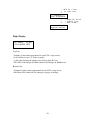
Memory Dump
- 42 -